
Blog
Dark mode for the agent app
Everyone chooses between light, dark and "Match system" in the avatar menu. The switch happens without reloading, and the contrasts are checked.
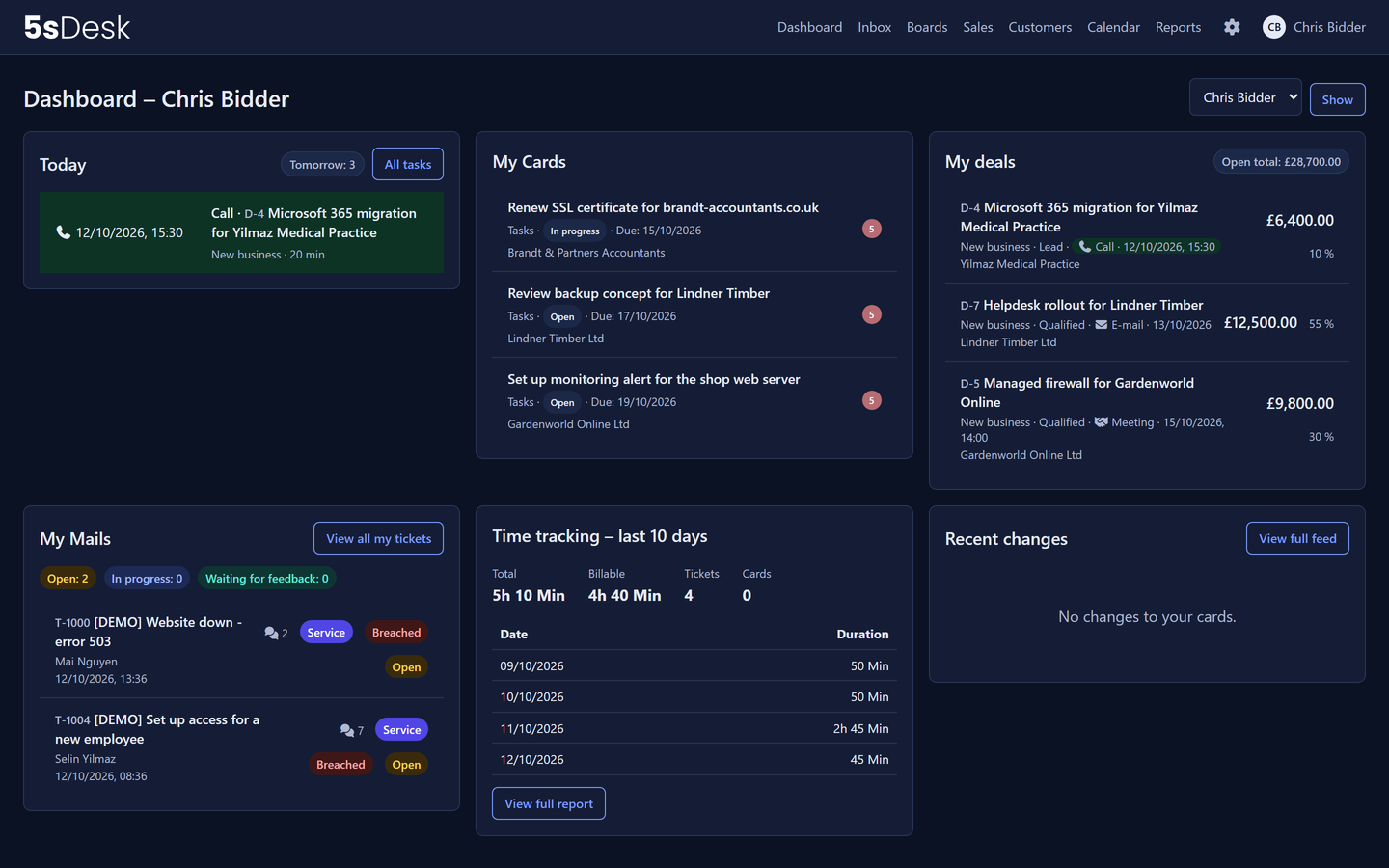
5sDesk now has a dark colour scheme for the agent app. Every person decides for themselves whether to work in light, dark or whatever their operating system is set to. The choice sits in the avatar menu at the top right and applies immediately, without reloading the page. What the dashboard shows and how setup works is explained under How your start works.
Three settings, per person
Under “Colour scheme” in the avatar menu there are three options:
- Light: the familiar interface in white, navy and blue.
- Dark: dark surfaces, light text, the same action colours.
- Match system: 5sDesk follows the setting in Windows, macOS or the browser and switches along with it automatically.
The setting is saved per person. If you work on several devices, you get the same scheme everywhere. The default is “Match system”, so nothing changes unless you change it.
Readable stays readable
The dark colours are not simply inverted. Every shade for text, surfaces, status chips and deadline traffic lights has been chosen individually and checked against the WCAG AA contrast requirements. In the dark, filled buttons get dark text on light blue so they are still recognisable as actions.
Two places deliberately stay light:
- Received emails sit on a light sheet. Customer emails bring their own colours and formatting, and they should look the way the sender intended.
- Logos of your organisation sit on a light badge so that even a dark logo stays visible. The 5sDesk wordmark switches to the white variant in the dark.
What stays light
The dark scheme applies to the agent app, that is everything your team sees after signing in: dashboard, inbox, boards, sales, customers, calendar, reports and administration.
Everything your customers see stays light: the customer portal with the knowledge base, the appointment booking page, embedded forms and the sign-in page. There, your branding with logo and colours decides, not the setting of an individual person.
Why this matters to you
- Less fatigue on long days in the inbox, especially in the evening or in dark rooms.
- No debate in the team. Every person chooses for themselves; nobody has to agree on one scheme.
- No surprises for customers. The portal, booking page and forms look the same to customers as before.
Dark mode is available in every plan. If you do not know 5sDesk yet, you can try it straight away in a new account: Start free trial.