30-day trial · cancel free of charge during the trial · every module in every plan
For logistics and freight forwarding
"Where is my shipment?" with an owner and a deadline
Shipment enquiries, damage reports and delivery notifications arrive in several mailboxes and need a quick reply. 5sDesk turns them into tickets with a tracking number, a deadline traffic light and an owner per branch, and the customer sees the progress in the portal.
Mailboxes per branch or department, automatic distribution
Tracking number and route as custom fields, in the list and the filter
Forwarding to partners and carriers from the ticket, the reply comes back to it
30-day trial · cancel free of charge during the trial · every module in every plan
Dispatch life
Three things that cost time in the dispatch mailbox
The same shipment enquiry three times
The customer writes to dispatch@, writes to the driver planner and rings as well. Three people look for the same shipment.
A damage report without a deadline
The damage report with photos sits in the mailbox, and the deadline for getting back to the customer passes unnoticed.
The partner's reply in the wrong mailbox
The question to the carrier went from a personal mailbox. Only one person sees the answer.
How it runs
A damage report from start to finish
1
Step 1: The report arrives at dispatch@
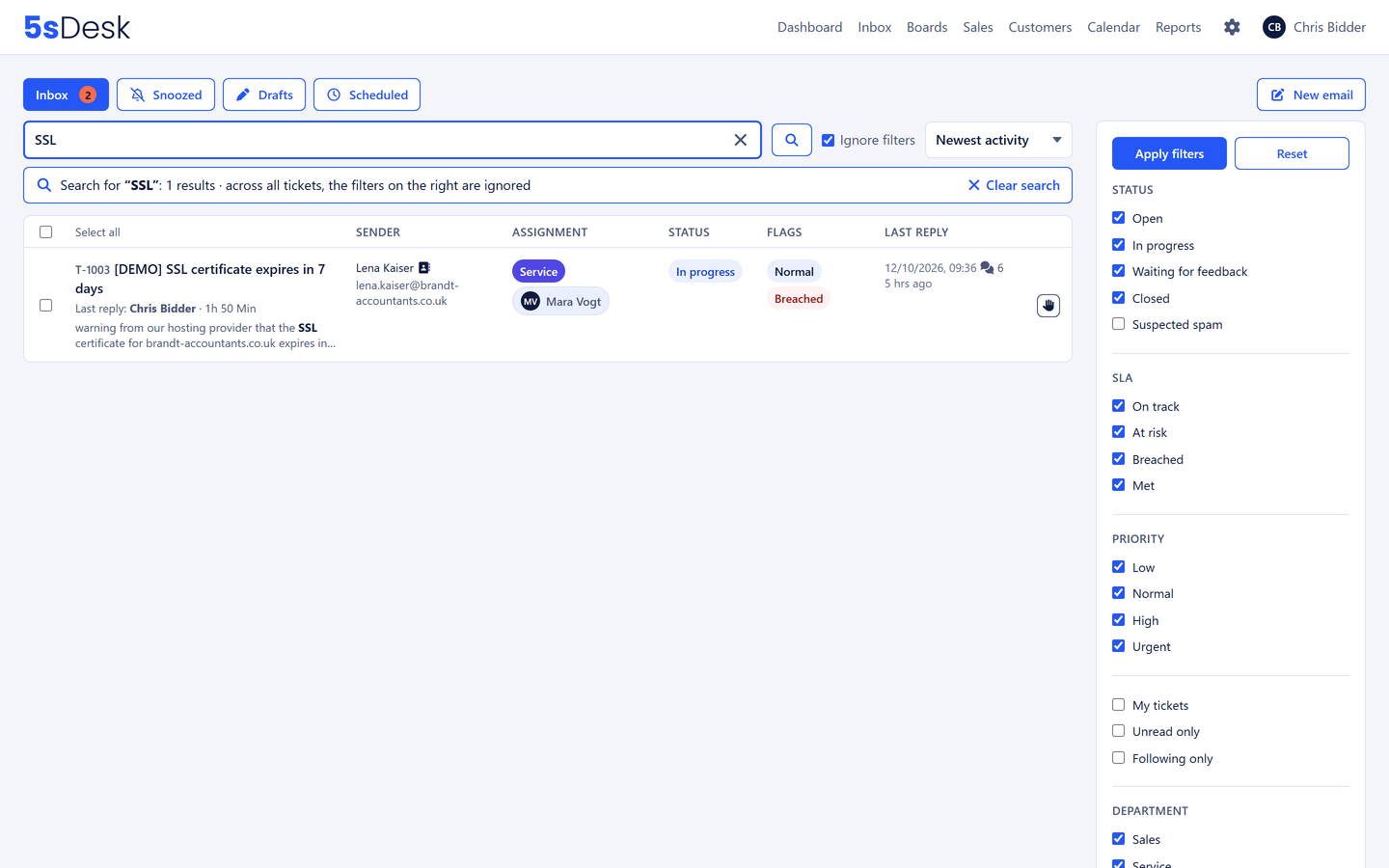
The email with photos becomes a ticket with a number, the "Damage" department and a first response deadline. The sender is known, and the customer's company record sits in the sidebar.
2
Step 2: Tracking number and route recorded
As custom fields on the ticket, visible in the list and filterable. Tag "Damage" from the tag list.
3
Step 3: Question to the carrier
Forwarded from the ticket with the photos. The partner's reply arrives on the ticket, visible to everyone, including whoever is covering.
4
Step 4: A card for the settlement
The reply becomes a card on the "Claims settlement" board, due in five days. The card knows the ticket.
5
Step 5: The customer sees the status
The portal shows "We are replying" until the claim is settled. The ticket is closed, the deadline traffic light stays green, and at month end the reporting shows response times per branch.
The features behind it
What freight forwarders use most in 5sDesk
Several mailboxes, clear ownership
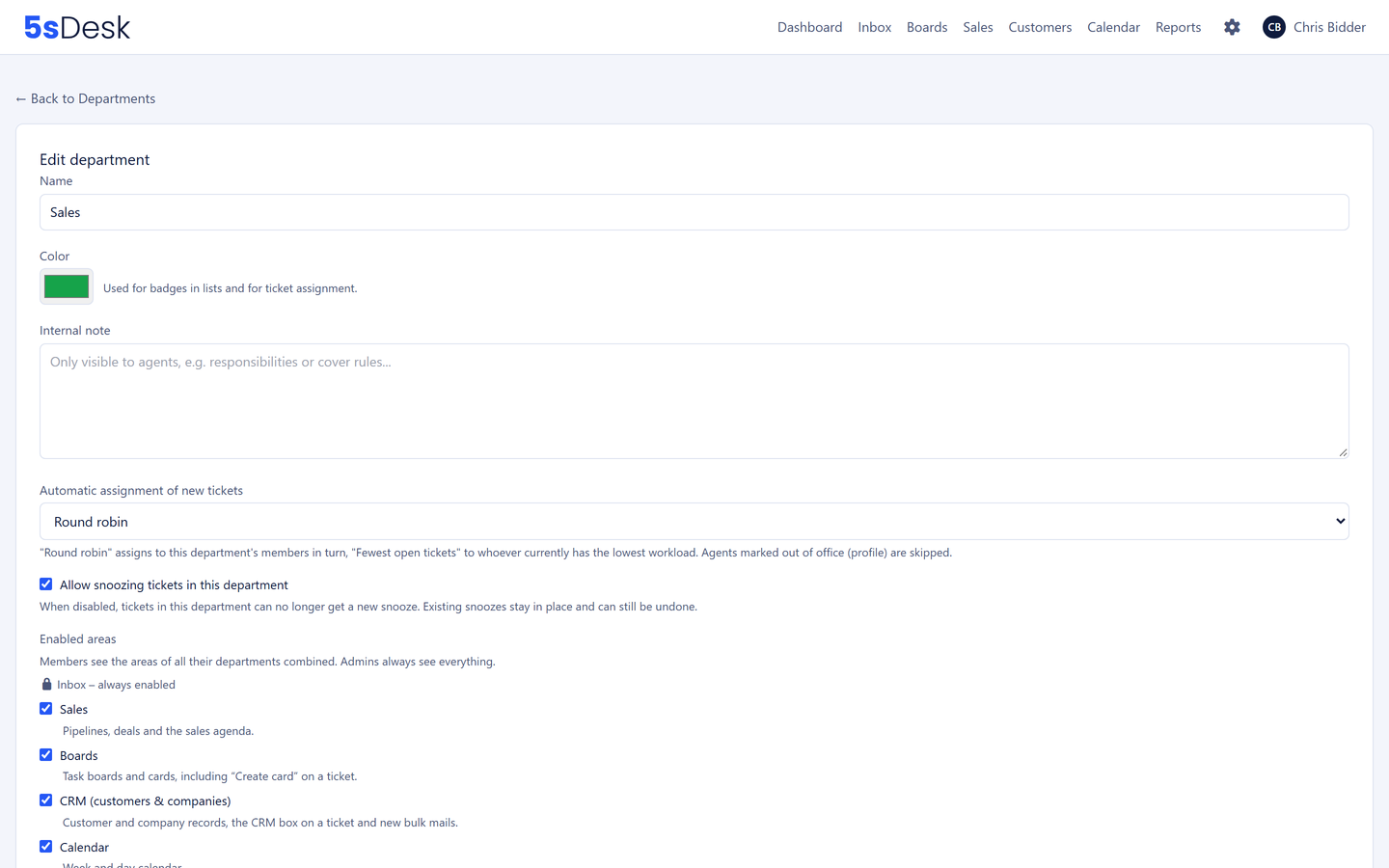
dispatch@, claims@ and notifications@ per branch, each assigned to a department. New tickets go to the planners in turn or by workload, with absent colleagues skipped. Whoever is already replying is shown.
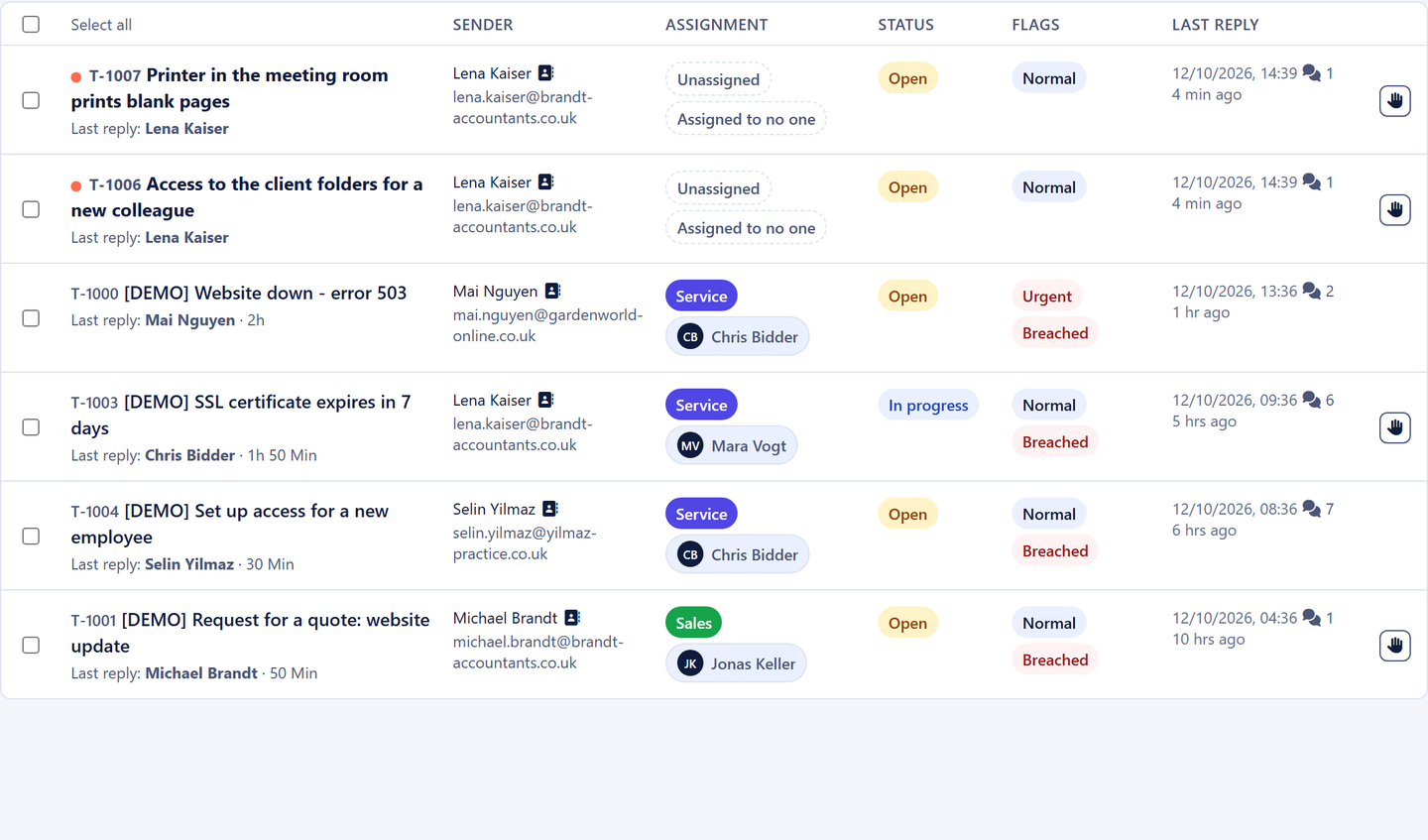
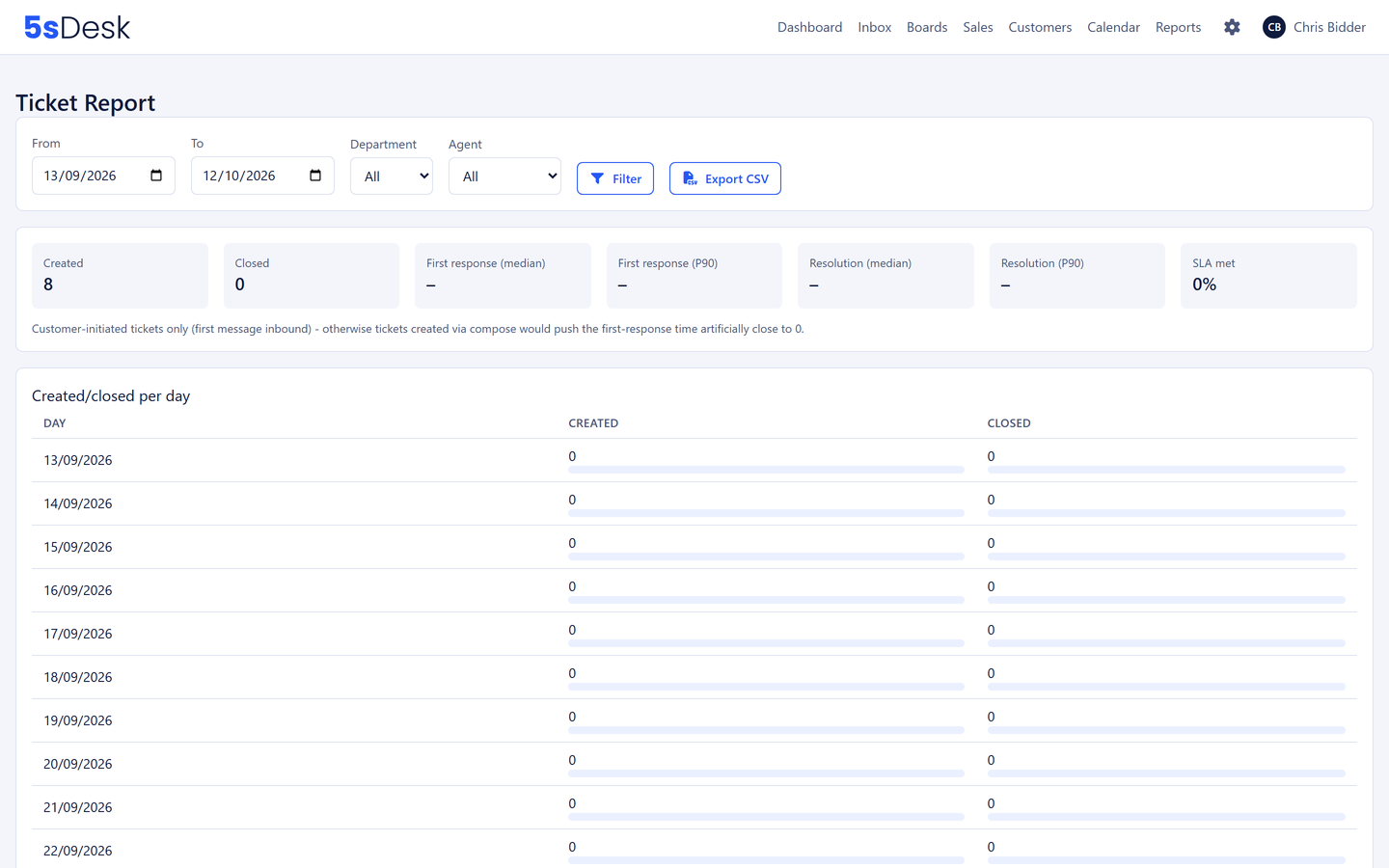
Response and resolution deadlines per department and priority, a traffic light on every row, an early warning before a deadline is missed. Reporting shows first response and resolution time and the SLA rate, with export.
Customers raise requests with the tracking number as a required field, see the status in three groups and find answers on collection times, packaging and customs documents before they write.
5sDesk runs alongside your transport management system. You set up the fields for the communication yourself.
Tracking number
Route
Carrier
Damage type
Loading date
Customs status
Mailboxes per branch
Automatic distribution per department
Deadlines with early warning
A traffic light on every row
Forwarding to partners
The reply arrives on the ticket
API and webhooks from Basic
Connection to your TMS
Hosted in Germany
Data centre in Nuremberg
Frequently asked questions
Does 5sDesk replace our transport management system?
No. 5sDesk takes over the communication with customers and partners, the tasks that come out of it and the key figures around it. Planning and freight billing stay in the TMS. The REST API and webhooks (from Basic) connect tickets and shipment data.
How do we handle shipment enquiries faster?
With the tracking number as a required field in the portal and the form, with automatic assignment to the right branch and with canned responses for standard replies such as delivery windows or collection confirmations.
Can we bring carriers and partners in?
By forwarding from the ticket, with attachments. The partner's reply lands on the ticket. No portal access is needed for that.
How do we see response times per branch?
In the reporting, filtered by department and period: first response and resolution time, SLA rate, backlog by age, distribution by team member. Export as CSV.
Every shipment enquiry with a deadline and an owner
Connect your dispatch mailbox, set up the tracking number as a field. Try it for 30 days.