Skip to content

For SaaS providers

Every sign-up lands straight on the sales board

Your product reports new users to 5sDesk via the API, and your website sends enquiries through an embedded form. Customer, company and deal are created without retyping, and your sales team sees at once who is trialling. When the customer pays or cancels, the card moves with them. When they write to support, it becomes a ticket on the same customer.

  • Sign-ups via REST API as a customer and deal in the "Trial" column
  • Enquiries from the website form as a deal in "Contacted", with the conversion in Google Tag Manager
  • Support requests as a ticket on the same customer, deal and tickets on one record

30-day trial · cancel free of charge during the trial · every module in every plan

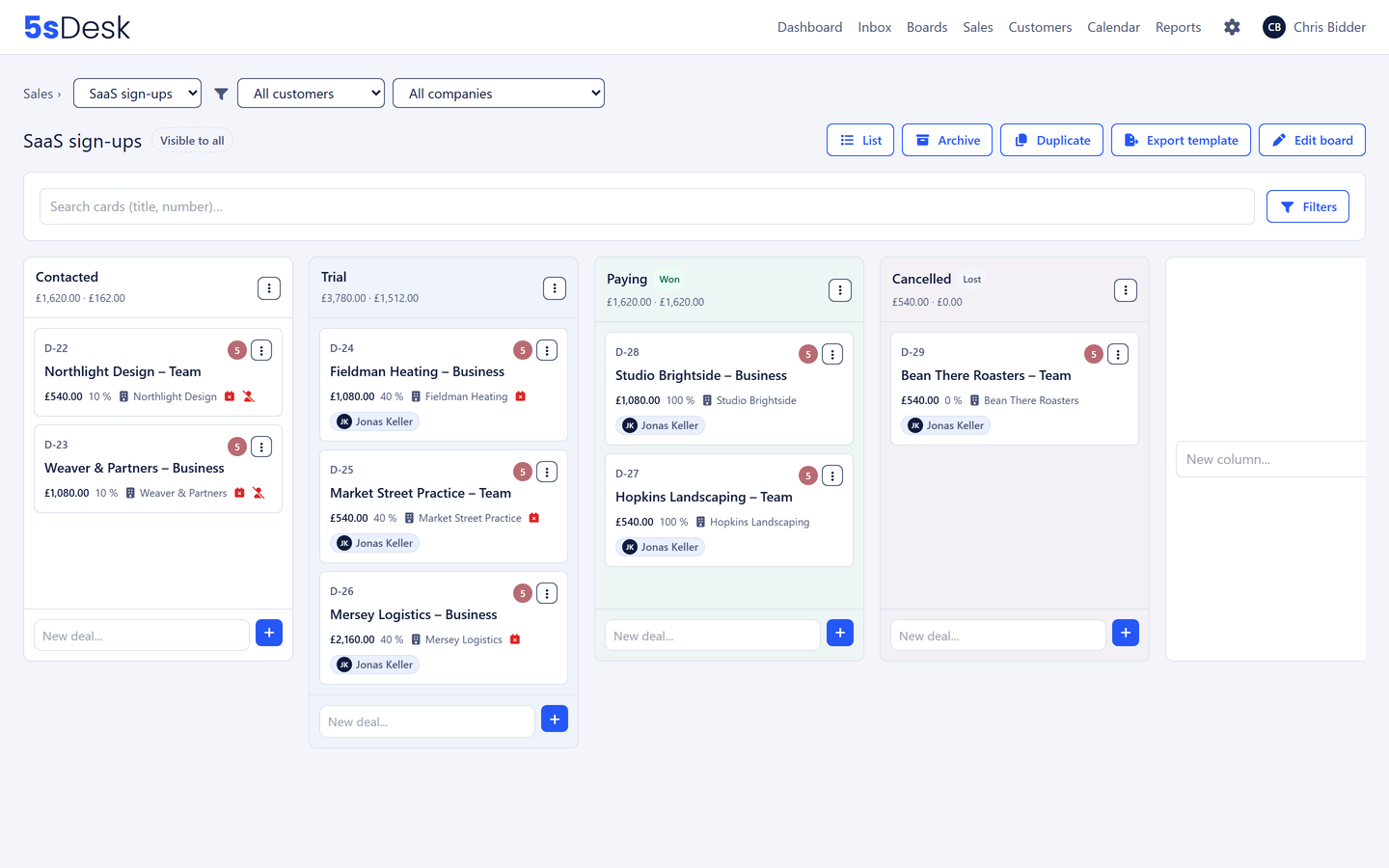
Sales board of a SaaS provider with the columns Contacted, Trial, Paying and Cancelled

Life after launch

Three things that get stuck at SaaS providers

  • Sign-ups only in the product database

    Whoever registered is in your own database. They only show up in the CRM once someone exports a list and imports it.

  • Sales cannot see the trial

    Which company is trialling right now, when the trial ends and who is already paying: the sales team finds out from one-off queries or not at all.

  • Support and sales kept apart

    A trial customer's support request lands in a different tool from their deal. Nobody in support knows they are about to sign.

How it runs

From enquiry to paying customer

This is how we run 5sDesk ourselves: our product writes every sign-up to our own sales board via the API, and enquiries from the website come in through a 5sDesk form.

  1. Step 1: An enquiry comes in from the website

    Anyone who wants to talk to you before trialling submits the form on your website. Customer, company and deal sit in the "Contacted" column, and your Google Tag Manager counts the conversion.

  2. Step 2: Someone registers in your product

    Your backend calls the 5sDesk API and creates the customer with email, name and company. If the address already exists, from the form for example, the API returns the existing customer instead of creating a second one.

  3. Step 3: The card sits in "Trial"

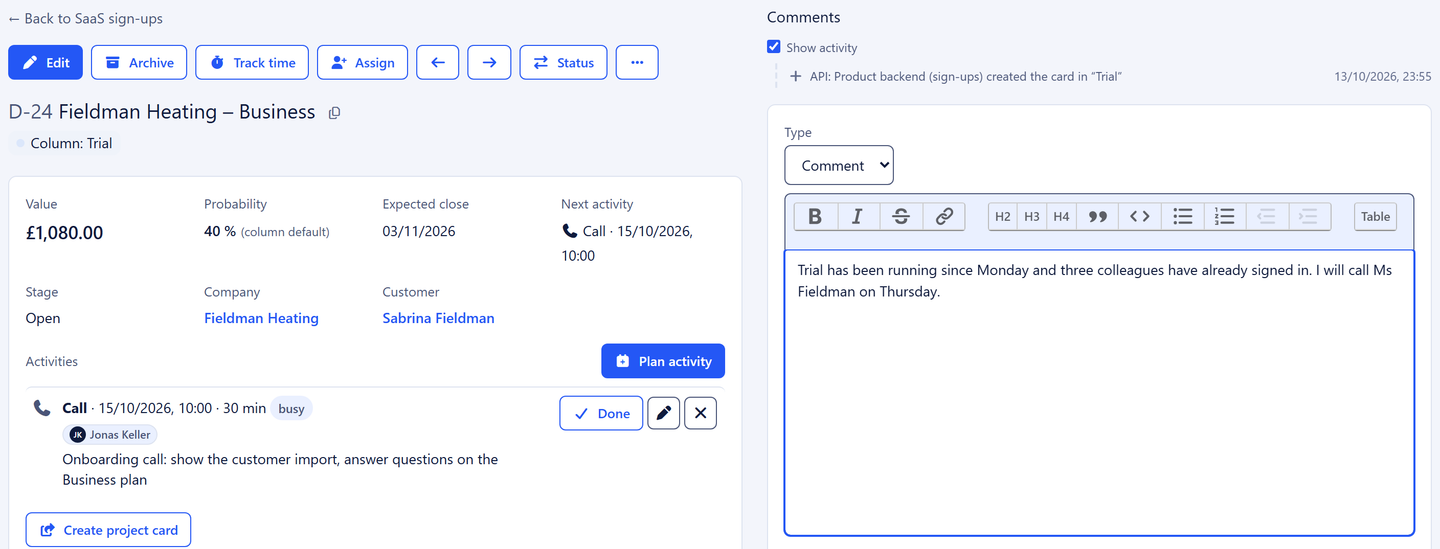
    In the same run a card appears on the sales board, with deal value, probability, expected close date and custom fields such as plan and trial end. The history shows that it came in via the API.

  4. Step 4: Sales takes over

    The sales team assigns the card, plans the next action and writes to the trial customer straight from 5sDesk. Replies land on the same customer, and the sales pipeline shows totals per stage.

  5. Step 5: Questions during the trial go to support

    When the trial customer writes to your support mailbox, it becomes a ticket with a number and an owner. The customer record and deal sit alongside, so support can see that a deal is about to close.

  6. Step 6: The first payment moves the card

    When your payment system reports the first charge, your backend moves the card to "Paying". The deal counts as won and shows up in the reporting.

  7. Step 7: Cancellation with a reason

    When a customer cancels, the card lands in "Cancelled", with a close reason such as "Too expensive" or "Feature missing". A webhook reports the move back to your system.

Deal card of a trial customer with value, probability and a history entry via the API

The features behind it

What SaaS providers use most in 5sDesk

REST API and webhooks for your product

Create and update customers and companies, put cards with deal fields on the sales board and move them between columns. If your system repeats a call because a response got lost on the way, there is still only one entry. In the other direction, 5sDesk reports new customers, moved cards and new tickets by signed webhook.

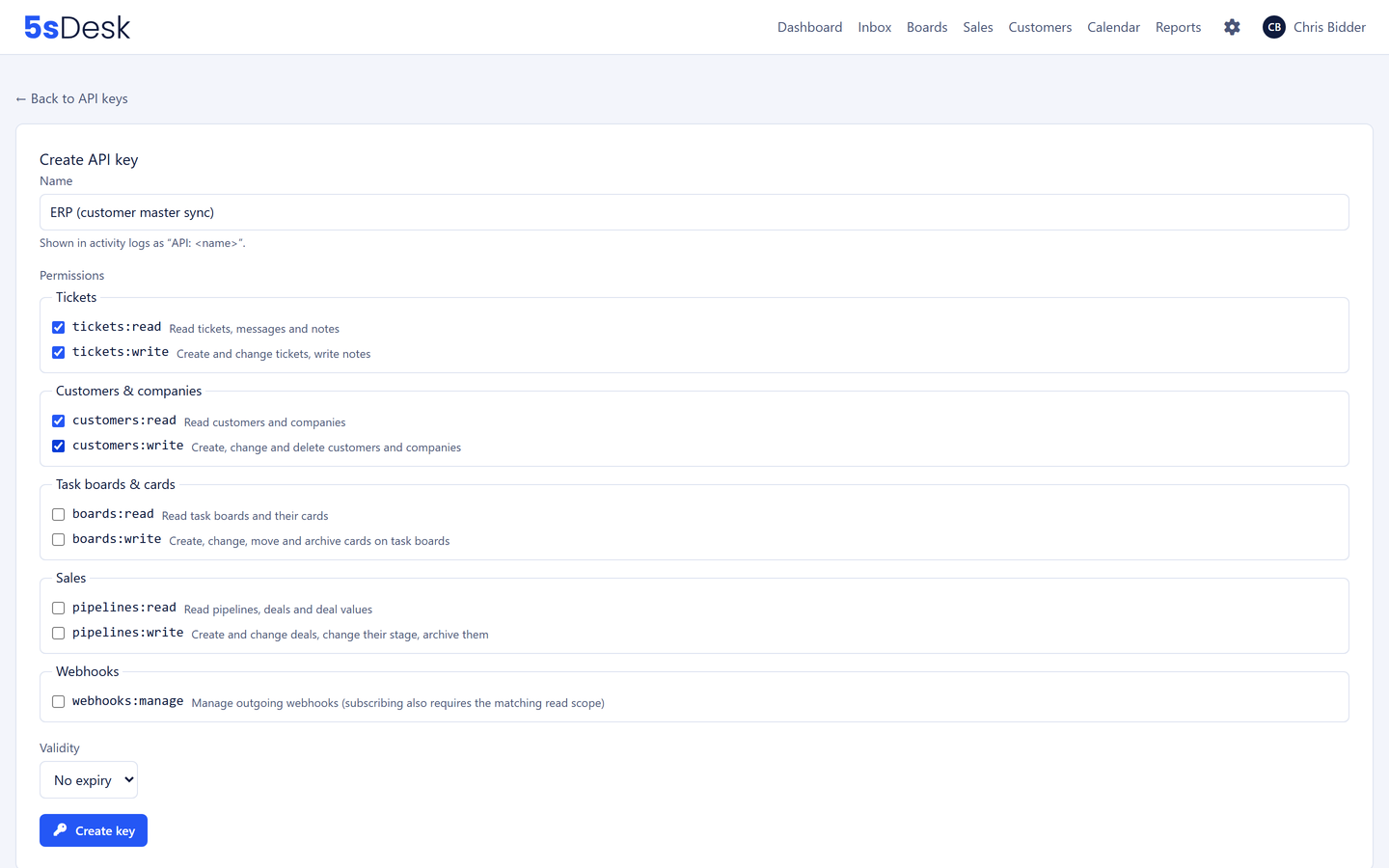
  • Keys with exactly the permissions they need
  • Protection against duplicate entries
  • Webhooks with signature and retries
Go to the API documentation
New API key with exactly the permissions it needs

Website forms with Google Tag Manager

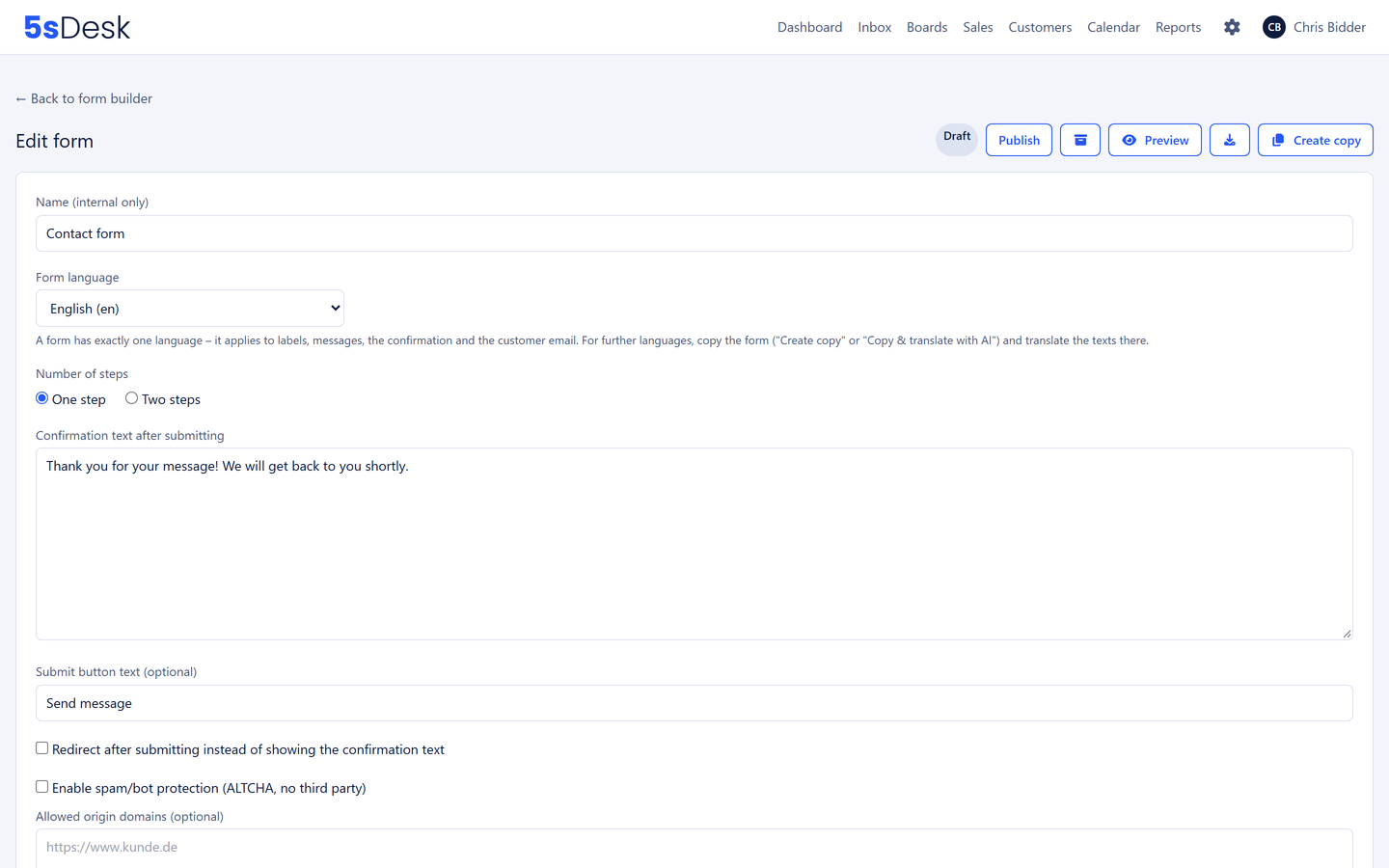
For enquiries before the sign-up, you embed a 5sDesk form on your website with two lines of code. Every enquiry becomes a customer, company and deal in the stage of your choice. The form reports views, starts, errors and submissions to your website's Google Tag Manager, waits for consent from your cookie banner and sets no cookies of its own.

  • A deal straight in the stage you want
  • Conversion events in the tag manager
  • Double opt-in for marketing consent
More about website forms
Form builder with fields

Helpdesk for trial and paying customers

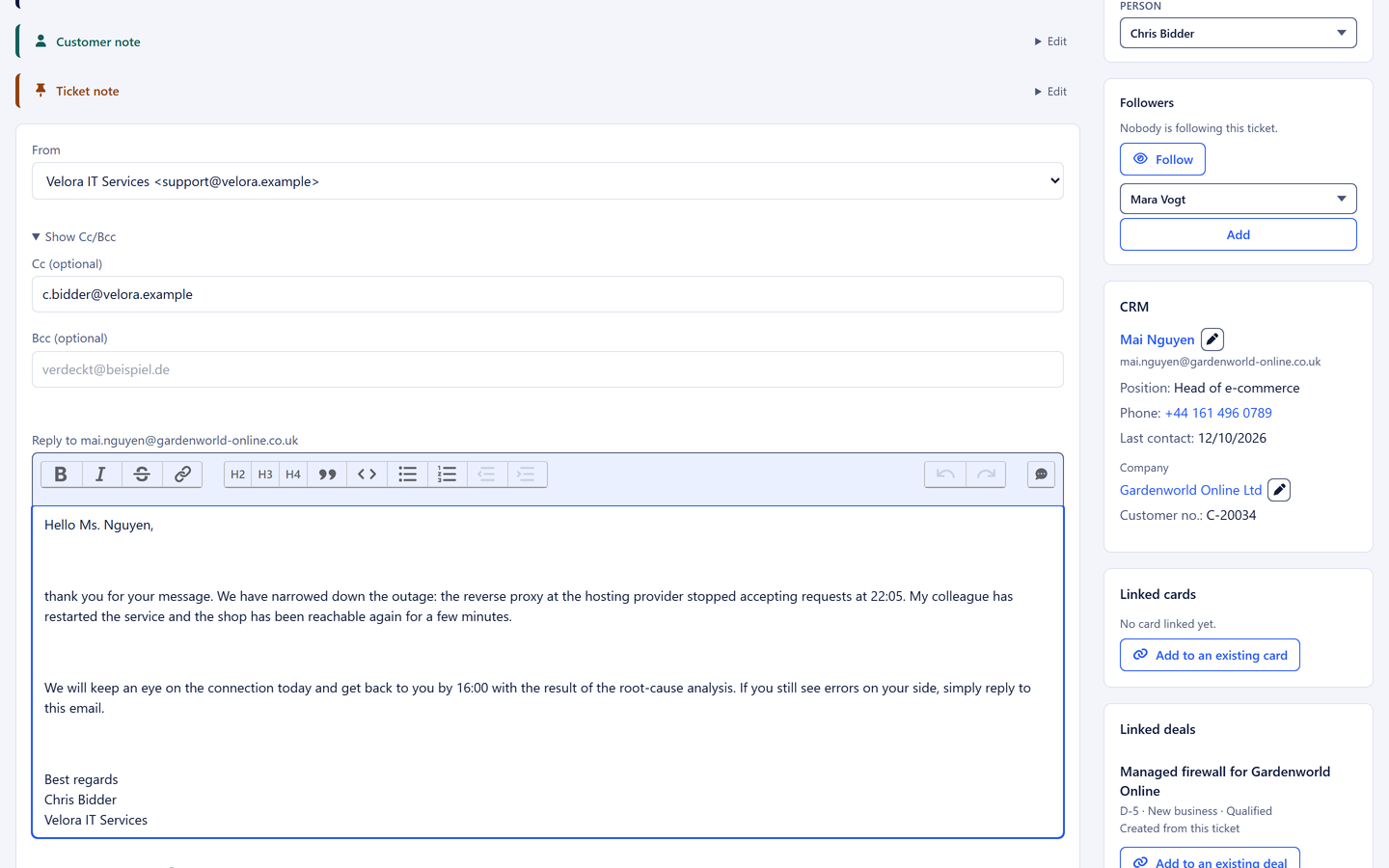
Connect your support mailbox and every email becomes a ticket with a number, an owner and a deadline. The customer record, deals and earlier requests sit next to the ticket. Support sees who is trialling and who is already paying, and sales sees which questions a trial customer has asked.

  • Ticket with number, owner and deadline
  • Customer record with the deal next to the ticket
  • Customer portal and knowledge base
More about the ticketing system
An open ticket with timeline

Custom fields for plan and account

Whatever your product knows about the customer, the API writes to custom fields on customer and card.

  • Plan
  • Account ID in the product
  • Trial end
  • Number of users
  • Billing interval
  • Sign-up source
  • REST API and webhooks from Basic

    With finely scoped keys

  • A card from sign-up or form

    Straight into the right column

  • Conversions in the tag manager

    Only after consent, no cookies of its own

  • One customer record

    Deal, tickets and emails together

  • Cancellation reasons in the reporting

    As loss reasons in the pipeline reporting

Frequently asked questions

Which plans include the API and webhooks?
Basic and Pro. You create the key in the settings, with exactly the permissions for customers and sales cards.
Where can I find the API documentation?
Publicly at docs.5sdesk.com/api/docs, as an OpenAPI description with every call for customers, companies, cards and webhooks. The guide to API keys shows how to create keys.
What happens if the same person registers twice?
The API does not create a second customer with the same email address but returns the existing one. Your system attaches the new card to that customer. The same applies if the person already enquired through the website form.
How do we measure conversions from the website form?
Switch on the tag manager events in the form. The form then writes views, starts, errors and submissions as events to your website's data layer, where your Google Tag Manager picks them up. 5sDesk loads no tracking of its own, and if you wish the form waits for consent from your cookie banner.
How do we carry over marketing consent from the registration?
If the user consented with you, you pass the consent to the customer via the API. It then appears with its source in their consent history.
We have no developers for the connection. Does it still work?
For enquiries from the website, the form is enough, embedded with two lines of code. For sign-ups from the product, use an integration platform that talks to REST APIs and webhooks: if your product reports new registrations by webhook, the platform passes them on to 5sDesk.
Do support requests from paying customers land in the same system?
Yes. Once you connect your support mailbox, every request becomes a ticket on the same customer. The customer record shows deal, tickets and emails side by side.

From sign-up to subscription on one board

Create an API key, embed the form, connect your support mailbox. Try it for 30 days in Basic or Pro.

Start free trial

30-day trial · cancel free of charge during the trial · every module in every plan