Skip to content

For manufacturers and wholesalers

Service and sales know the same customer

In B2B the company is the customer relationship, not the individual person. 5sDesk brings complaints, service requests and sales enquiries together on the company record: every contact, every ticket, every deal. Whoever replies knows what was last discussed.

  • Companies with several domains and every contact in one place
  • Serial number, order number and product as custom fields, in the portal too
  • The enquiry becomes a deal, the deal becomes the project card for service

30-day trial · cancel free of charge during the trial · every module in every plan

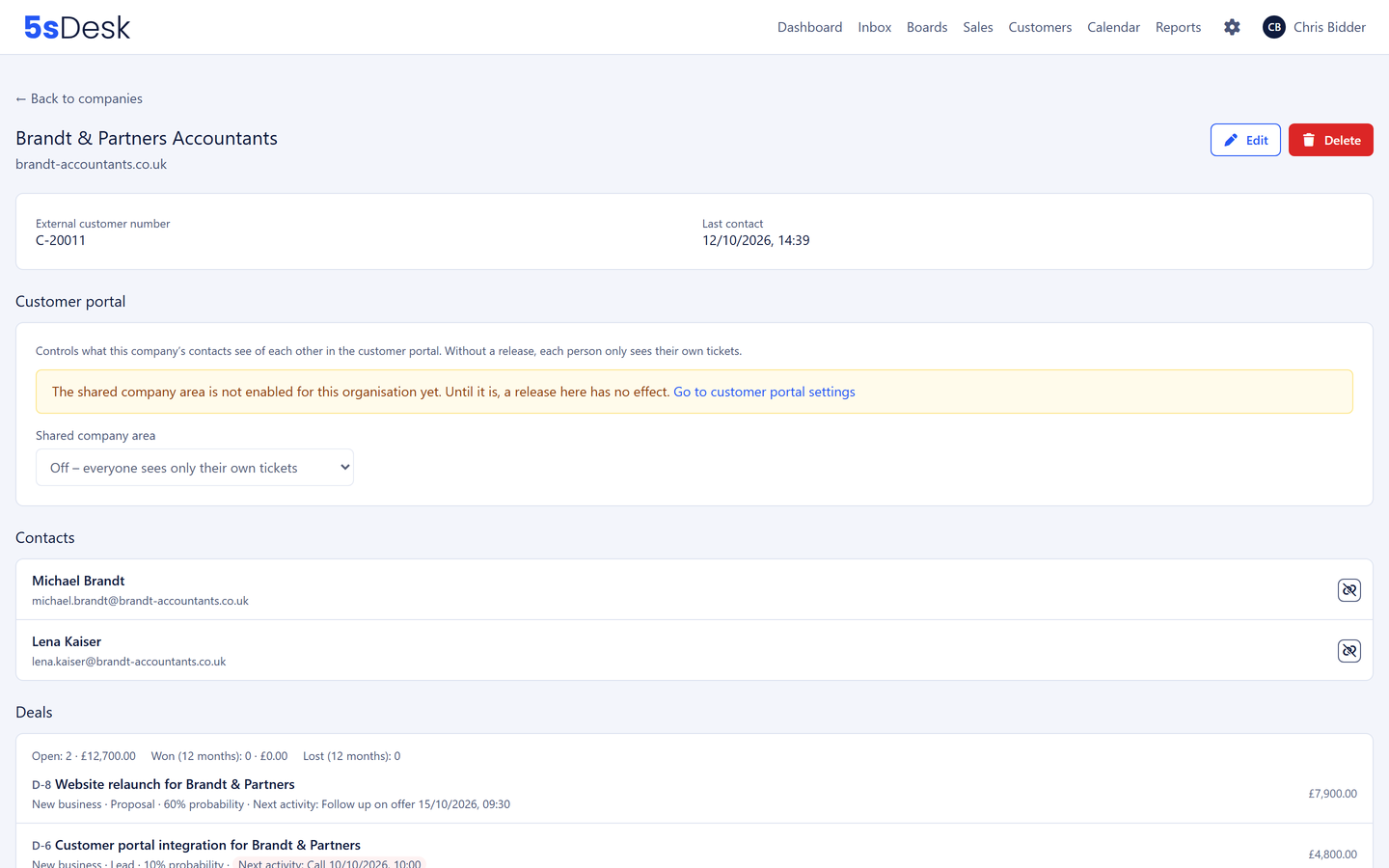
Company record of a business customer with contacts, tickets and deals

B2B service life

Three things that get stuck in B2B service

  • Five contacts, one company

    Purchasing, engineering and management all write separately. Nobody sees the whole relationship, and the same question is answered three times.

  • A complaint without a serial number

    "The unit is broken", with no word on which one. Asking back costs a day.

  • Sales and service talk past each other

    Sales promises something, service knows nothing about it. The order arrives, and the project team asks for everything again.

How it runs

A sales enquiry from start to finish

  1. Step 1: Enquiry in the sales mailbox

    An enquiry lands in the sales mailbox and is assigned to the sales department. One click creates the person and the company in the CRM, pre-filled by the AI from the signature.

  2. Step 2: The company is already a customer

    Domain recognition shows it. The company record lists every ticket of every contact, the product in use, the latest complaints and earlier deals. The conversation starts informed.

  3. Step 3: A deal from the ticket

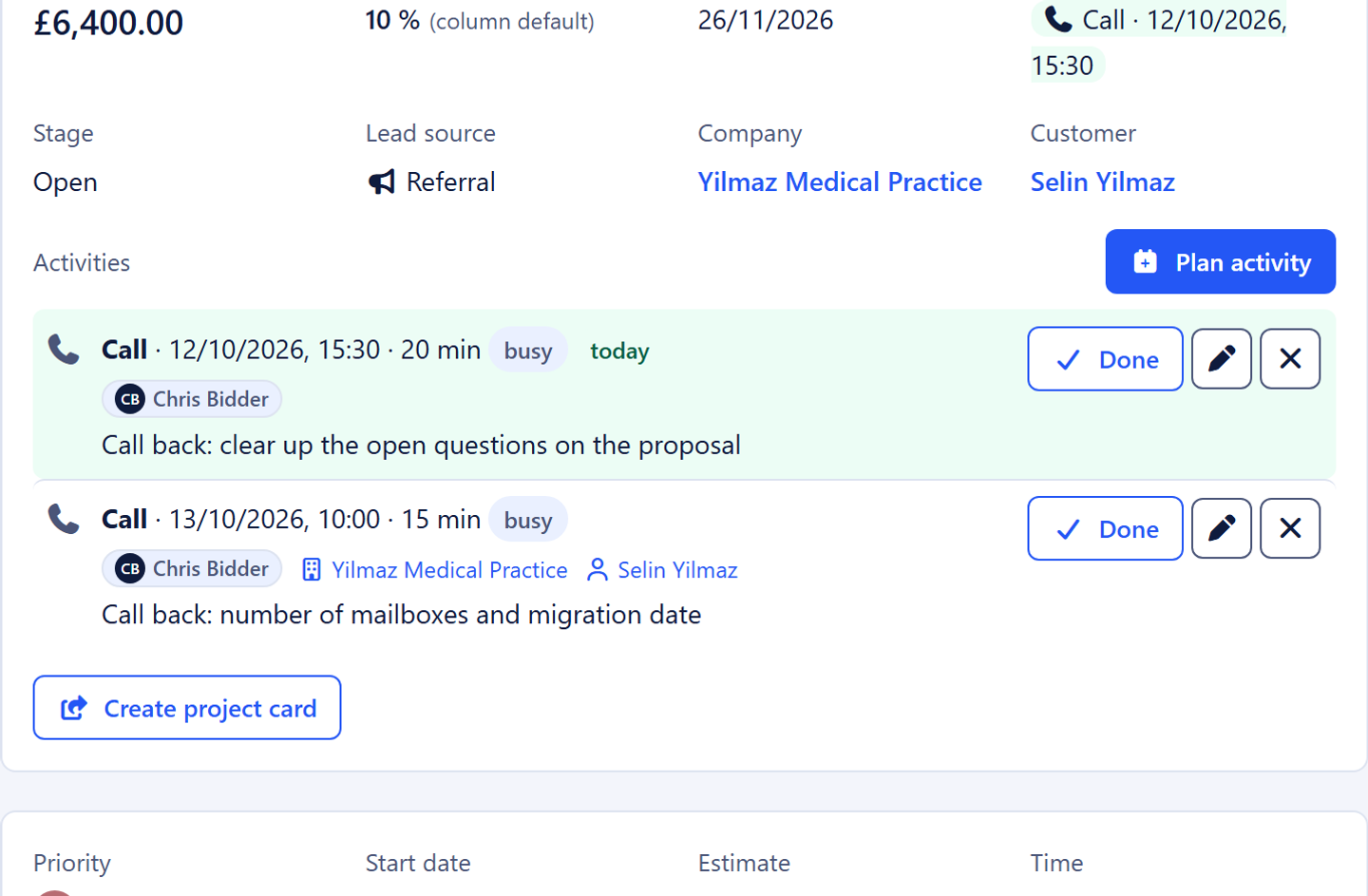
    "Create deal" creates the deal in the "New business" pipeline, stage Lead, with an estimated value. Contact and company come with it; the deal shows the ticket, the ticket shows the deal.

  4. Step 4: Appointment, qualification, next action

    The prospect books the appointment themselves. Afterwards the deal moves to "Qualified", and the next action "Follow up on the quote" sits on "My day" with a date and an owner. A deal without a next step stands out immediately.

  5. Step 5: Won, handed over to service

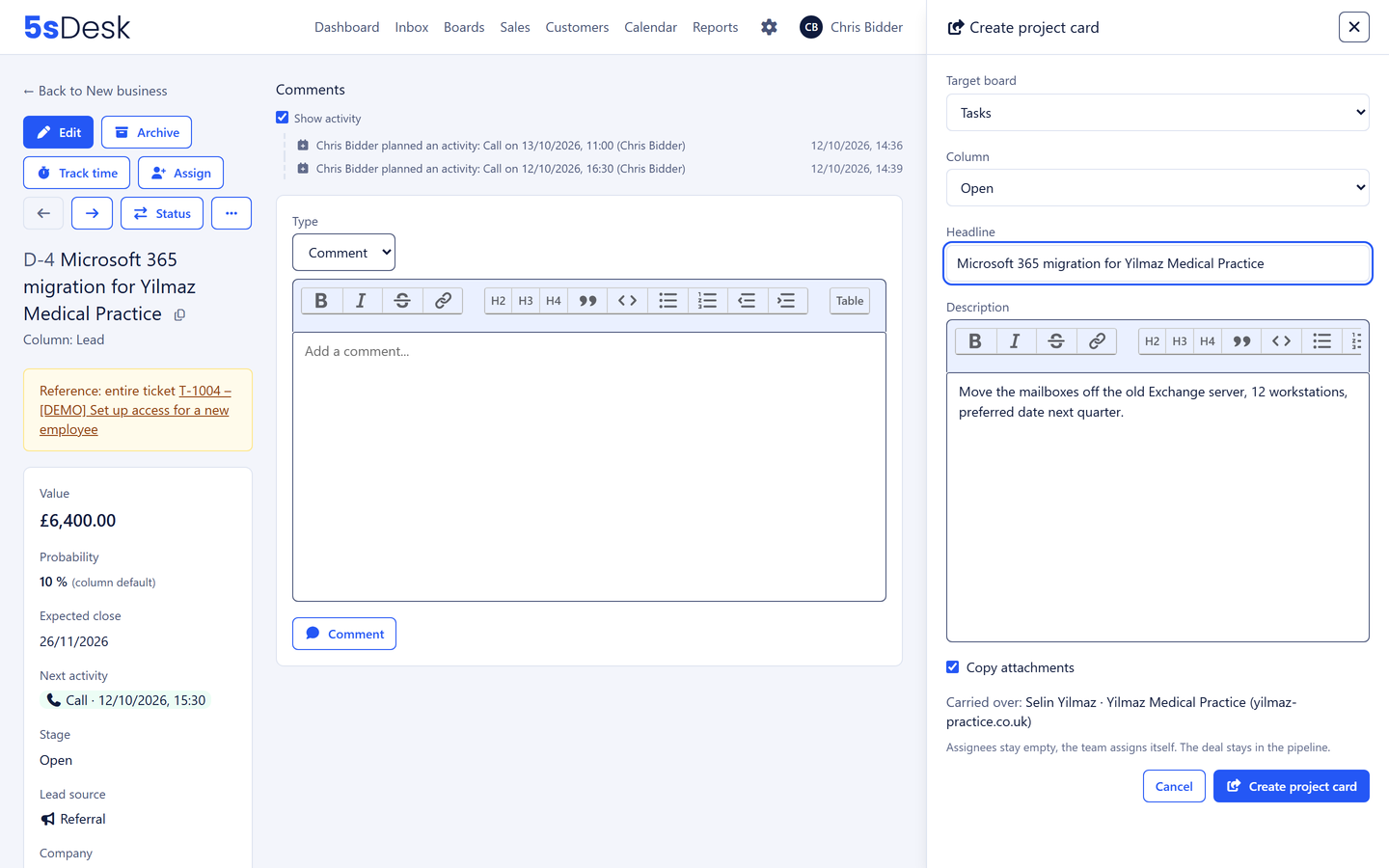
    One click creates the project card on the order processing board, with customer, company and description. The deal stays in the pipeline and keeps counting.

  6. Step 6: Or lost, with a reason

    "Lost" with the reason "Price". At quarter end the deal list shows how often that was the reason.

Deal with value, probability, next action and project card

The features behind it

What manufacturers and wholesalers use most in 5sDesk

Company record with technical context

Main domain and further domains, every contact, every ticket, open and won deals, system in use and version. The customer number from your ERP system sits as a field on the company. Notes that apply to every ticket hang off the company rather than the individual ticket.

More about the CRM
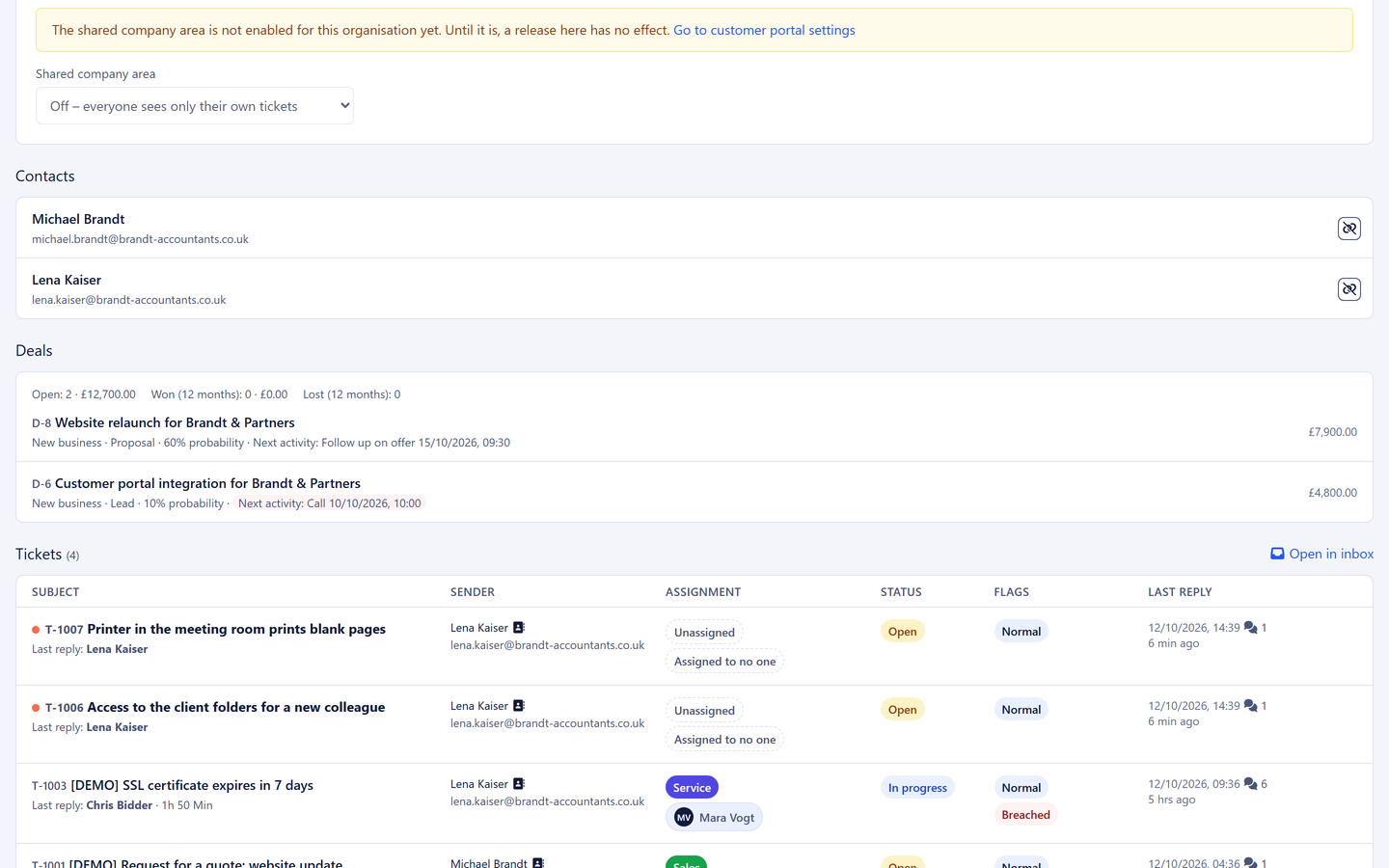
Company record with contacts and open deals

Complaints with structure

Serial number, order number, product and reason for the complaint as custom fields, required in the portal when a ticket is raised. Tags such as "Complaint" or "Warranty" in the list, deadlines by priority, forwarding to the supplier straight from the ticket.

More about the customer portal
Complaint in the customer portal with a serial number

Sales pipeline with handover

Deals from a ticket or a website form, stages with probability, weighted totals, a next action per deal, reasons for losing and reporting with CSV export. Won deals are handed over to order processing or service as a project card, with nobody retyping anything.

More about the sales pipeline
Project card from a won deal

Custom fields for products and orders

The details your service team needs sit on the ticket, the customer and the company.

  • Serial number
  • Order number
  • Product / item
  • Warranty until
  • ERP customer number
  • Reason for complaint
  • Companies with several domains

    Every contact in one place

  • Serial number as a required field

    In the portal too, when a ticket is raised

  • A deal from the enquiry

    With handover via a project card

  • API and webhooks from Basic

    Connection to your ERP system

  • Hosted in Germany

    Data centre in Nuremberg

Frequently asked questions

How do we handle complaints in a structured way?
With custom fields for serial number, product and reason for the complaint, which customers fill in when raising a ticket in the portal, with tags in the list and deadlines by priority. The email to the supplier goes from the ticket, and their reply arrives there.
How does the customer number from our ERP system get into 5sDesk?
By import from a spreadsheet or through the REST API (from Basic). The company record has a custom field for the customer number, and webhooks report new tickets or won deals to your systems.
Can several contacts from one company use the portal?
Yes. Each person signs in with their own email address and sees their own tickets. Company fields are maintained by whoever is allowed to reply for the company.
How does service see what sales has promised?
In the company record and on the project card. The won deal is handed over to the delivery team with its description and attachments, both cards refer to each other, and the customer record is the same.

Service and sales on one company record

Connect your sales and service mailboxes, import your companies. Try it for 30 days.

Start free trial

30-day trial · cancel free of charge during the trial · every module in every plan