Skip to content

Ticketing system for small and medium-sized businesses

One system for requests, tasks, customers and time.

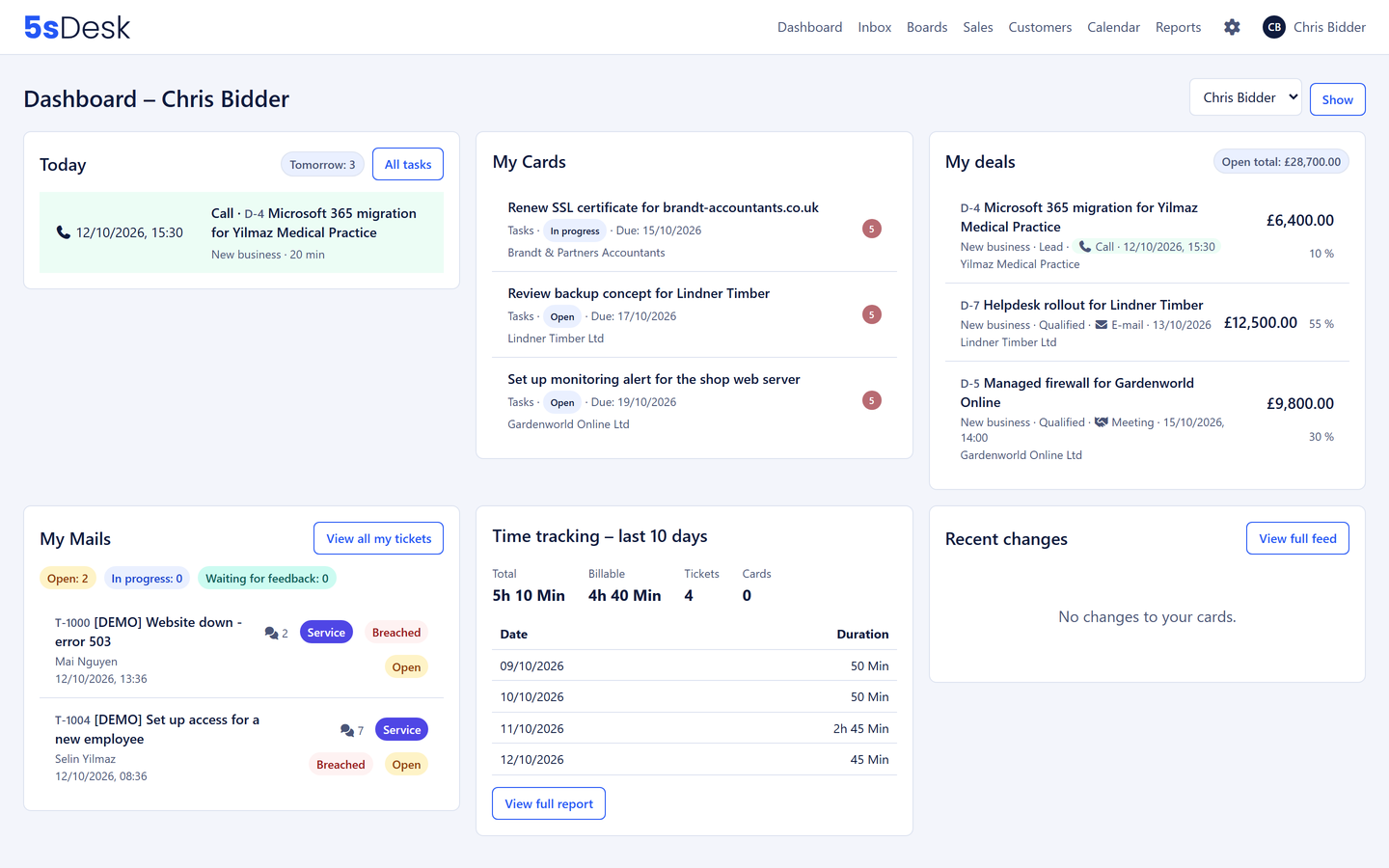
5sDesk turns every email into a ticket with a number and an owner. From there come tasks, deals with a next action, appointments in your own calendar and billable hours, without anyone retyping a thing.

  • Mailbox connected in minutes, with Microsoft 365 or IMAP
  • CRM, Kanban, sales, calendar and time tracking included
  • Hosted in Germany

30-day trial · cancel free of charge during the trial · every module in every plan

5sDesk dashboard with the Today tile, your own cards, deals, emails and time tracking

Where the working day breaks down

Three things that cost every small team time

  • Emails get lost in the shared inbox

    Who is replying? Who already has? In a shared info@ mailbox nobody knows, and some requests sit there for days.

  • Six tools, one case

    Helpdesk, Kanban tool, calendar, time tracking, CRM, wiki. Every manual handover is one that can be forgotten.

  • Hours from memory

    Writing up in the evening what happened on the ticket during the day. By month end, half the billable hours are missing.

How it works with 5sDesk

Everything on one ticket

A customer request stays the same ticket from the moment the email arrives to the billable hour. Customer record, task, appointment, tracked time and help article hang off the same data, not copies.

Ticketing system

Every email becomes a ticket with a number, status and deadline

Several mailboxes, automatic assignment by department, a deadline traffic light, snoozing and bulk actions keep the inbox empty. Whoever replies can see whether a colleague is already typing.

More about the ticketing system
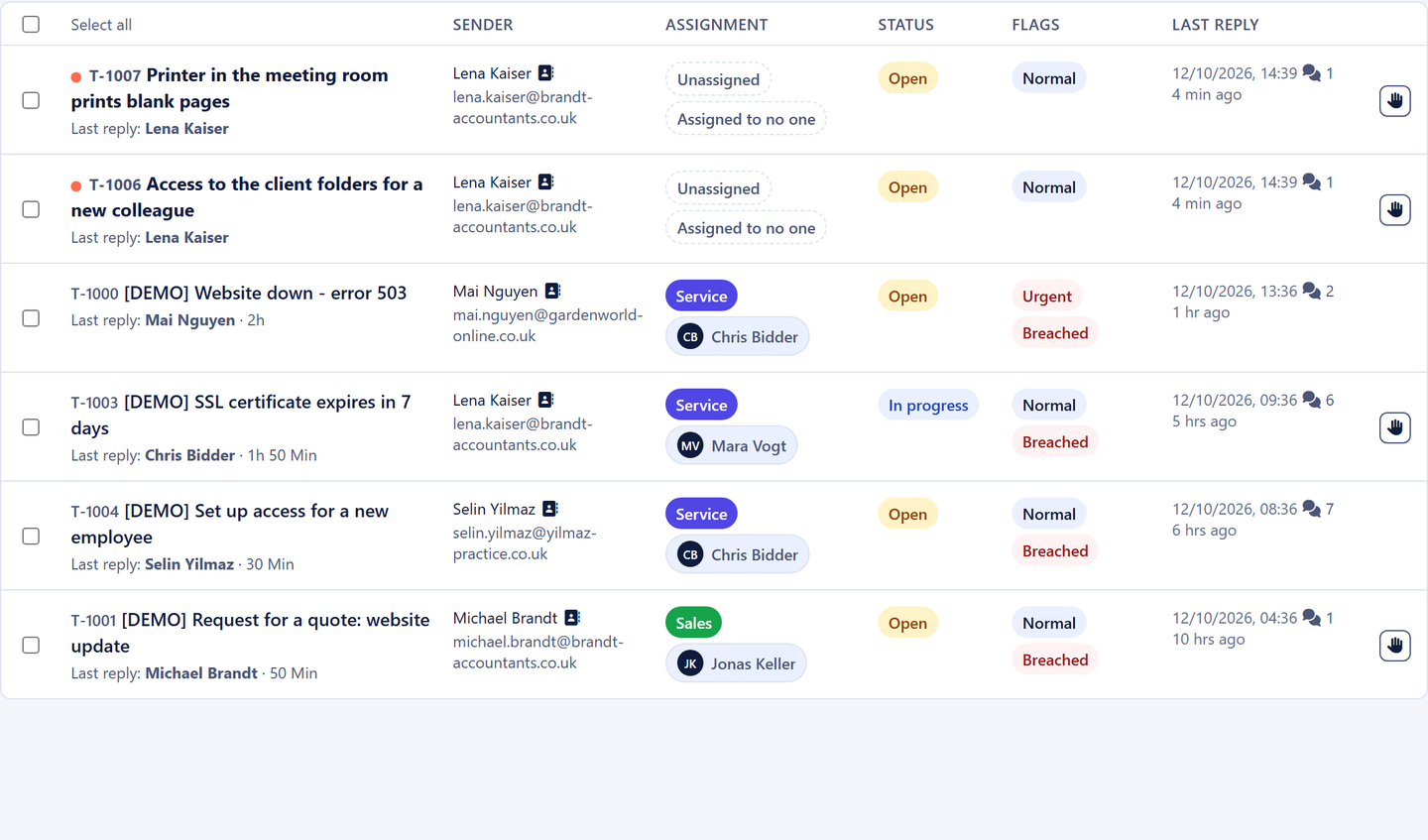
Ticket list with owner

CRM

A CRM that fills itself from your email traffic

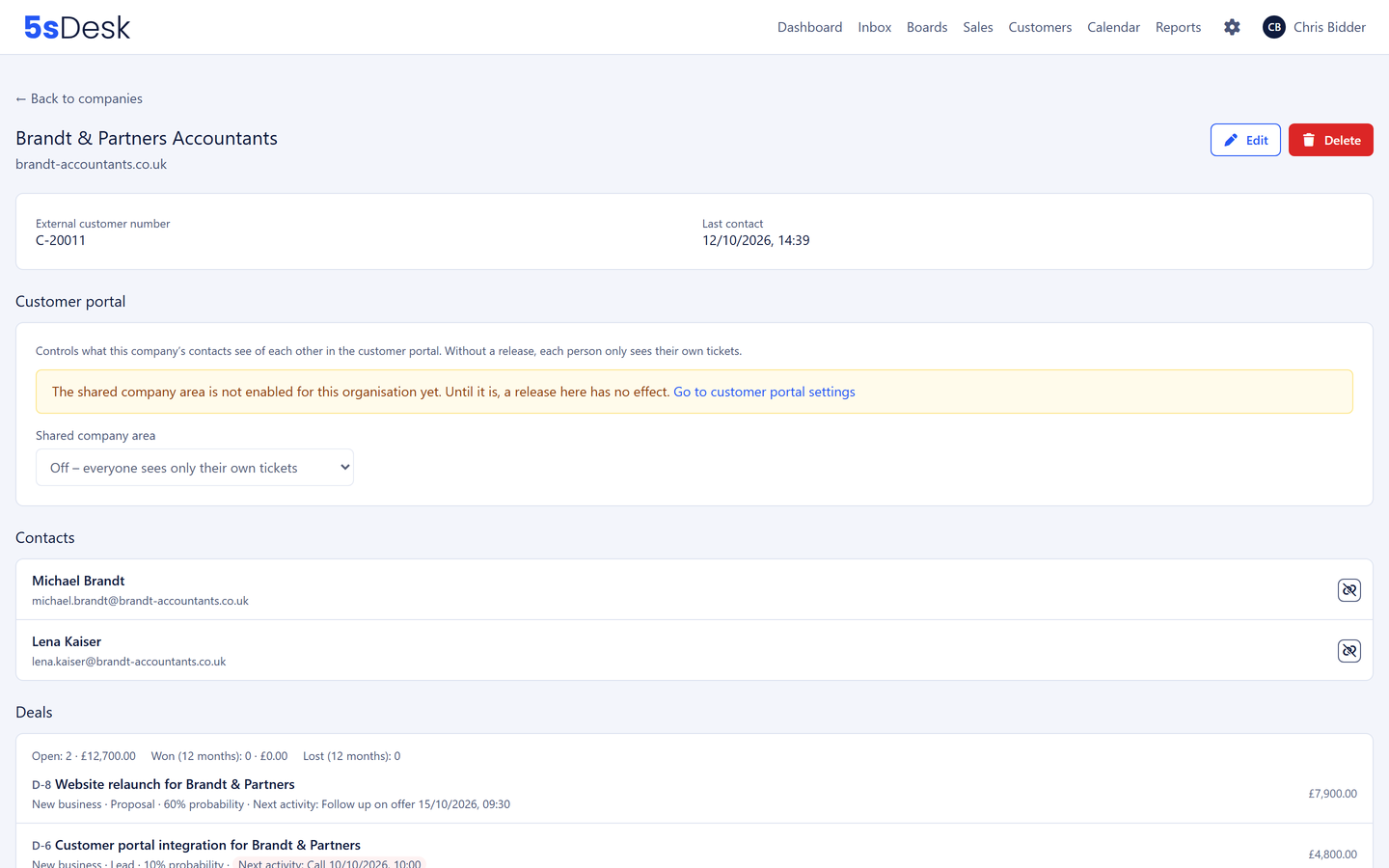
Known senders are attached to the right customer straight away, new companies are recognised by their email domain. Whoever replies sees the whole customer history alongside.

More about the CRM
Company record in 5sDesk with contacts

Sales & calendar

Every deal knows its next step

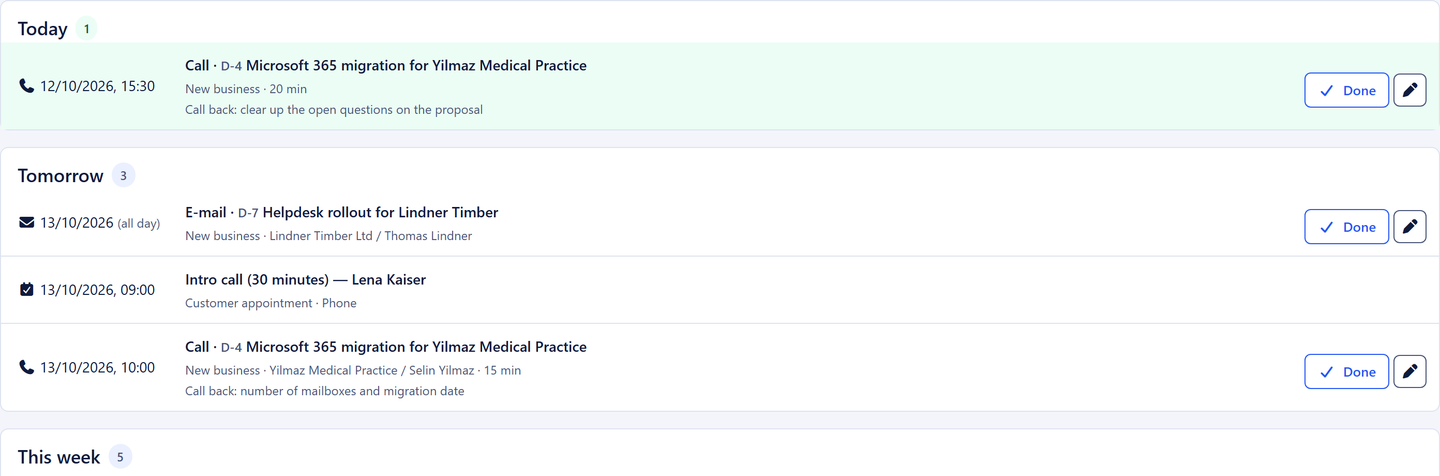
Deals grow out of requests and carry a next action with an owner and a time. "My day" shows what is due today, your own calendar blocks the time, and Outlook and Google receive a copy.

More about the sales pipeline
The My day list with planned actions

Tasks & Kanban

One click turns an email into a card

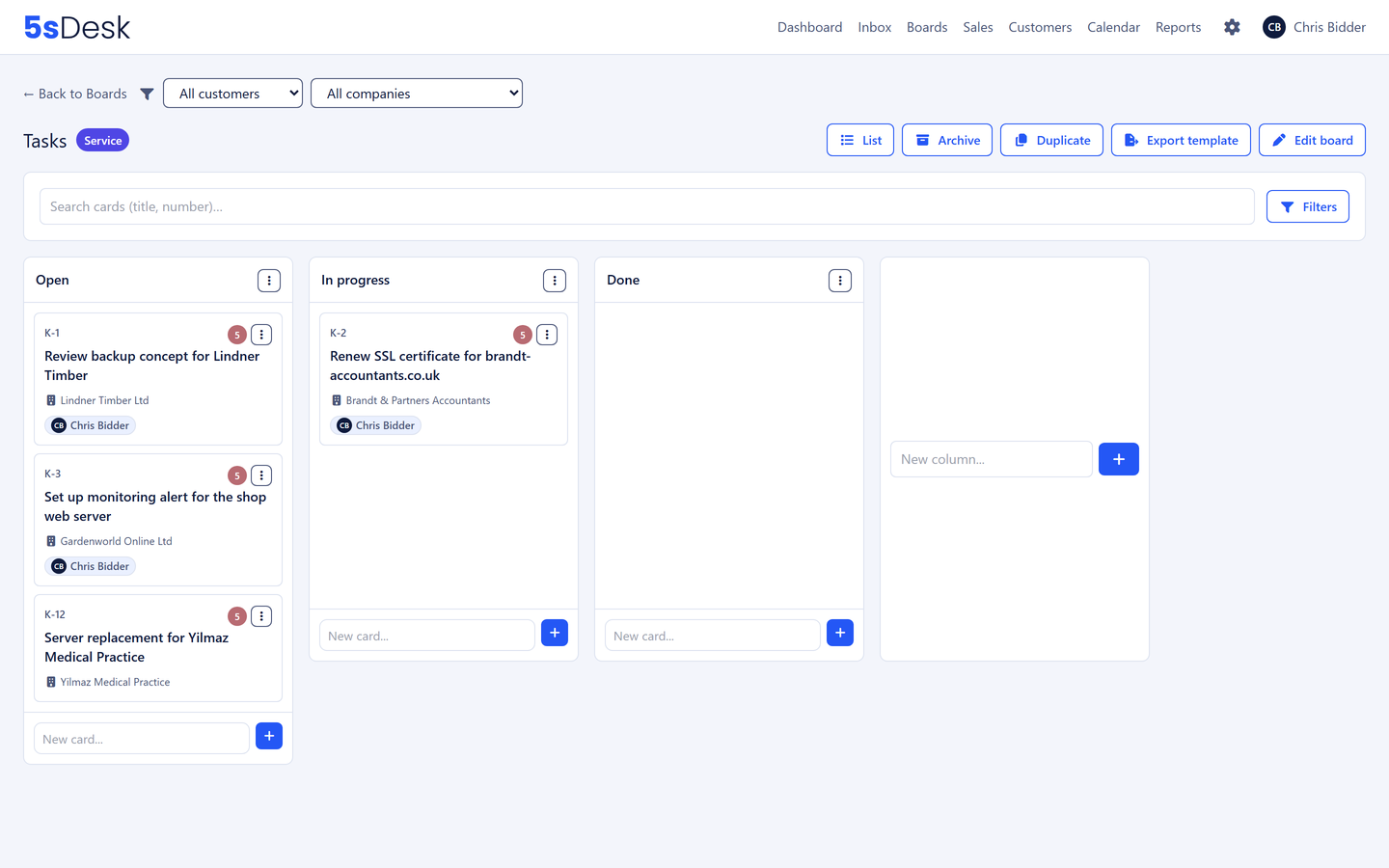
The card knows which message it came from, and the ticket shows the card. Boards with your own columns, card types, due dates and a table view.

More about tasks & Kanban
Kanban board in 5sDesk with cards created from customer requests

Time tracking

A timer right on the ticket or the card

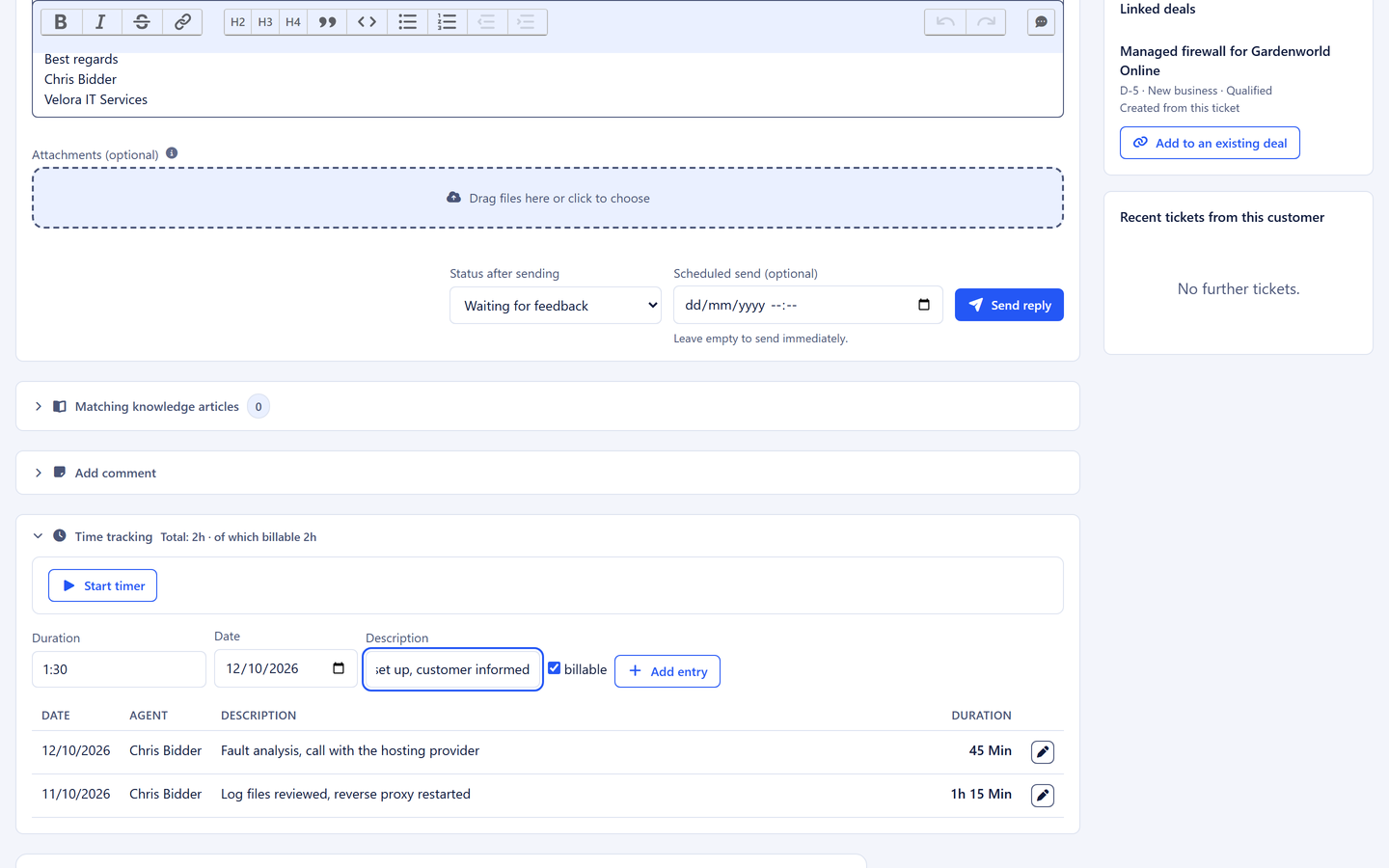
Time is tracked where the work happens, billable or not. Reporting by customer company is a filter setting, and the export opens straight in Excel with nothing to tidy up.

More about time tracking
Time tracking right on the ticket with a timer and entries

Customer portal

Customers see the status and find answers before they ask

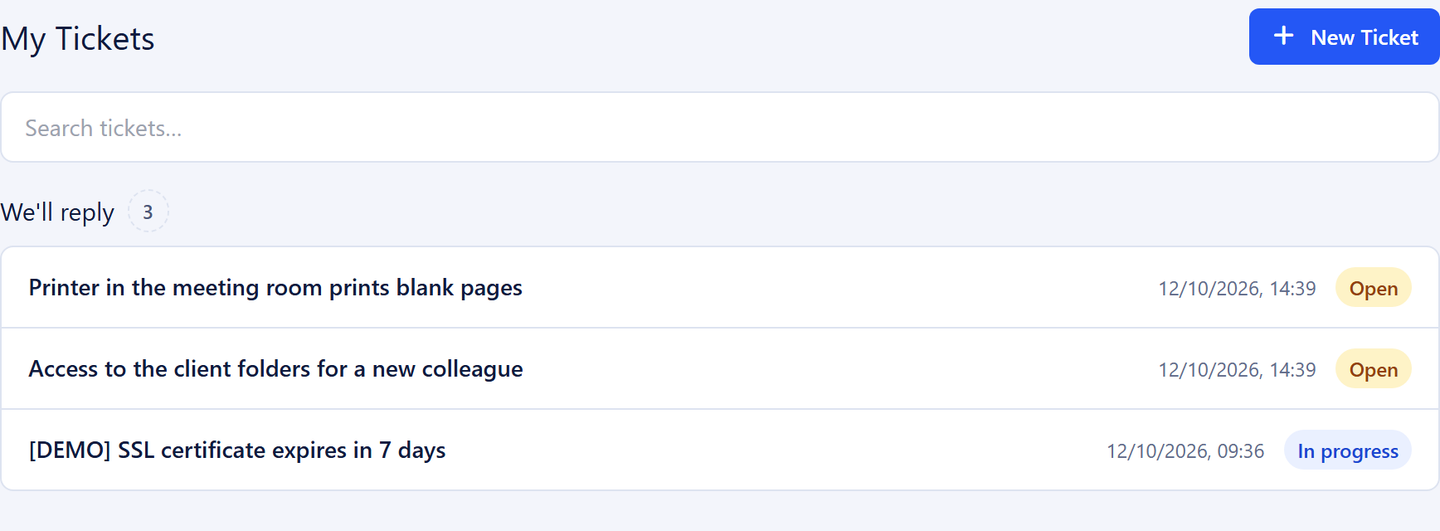
Sign-in by link without a password, three plain-language status groups, every attachment in one place and a knowledge base your team also uses in the reply box.

More about the customer portal
Customer portal with one customer's tickets and their status
No extra cost

AI that pitches in, with your key

Draft replies, customer details from the signature, ticket summaries. You store your own key with Anthropic or OpenAI, pick the model and set the spending limit. 5sDesk adds no mark-up, and the AI is off by default.

More about the AI
  • Your key

    You store your own API key with Anthropic or OpenAI and pay for usage directly there.

  • Your model

    You choose the model, from fast and cheap to the most capable, and switch whenever you like.

  • Your spending limit

    Usage limits per person and hour and per organisation and day. Every request is listed in the AI log.

  • Hosted in Germany

    Data centre in Nuremberg

  • 30-day trial

    Cancel free of charge during the trial

  • AI at no extra cost

    With your own key, in every plan

How your start works

  1. Step 1: Create your organisation

    Company, name, preferred subdomain and email address. The organisation is created immediately, with sample data to try out.

  2. Step 2: Set your password by email

    A link arrives by email. Then you are in your organisation and can see the dashboard, the inbox and the sample data.

  3. Step 3: Choose a plan

    Starter, Basic or Pro. A payment method is stored but only charged after the 30 days; cancel before then free of charge.

  4. Step 4: Connect a mailbox and try it for 30 days

    With Microsoft 365 or IMAP. The setup checklist and guided tours explain the rest.

Clear pricing, every module in every plan

Per month, excluding VAT. The plans differ only in the number of seats, API access and whether the 5sDesk notice is hidden.

  • Starter

    For individuals and the smallest teams

    €39flat rate per month, billed monthly

    up to 3 people

  • Recommended

    Basic

    For teams that need integrations and their own branding

    €29per agent per month, billed monthly

    3 to 10 agents

  • Pro

    For larger teams from six agents

    €39per agent per month, billed monthly

    from 6 agents

See full pricing details

Frequently asked questions

Do I need Microsoft 365?
No. 5sDesk connects mailboxes via Microsoft 365, including shared ones, without storing any passwords. Classic IMAP and SMTP accounts work just as well, for example for Gmail or your own mail server.
What happens after the 30 days?
The trial starts when you choose a plan and runs for 30 days. If you cancel during that time, there is nothing to pay. Otherwise the plan you chose simply continues, with nothing to set up again.
What does the AI cost?
Nothing extra with 5sDesk. All AI features are included in every plan. You store your own API key with Anthropic or OpenAI and pay for usage directly there. Usage limits and a complete log keep the costs in view.
Can I bring my old emails across?
Yes. When you connect a mailbox you take over the existing email history from a start date of your choice, with a progress indicator. Customers and companies are imported from a spreadsheet, matched by email address and domain rather than created twice.
Where is my data stored?
In Germany, with Hetzner in Nuremberg. More on the Security & GDPR page.

One system instead of six. Starting today.

Create your account, connect your mailbox and work with every feature for 30 days.

Start free trial

30-day trial · cancel free of charge during the trial · every module in every plan