30-day trial · cancel free of charge during the trial · every module in every plan
Feature · Time tracking
Track time where the work happens
Time tracking rarely fails because of the tool. It fails because it is a second tool. In 5sDesk it runs on the ticket, the card and the deal, while the work is being done. At month end, reporting by customer company is a filter setting.
30-day trial · cancel free of charge during the trial · every module in every plan
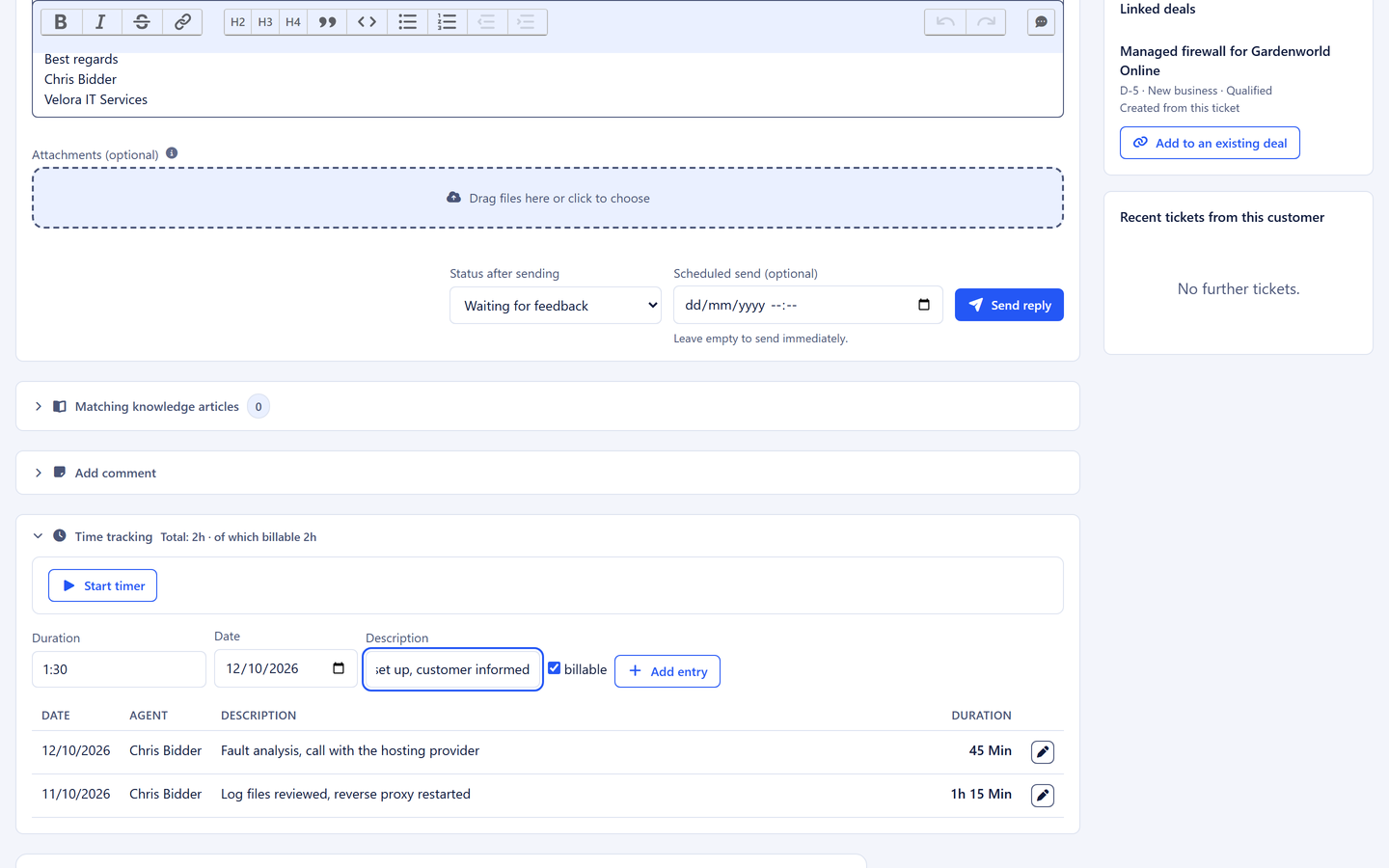
Start, stop or discard the timer right on the ticket or the card
Billable or not, per entry, so goodwill stays visible
An export that opens straight in Excel with nothing to tidy up
In detail
From the timer to the basis for the invoice
Exactly one timer, always in view
The running timer sits in the header of every page, with the ticket's subject or the card's title and a link straight to it. If a timer is already running elsewhere, the system says so rather than allowing a second entry. Discarding is built in: a timer started by mistake should never force a wrong entry. Adding time afterwards works with `90`, `1:30` or `1.5 h`, and nobody has to convert.
One running timer per person
Add entries manually with flexible input
At most 24 hours per entry, so a forgotten timer is not booked
Billable or not, per entry
Goodwill, internal coordination and paid work are kept apart without goodwill becoming invisible. You edit your own entries, administrators edit all of them. The author of an entry can never be changed, and moving an entry to another person afterwards is ruled out.
Billable yes/no with a description
Editing and deleting with clear permissions
Times visible on every ticket row, every card and the dashboard
Reporting by customer company
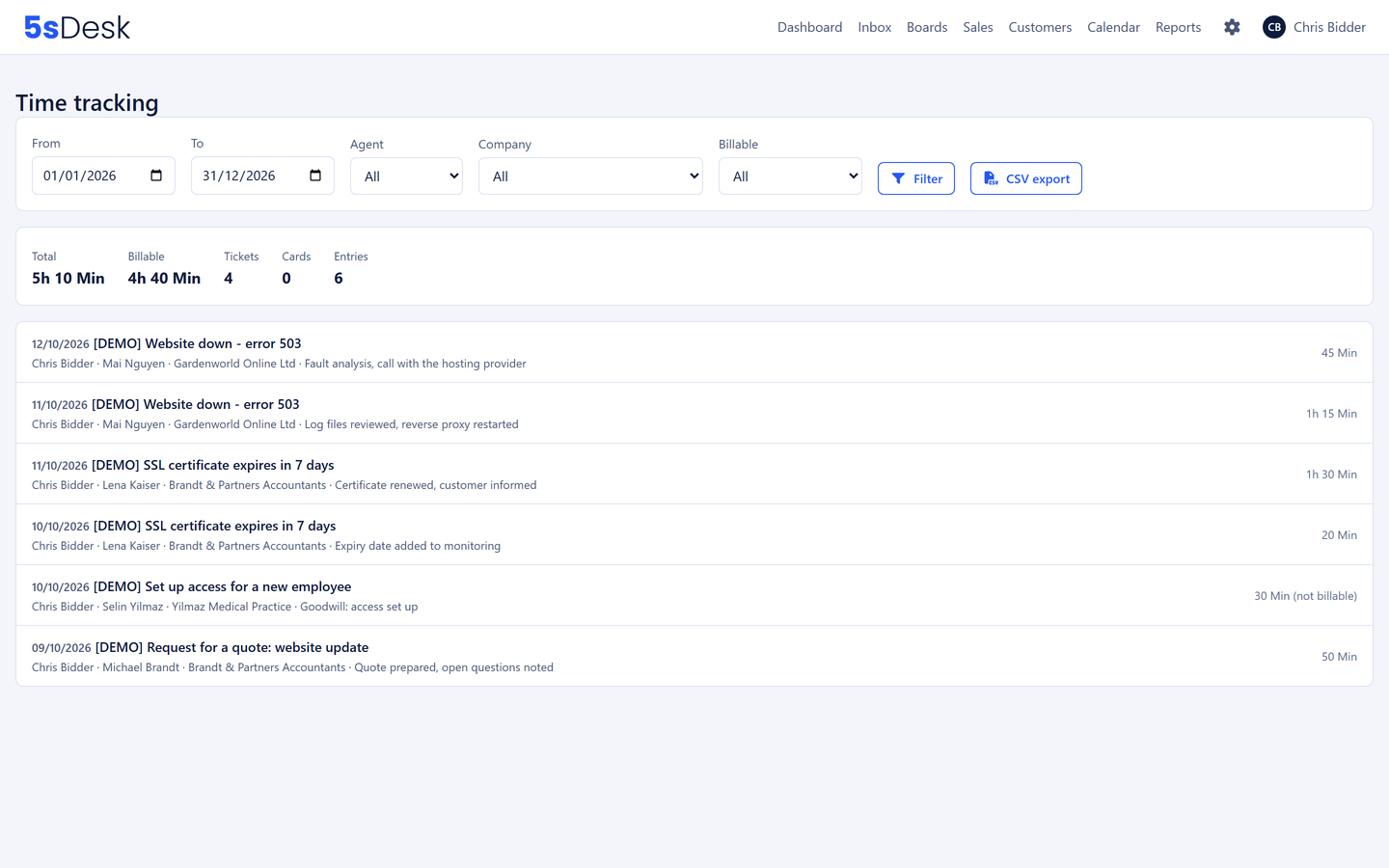
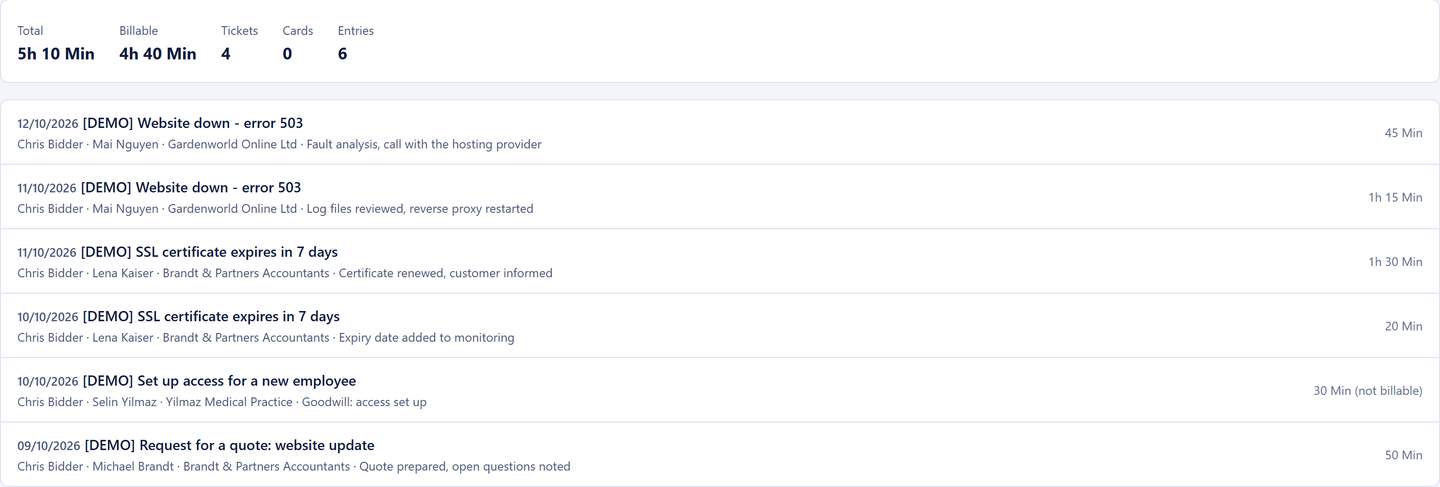
Period, person, customer company and billable status as filters, with total minutes, billable minutes, and the tickets and tasks involved shown above them. Whether the time was tracked on a ticket or a task makes no difference: the company is resolved in both cases. "How many hours for this customer in September?" is a filter setting.
Key figures at a glance
Every row leads back to the work
Filters across tickets, cards and deals
Team reporting for administrators and department leads
Export for your accounts
A spreadsheet file that opens correctly in Excel with nothing to tidy up: characters and numbers come through intact, hours alongside minutes. The file name holds the organisation and the period. Date, ticket or card, subject, person, customer, company, description, duration and billable status are in every row.
CSV that Excel opens as it should
Every item linked to its task
The basis for the invoice in your accounting software
Privacy built in
Only administrators, and department leads for their own team, can report across people, because these are personnel data. Staff see only their own times, even if they alter the page address. That spares the team any worry about surveillance and spares management the question of who may see what.
Reporting across people only for administrators and department leads
How do I track hours per customer without hunting at month end?
By tracking every bit of time where it arises: on the ticket, the card or the deal, all of which know the customer and company. The reporting then filters by period, company and billable status, and the export delivers every item linked to its task. There is nothing to hunt for, because nothing is scattered.
How does the time get onto the invoice?
Through the export by customer company and billable status, which you carry on with in your accounting software. It opens straight in Excel with nothing to tidy up, and if a customer queries something, every item leads back to the specific task.
What do I need to bear in mind about privacy in time tracking?
Working hours are personnel data. In 5sDesk staff see only their own times, reporting across people is reserved for administrators and department leads for their team, and the author of an entry cannot be changed. That meets the usual expectations of works councils and teams.
Can I record goodwill hours without charging for them?
Yes. Every entry is billable or not. Goodwill stays visible and reportable without ending up on the invoice.
Not one more hour from memory
Start the timer on your first ticket. Try it for 30 days, monthly reporting included.