30-day trial · cancel free of charge during the trial · every module in every plan
Security & GDPR
Your customer data stays in Germany
Customer communication is personal data. That is why 5sDesk is built so you can give management and your customers solid answers to data protection questions: hosted in Germany, areas and permissions per department, and AI that only runs if you want it to.
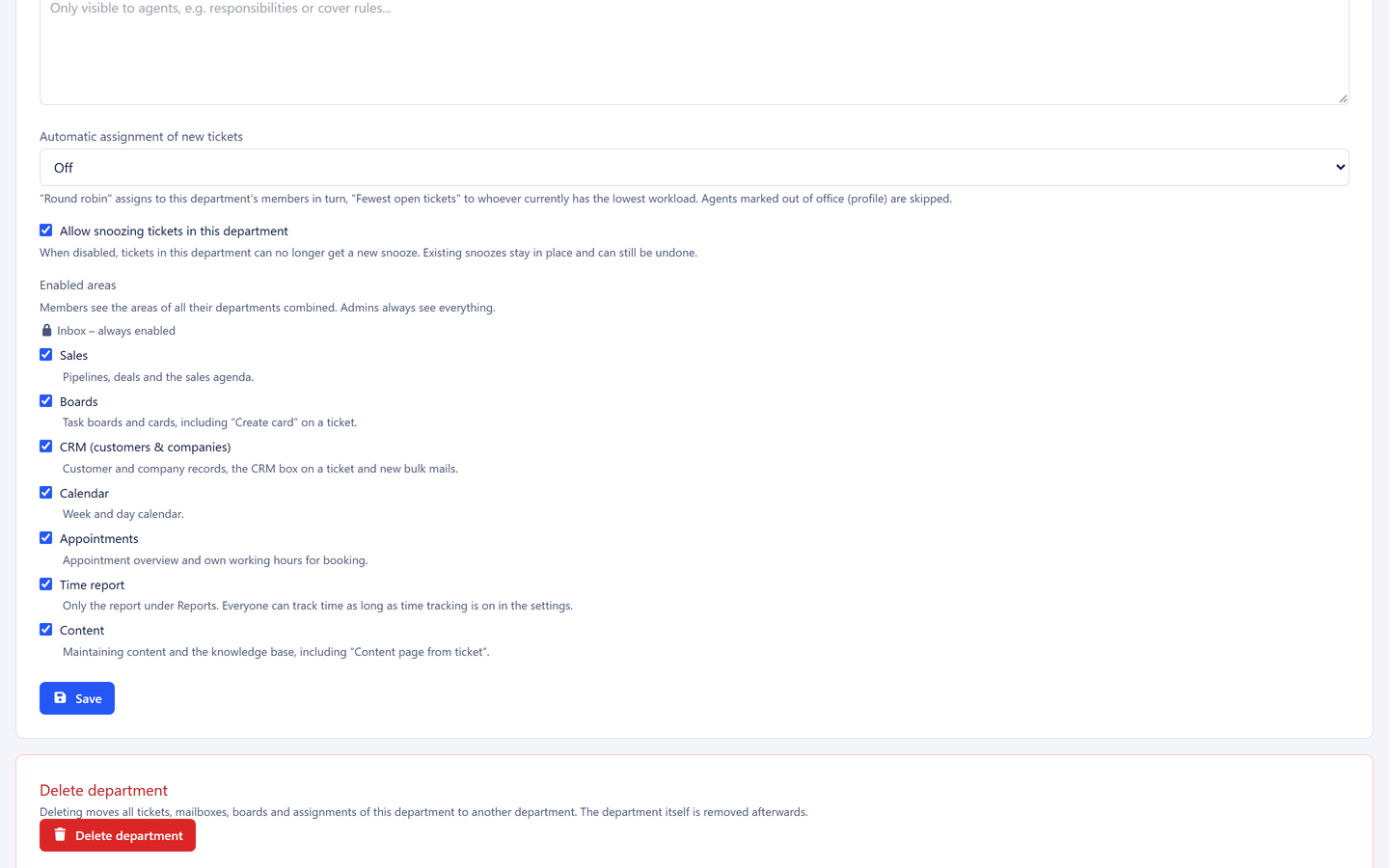
For every department you decide which areas its members see at all: sales, boards, CRM, calendar, appointments, time reporting and content. The inbox is always included. Whatever is not enabled disappears from the menu and cannot be reached through the address bar either. A service team without deals sees no pipelines, and HR sees no sales.
Seven switchable areas per department
Anyone working in several departments sees the areas of all of them
Tickets, boards and internal articles additionally visible per department
Four permission levels with a department lead
Owner, administration, department lead and staff. The lead runs their own area: they delete archived cards and customer data of their department, maintain board columns and see reports, dashboard, calendar and tracked times of their team. Whatever belongs to other departments stays invisible to them. Only administration and leads delete customers; settings and user management remain the administration's job.
Deletion rights with few roles, traceable
Time reporting across people only for administration and leads
Drafts stay private, and each person sees their own times
AI only on your decision
The AI features are off by default. Whoever switches them on stores their own key with Anthropic or OpenAI and holds the contract with that provider themselves. Content then goes to that provider in the USA, a third-country transfer we name openly. You can block individual custom fields from the AI, and they never reach the provider. Every request is in the log, usage limits cap the usage, and nothing is sent automatically.
Off by default, enabled explicitly
Your key, your contract with the provider, your choice of model
Fields can be blocked from the AI, a complete log per request
Documents
The documents behind it
Data processing agreement
The data processing agreement under Art. 28 GDPR, including the list of sub-processors.
5sDesk runs in Germany, encrypts credentials and offers self-service export and deletion. We provide a data processing agreement. Whether your use is GDPR-compliant also depends on your own processes, for example on whether you switch on the AI features.
What should I check about data protection in a ticketing system?
Hosting location and provider, a data processing agreement with its sub-processors, roles and visibility, encryption of stored credentials, export and deletion routes, and how AI features and third-country transfers are handled. You will find the answer to every point on this page.
How do I secure my team's sign-in?
With two-factor sign-in by confirmation code sent to the email address, which you switch on for the whole organisation. You connect mailboxes and calendars with Microsoft 365 or Google by signing in with the provider, with no stored password. All stored credentials are held encrypted, and public pages are protected against automated bulk requests.
Does any data go to the USA?
Only if you switch on the AI features. Then the content of the request in question goes to the provider you chose, Anthropic or OpenAI, with whom you hold the contract yourself. Without that, no customer communication leaves the data centres in Germany.
What may a department lead do, and what may the administration?
The lead acts only within their department: delete cards and customer data, maintain columns, see reports and the team view. The administration manages settings, users, mailboxes, departments and areas for the whole organisation. Permissions never widen visibility; they only control who may act.
How do I get out again?
You export settings, canned responses, departments, customer data and users yourself. Deleting the whole organisation is also a self-service process, confirmed by email and protected by a confirmation phrase typed out in full.
Who can see tracked working hours?
Staff see only their own times, even if they alter the page address. Reporting across people is reserved for administrators and department leads for their team.
Check it for yourself
Try it for 30 days, with roles, departments, areas and your own data protection requirements.