30-day trial · cancel free of charge during the trial · every module in every plan
Feature · Website forms
The contact form produces a record, not an email
Requests from a website form usually arrive as an email and are copied by hand into the CRM, the project tool or the pipeline. In 5sDesk an embedded form creates the customer, the company and, as you choose, a ticket, a card or a deal, with the uploaded files attached.
30-day trial · cancel free of charge during the trial · every module in every plan
Two lines of embed code, and the form brings its own look with it
Target per form: a ticket in the inbox, a card on the board or a deal in the pipeline
Double opt-in starts automatically whenever a form asks for consent
In detail
What a form triggers in 5sDesk
Customer, company and target in one step
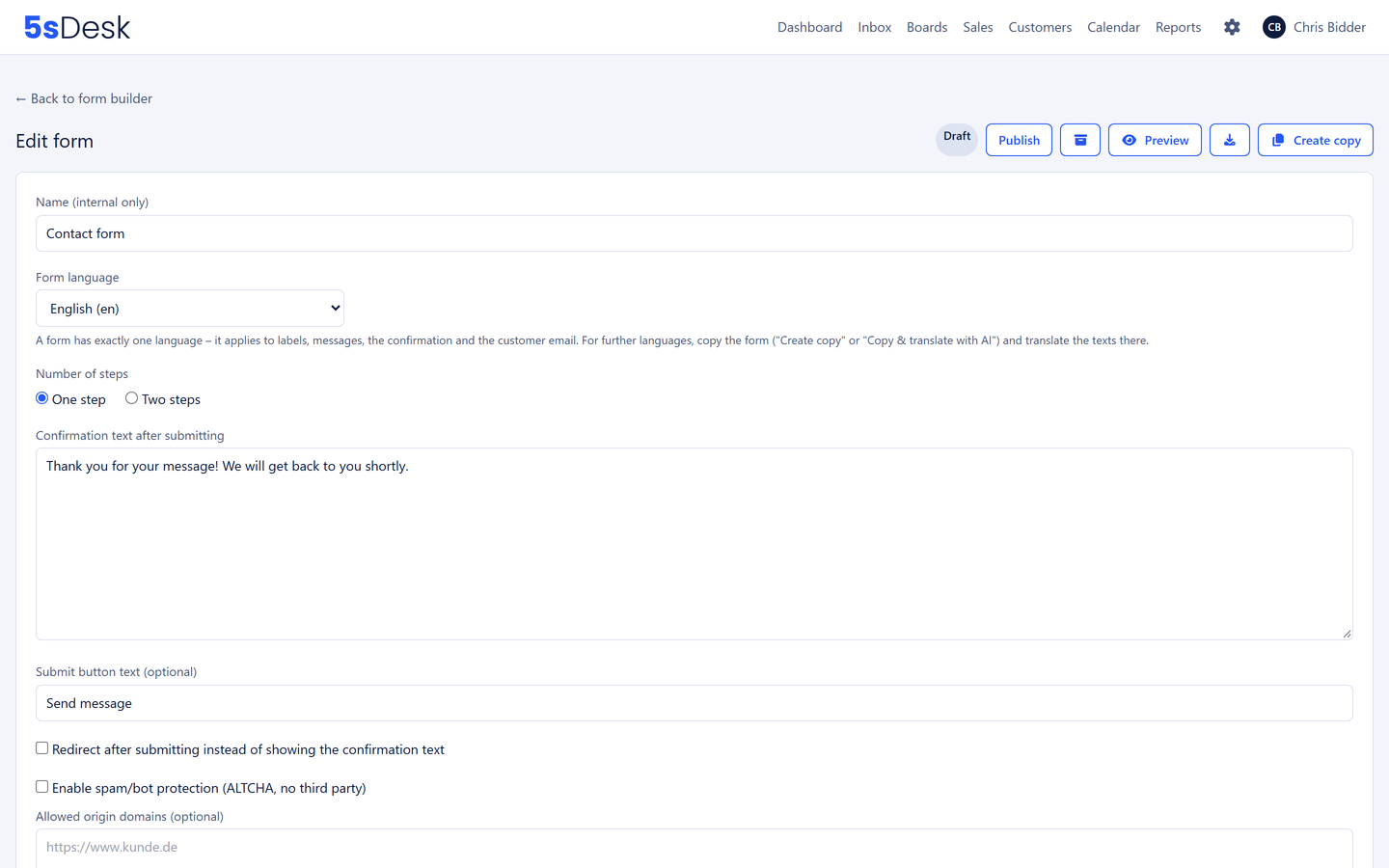
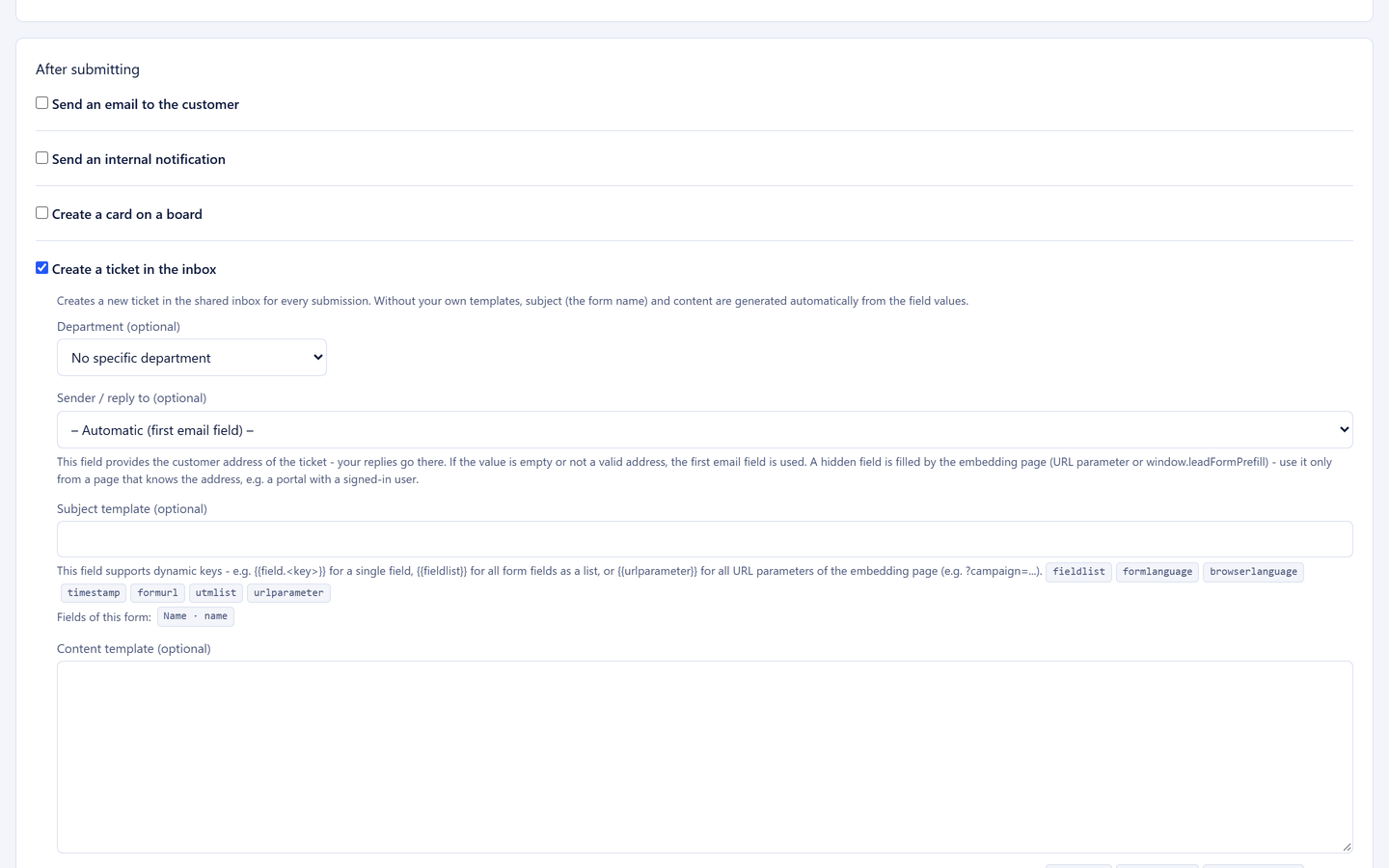
A request creates the customer record and matches the company by email domain. Details that are already maintained are never overwritten. For each form you decide what it becomes: a ticket in the mailbox you choose, a card on a board and column with a card type, or a deal in the stage you want. Uploaded files come along as attachments.
Customer record with company match
Ticket, card or deal as the target
Uploads become attachments, checked by content
Form fields straight into your custom fields
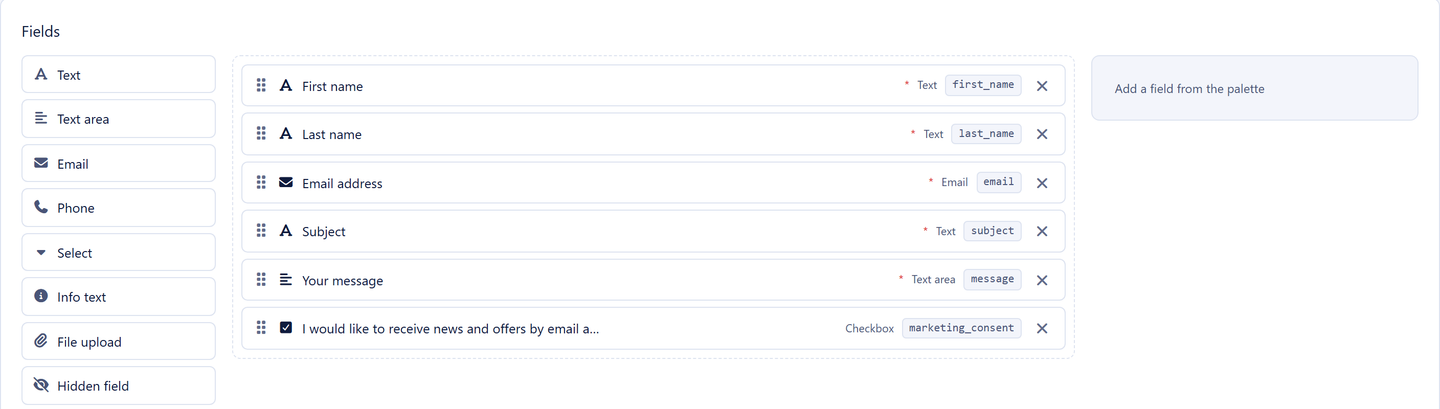
In the form builder you map fields to your own customer fields. A website request then fills not just name and email but your own attributes as well: industry, system in use, property number. Conditional fields show only what fits the previous answer.
Mapping to custom fields
Conditional fields
Help texts with links, for example to your privacy policy
Embed it without touching your website
A two-line snippet embeds the form. It brings its own look, is shielded from the website's stylesheet and adapts to the available width. Every embed hangs off its own key, which you can restrict to specific addresses, switch off or renew. From Basic without the 5sDesk notice.
Its own look, responsive
A key per embed, revocable
Conversion events to your tag manager, with no tracking of its own and no cookies
One language per form, 20 to choose from
Every form has one language for labels, help texts, error messages and the confirmation email. If you need the same form in German, French or Polish, you create a copy and have the AI translate every text, with your own key and at no extra cost. The copy stays a form in its own right with its own embed key.
20 languages for fields, notes and confirmation
A copy translated by AI instead of retyping
Every language version with its own target and its own embed
Sender, reply-to and placeholder check
The confirmation to the sender goes out through the mailbox of your choice, with its own sender name and a reply-to address, so follow-up questions land in the right inbox. Placeholders in the confirmation, such as the name or the ticket number, are checked by 5sDesk when you save; a typo in a placeholder never reaches a customer.
Sender and reply-to address per form
Placeholder check on saving
The ticket, card or deal keeps the confirmation in its history
Forms anyone can fill in
The browser suggests name, company and email address itself, screen readers announce every field with its label, help text and error message, and the whole form can be used with the keyboard alone. If something is missing, the form jumps to the first affected field and says exactly what is missing. It is protected against automated bulk submissions.
How do I get a website request onto the board as a task automatically?
In the form builder you choose a board, a column and a card type as the target. Every request then appears as a card, with a customer record and the uploaded files as attachments. The team works on it like any other task.
Does the form set cookies?
No. 5sDesk loads no tracking tool and sets no cookies. If you want, the embed reports views, submissions and errors to your website's tag manager, but waits for your site's consent signal before it does.
What happens with marketing consent?
If the form includes a consent question, double opt-in starts automatically: the customer receives a confirmation email, and only their confirmation counts. The history is kept in the customer record.
Can I offer the form in several languages?
Yes. Every form has one language from a choice of 20. For a second language you create a copy and have the AI translate the labels, help texts and confirmation email. Every version gets its own embed code, so the French page shows the French form.
Does the form work without JavaScript?
Embedding in a third-party website needs JavaScript; without it, a link to the form page is shown, and that page works without JavaScript too.
Never retype a request again
Build a form, embed it, and the first request becomes a record. Try it for 30 days.