Skip to content

For property managers

Every tenant request has an owner and a status

Damage reports, service charge queries, lost keys: everything arrives by email and often has to go on to a contractor. 5sDesk turns every request into a ticket with property, unit and deadline, attaches the contractor card to it and shows the tenant in the portal where things stand.

  • Custom fields for property, unit and damage type, right in the ticket list
  • Forwarding to contractors with attachments, the reply arrives on the ticket
  • Tenant portal with sign-in by link, no password

30-day trial · cancel free of charge during the trial · every module in every plan

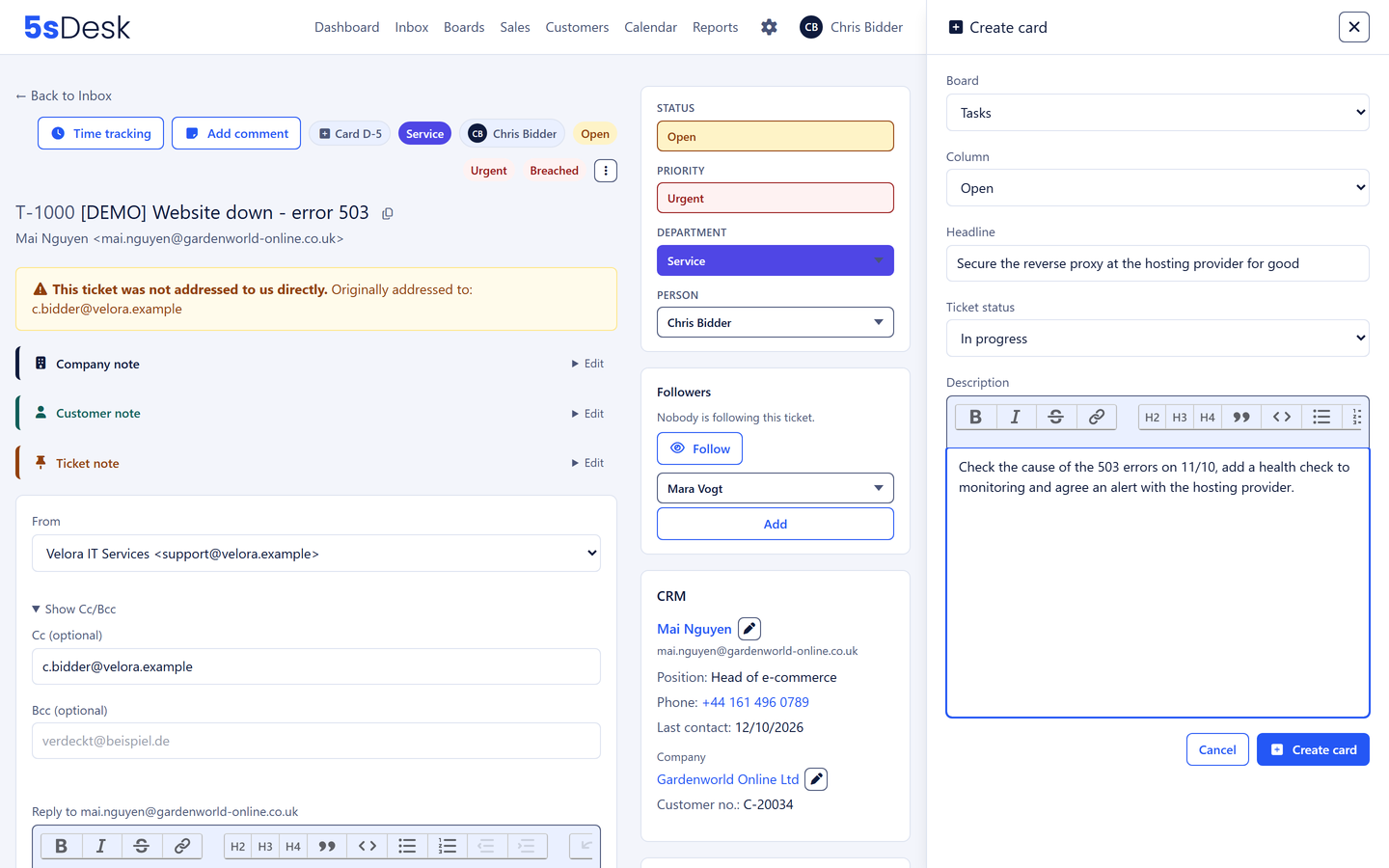
The damage report becomes a card for the contractor, right on the ticket

Property management life

Three things that get buried in the management mailbox

  • The damage report sits there

    In the shared mailbox it is unclear who is taking the water leak. The tenant rings because they have heard nothing.

  • The contractor replies to the wrong place

    The forwarded email went from a personal mailbox, the reply lands there, and the colleague covering knows nothing about it.

  • Which unit was that again?

    Property and unit are somewhere in the email text. Reporting by property is impossible.

How it runs

A damage report from start to finish

  1. Step 1: The report arrives by email or portal

    The tenant writes to office@ or raises the ticket in the portal and fills in property, unit and damage type as required fields. The ticket gets a number, a department and a deadline.

  2. Step 2: Ownership takes care of itself

    Automatic assignment gives the ticket to the property manager for that building. The tenant record sits in the sidebar, with every earlier request for this unit.

  3. Step 3: The contractor is instructed

    The email to the contractor goes from the ticket, with photos attached. Their reply arrives on the same ticket, visible to whoever is covering too.

  4. Step 4: A card for the site visit

    The email becomes a card on the "Maintenance" board, due on the day of the contractor's visit. The card knows the ticket, and the ticket shows the card.

  5. Step 5: The tenant sees the status

    The portal shows "We are replying" or "Done". The phone stops ringing with follow-up questions. Once complete, the ticket is closed and the deadline traffic light stays green.

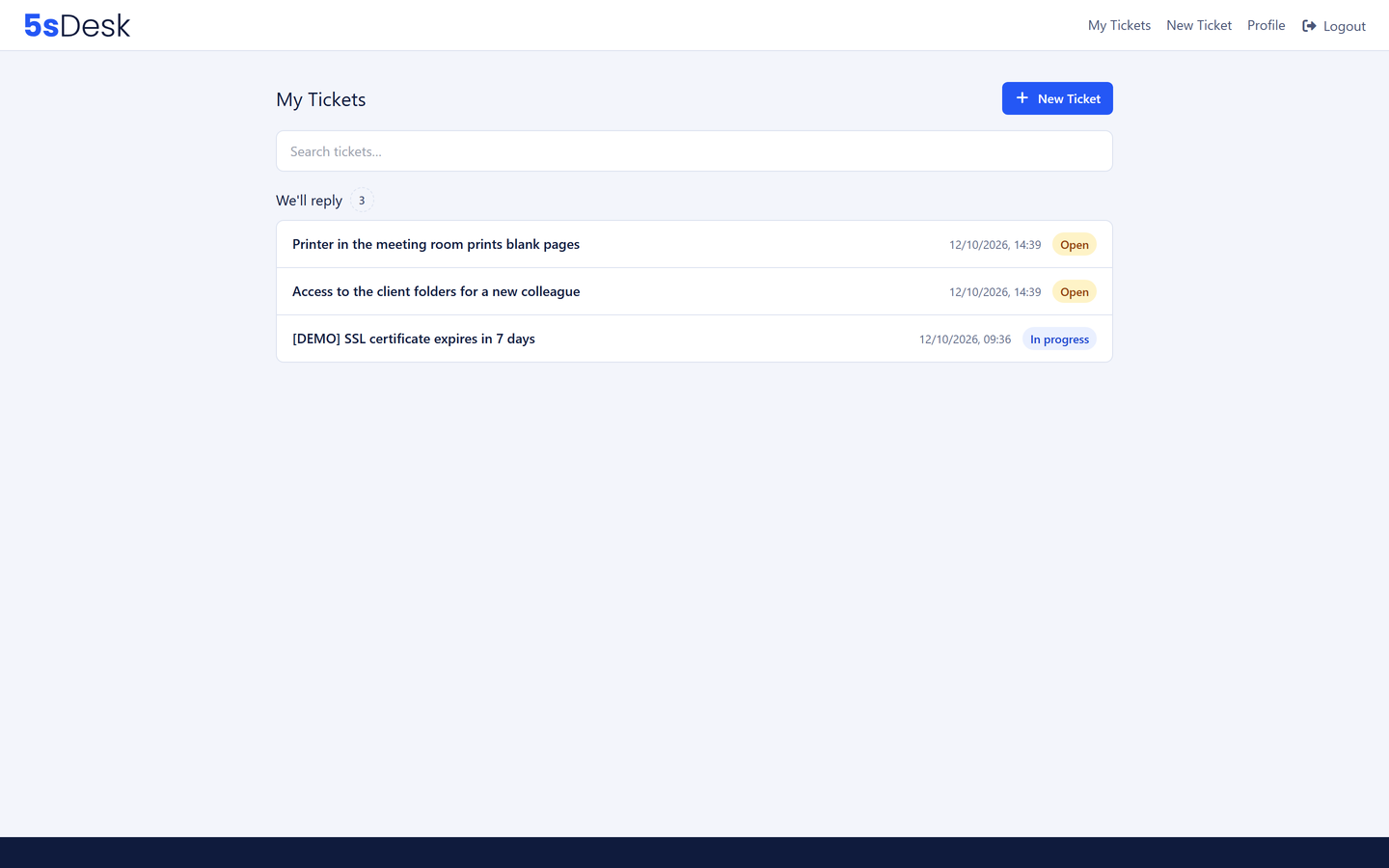
Tenant portal with tickets in three plain-language groups

The features behind it

What property managers use most in 5sDesk

Custom fields in the list and the filter

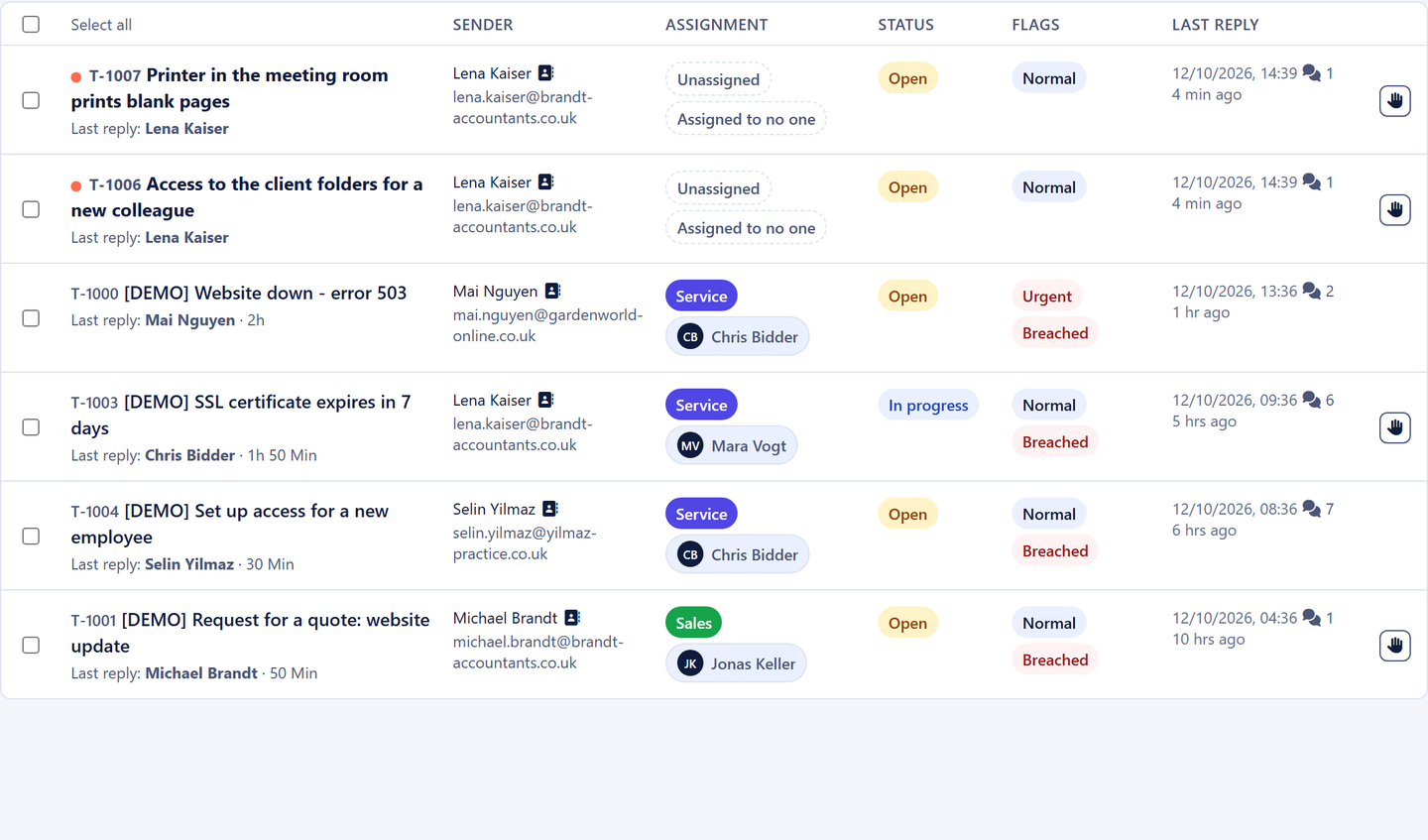
Property, unit, damage type and urgency as custom fields, up to four of them right in the ticket list. The filter bar finds every ticket for one property or every open report of one damage type. Tenants fill in the released fields themselves in the portal.

More about the ticketing system
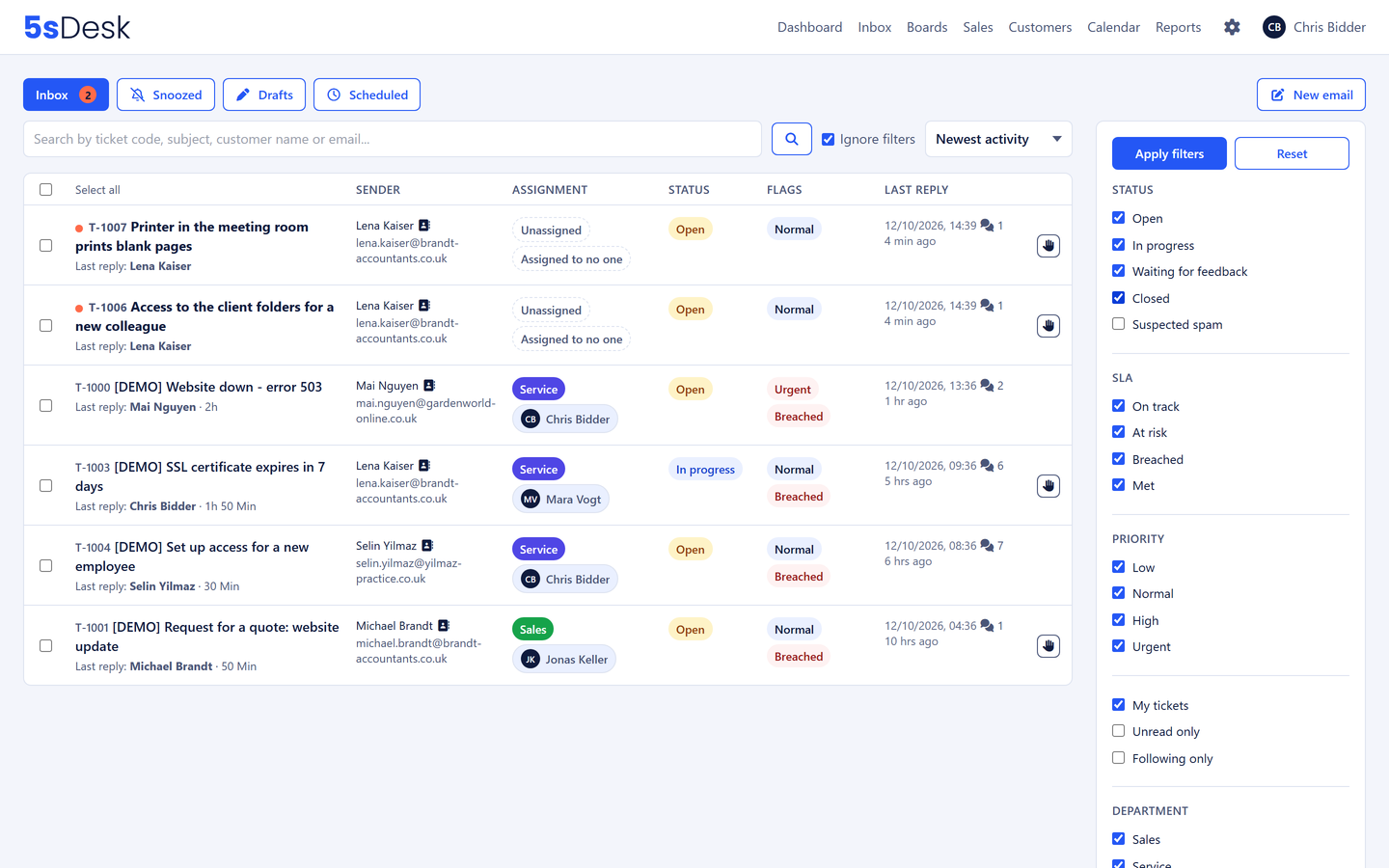
Ticket list filtered by property

Tenant portal without a password

Tenants sign in via a link, see their requests in three plain-language groups, upload photos and find answers to common questions before they write: service charge statement, lost keys, house rules.

More about the customer portal
Raising a report in the tenant portal with property fields

Deadlines for emergencies

Urgent reports get short response deadlines, routine requests longer ones. The traffic light sits on every row, and before a deadline is missed a warning goes to the owner.

More about SLAs & deadlines
Deadline traffic light in the ticket list

Custom fields for properties and units

5sDesk runs alongside your property management software. You set up the fields you need for the communication yourself.

  • Property number
  • Unit / flat
  • Damage type
  • Landlord
  • Contractor instructed
  • Insurance claim yes/no
  • Custom fields in the list and the portal

    Property and unit as required fields

  • Forwarding to contractors

    The reply arrives on the ticket

  • Tenant portal via sign-in link

    No password, three status groups

  • Deadlines by urgency

    Traffic light and early warning

  • Hosted in Germany

    Data centre in Nuremberg

Frequently asked questions

Does 5sDesk replace our property management software?
No. 5sDesk takes over the communication with tenants, landlords and contractors, the tasks that come out of it and the time tracked. Accounts and property master data stay in your property management software. You record property and unit in 5sDesk as custom fields.
How do I manage tenant requests across several properties?
With custom fields for property and unit that sit in the ticket list and can be filtered, and with a department per property team. Automatic assignment distributes new reports without anyone sorting.
Can landlords and tenants use the same portal?
Yes. Each person sees only their own tickets. Custom fields and the company assignment let you tell tenants, landlords and service providers apart.
What about contractors without portal access?
The email from the ticket goes to the contractor with attachments. Their reply arrives on the ticket without them having to sign in anywhere.

No report sits unanswered again

Connect your office mailbox, set up fields for property and unit. Try it for 30 days.

Start free trial

30-day trial · cancel free of charge during the trial · every module in every plan