30-day trial · cancel free of charge during the trial · every module in every plan
For service and sales
One customer, one record, no gap between the teams
Sales maintains its CRM, service its ticketing system, and the customer notices at the handover that there are two systems. In 5sDesk the deal grows out of the enquiry, the project card out of the deal, and both teams see the same company record.
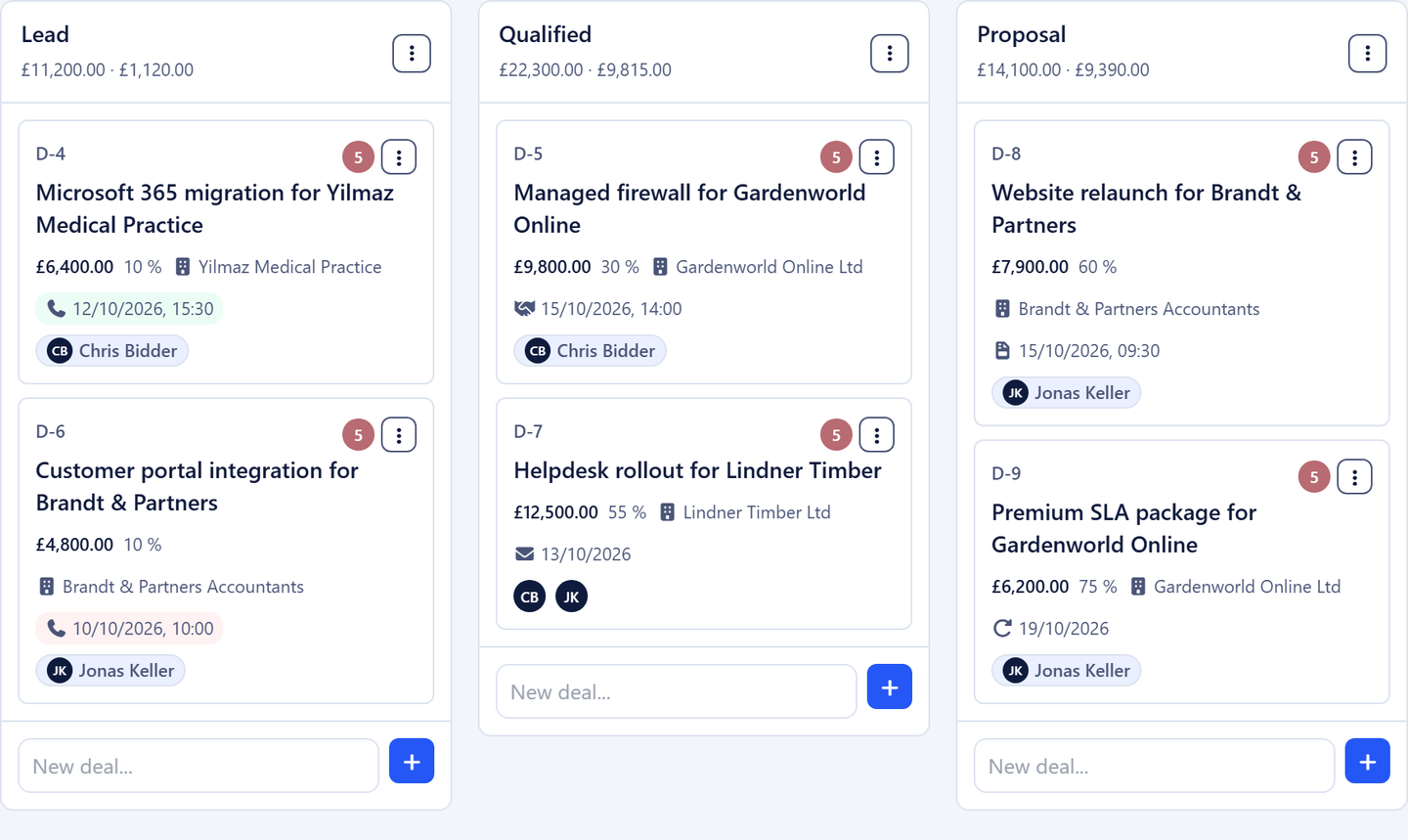
A deal from an email or a form, contact and company come with it
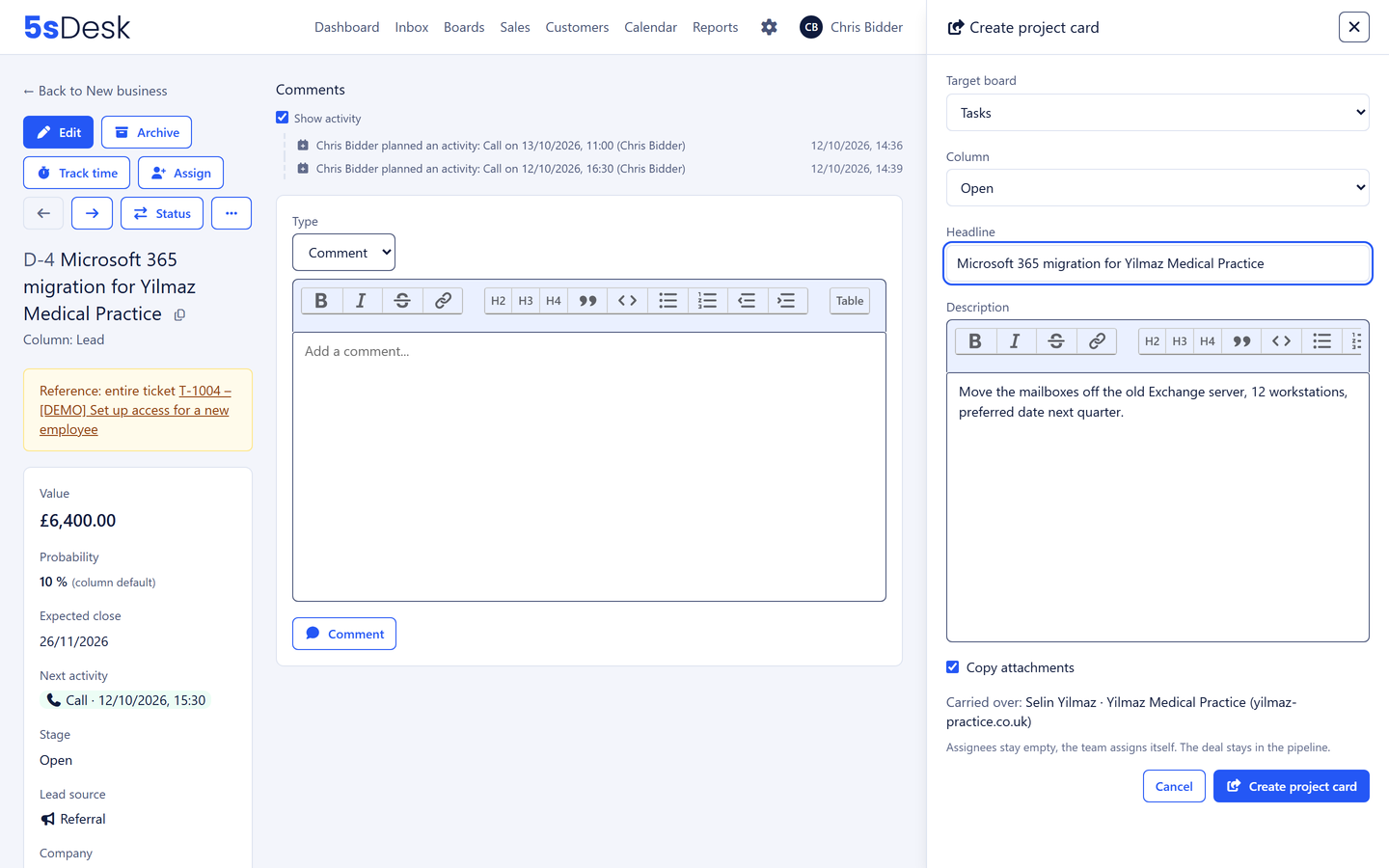
Handover to service as a project card, with description and attachments
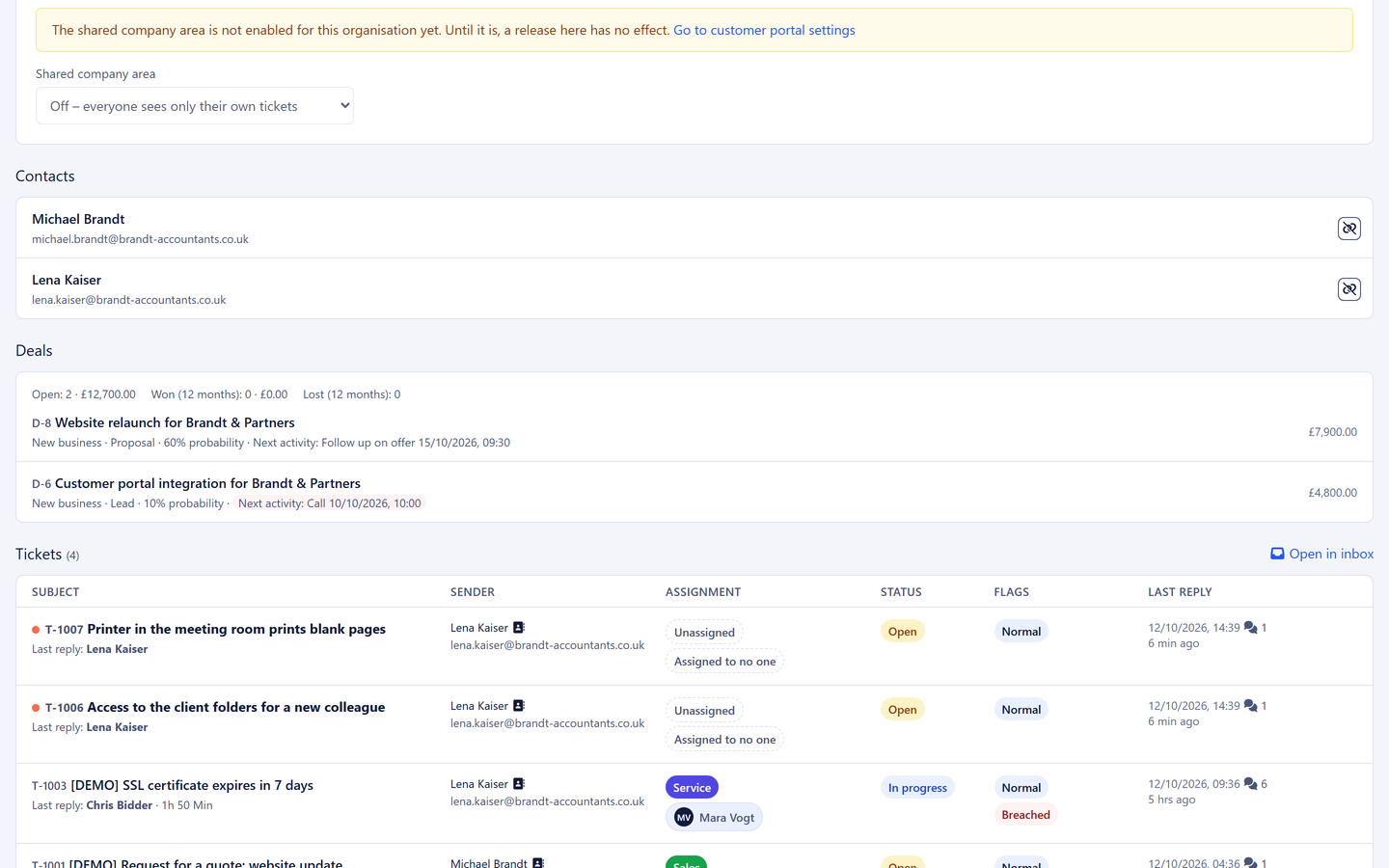
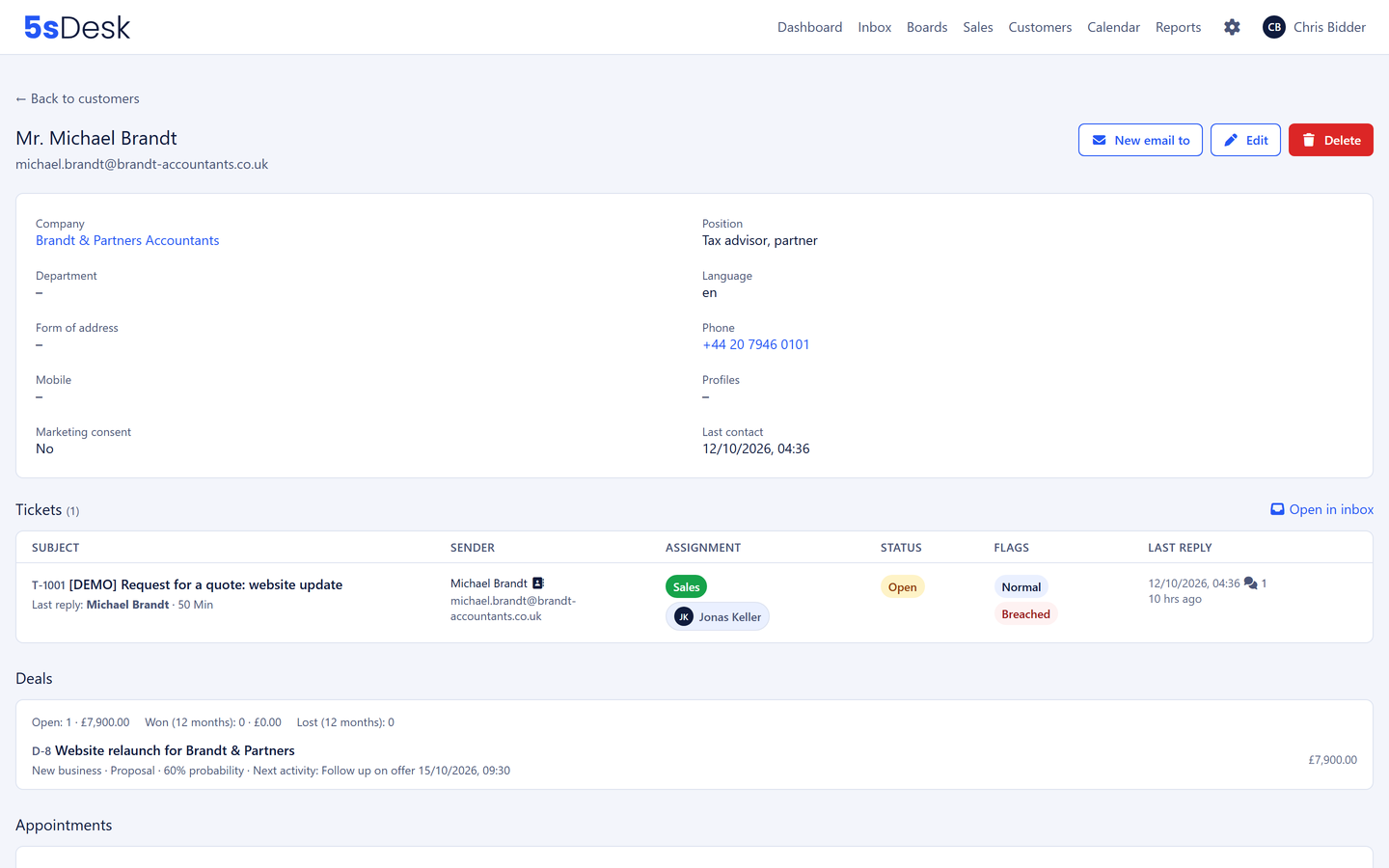
The company record shows tickets, deals and appointments of both teams
30-day trial · cancel free of charge during the trial · every module in every plan
Between the teams
Three places where the handover breaks
Two systems, two truths
The CRM knows the deal, the ticketing system knows the ticket. Whether the prospect is already a customer, sales cannot tell.
The order gets retyped
After the go-ahead, the project team asks for everything again because the notes are stuck in the CRM.
The Excel list goes stale
Which opportunities are open and what they are worth sits in a spreadsheet nobody maintains.
How it runs
From the enquiry to the handover
1
Step 1: Enquiry in the sales mailbox
The email is assigned to the sales department. One click creates the person and the company, pre-filled by the AI from the signature. Domain recognition shows whether the company is already a customer.
2
Step 2: A deal from the ticket
"Create deal" creates the deal in the pipeline, stage Lead, with an estimated value. The deal shows the ticket, the ticket shows the deal.
3
Step 3: Appointment and next action
The prospect books the appointment themselves. The deal moves to "Qualified", and the next action "Follow up on the quote, Friday 10:00" sits on "My day" with an owner and as a block in the calendar.
4
Step 4: Questions on the deal
Internal questions run as comments with an @-mention. Whatever applies permanently is written as a note on the company and is visible to service.
5
Step 5: Won, a project card for service
One click creates the card on the service board, with customer, company, description and attachments. The colleague reads the same history and the same customer record.
6
Step 6: Service requests stay linked
The customer's later requests are tickets in the inbox, on the company record next to the deals. Before the next conversation, sales sees what service last resolved.
The features behind it
What service and sales use together
One company record for both teams
Every contact, every ticket, open and won deals, appointments, technical context and notes. Visibility per department where it is needed: sales internals stay in sales, service boards with service.
Stages with probability, weighted totals, a next action on every deal, reasons for losing and reporting with a win rate. Won deals are handed over as a project card and keep counting in the pipeline.
One form for sales enquiries creates deals, one for support requests creates tickets. Both create customer and company and, when needed, start the double opt-in for marketing consent.
Not for customer records, company records, pipeline and deals. 5sDesk runs communication, sales and service on the same records. You attach your quote to the deal, and the value sits in the pipeline.
How does sales see what service last resolved?
In the company record: every ticket of every contact with status and last activity, right next to the deals. One page is enough before every conversation.
Can we separate visibility between the teams?
Yes. Pipelines and boards belong to one department or to everyone. Sales sees its pipelines, service sees its boards, and anyone working in both sees both. The company record is shared.
How is marketing consent obtained in a way we can prove?
Through double opt-in: when sales sets a consent or a form asks for it, a confirmation email goes to the customer. Only their confirmation counts, and the history sits in the customer record.
Both teams, one customer record
Connect your sales and service mailboxes, set up a pipeline and a board. Try it for 30 days.