Skip to content

Feature · AI

AI in the ticketing system, with your own key

Ten features that start where time disappears into typing. No AI flat rate per agent, no credits, no add-on package. You store your key with Anthropic or OpenAI, choose the model, set the usage limits and see every request in the log. The AI is off by default.

30-day trial · cancel free of charge during the trial · every module in every plan

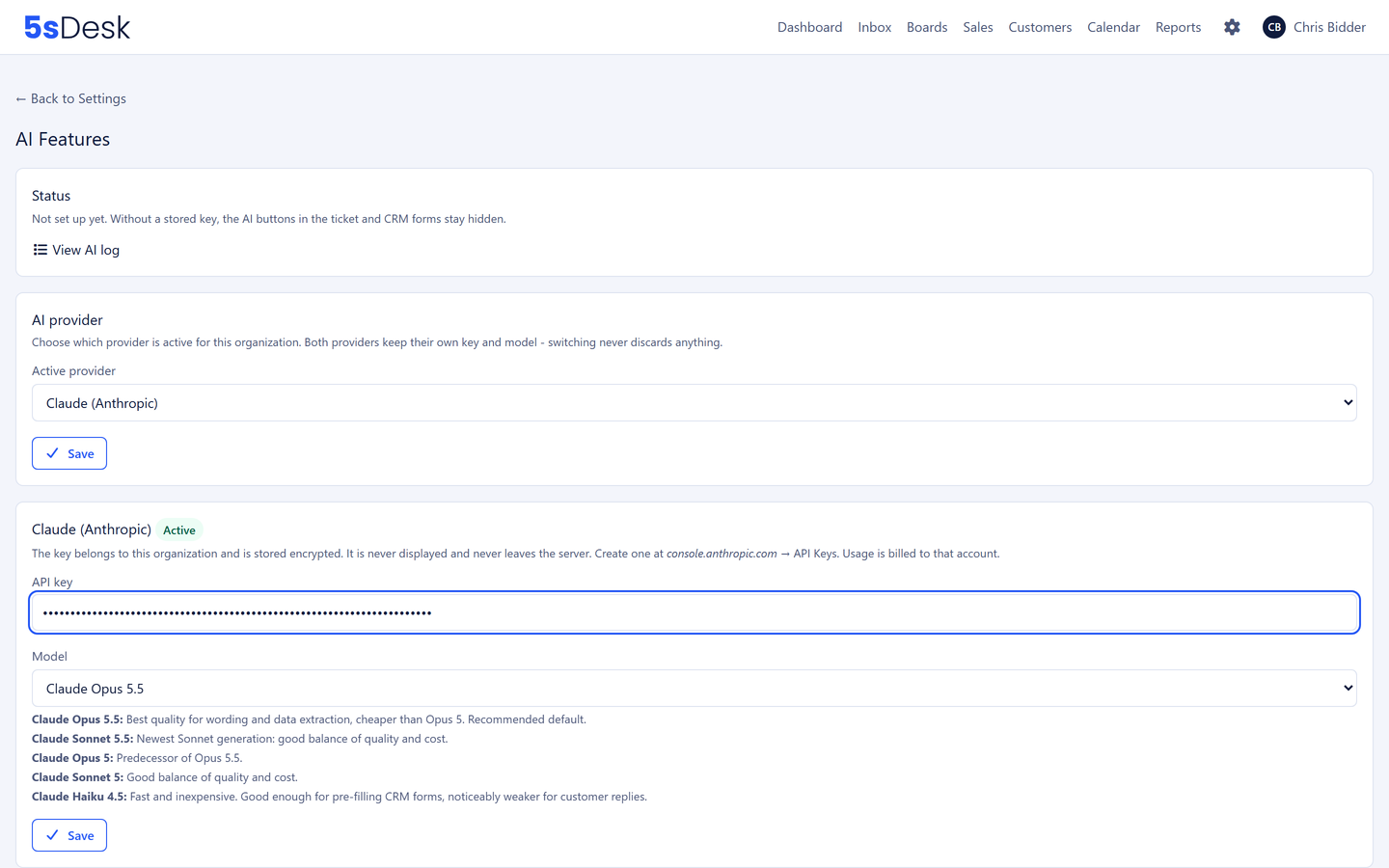
AI settings in 5sDesk with your own key, model choice and usage limits
  • Included in every plan, at no extra cost
  • Your key, your model, your spending limit
  • Nothing is sent automatically, every output is a suggestion
No extra cost

What the AI costs

Nothing extra with 5sDesk. You pay only for what you use, directly to the AI provider and at their prices. 5sDesk does not bill for AI usage and adds no mark-up. Anyone who does not use the AI pays nothing for it.

  • No AI package, no credits, no flat rate per agent
  • The bill comes directly from the AI provider, transparent by usage
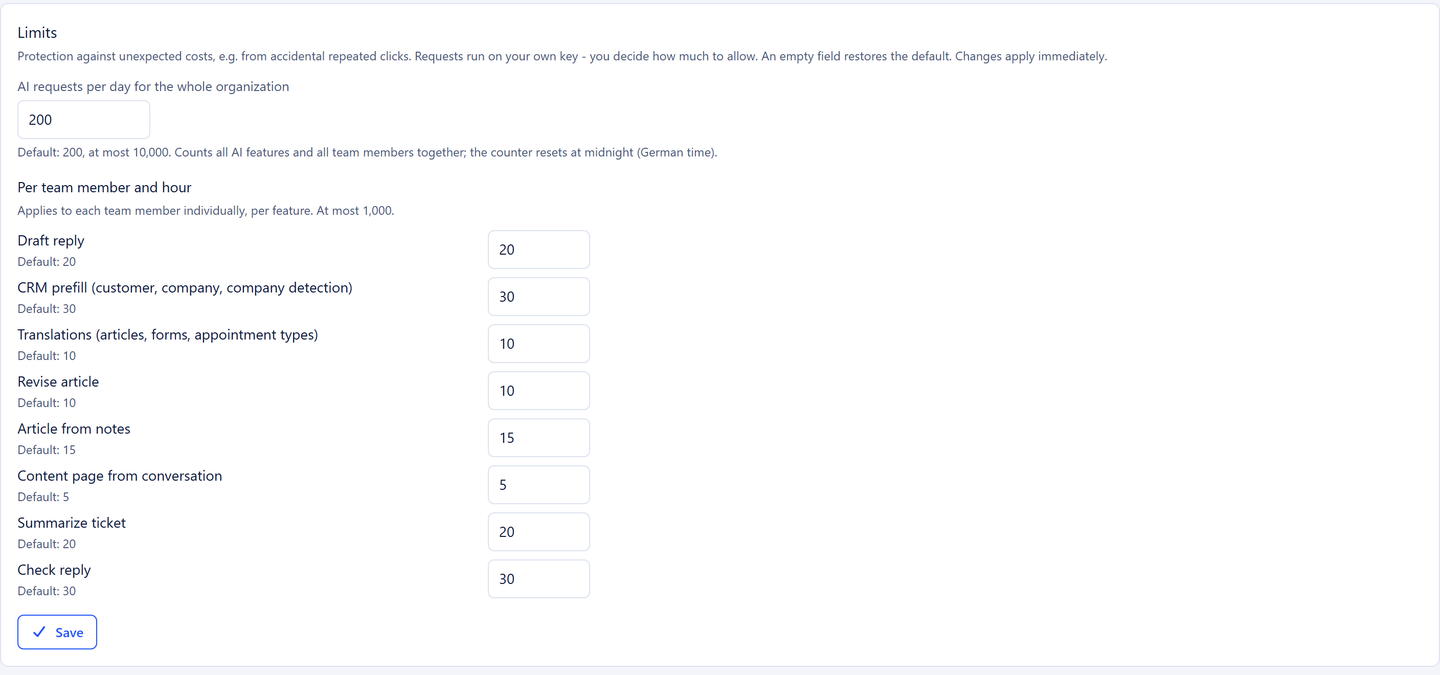
  • Usage limits per organisation and day, and per person, hour and feature
  • Provider and model can be changed at any time, no lock-in

Set up in three steps

  1. Step 1: Create an account with the AI provider

    With Anthropic (Claude) or OpenAI. You enter into the contract with the provider yourself.

  2. Step 2: Generate an API key

    In the provider's account. The key is stored encrypted in 5sDesk.

  3. Step 3: Store it in 5sDesk and set limits

    Enter the key, choose the model, set the usage limits, enable the AI.

Ten features

What the AI can do

Draft replies from bullet points, check a reply

You jot down the key points and the AI writes a reply from them in your organisation's set tone of voice. You check and send. The AI is instructed not to make promises, and links that do not appear in the ticket are removed from the draft. With "Check reply" you have a finished text proofread before sending, also in a new email without a ticket.

  • Tone of voice as an instruction per organisation
  • No invented promises, no invented links
  • "Check reply" in replies and new emails
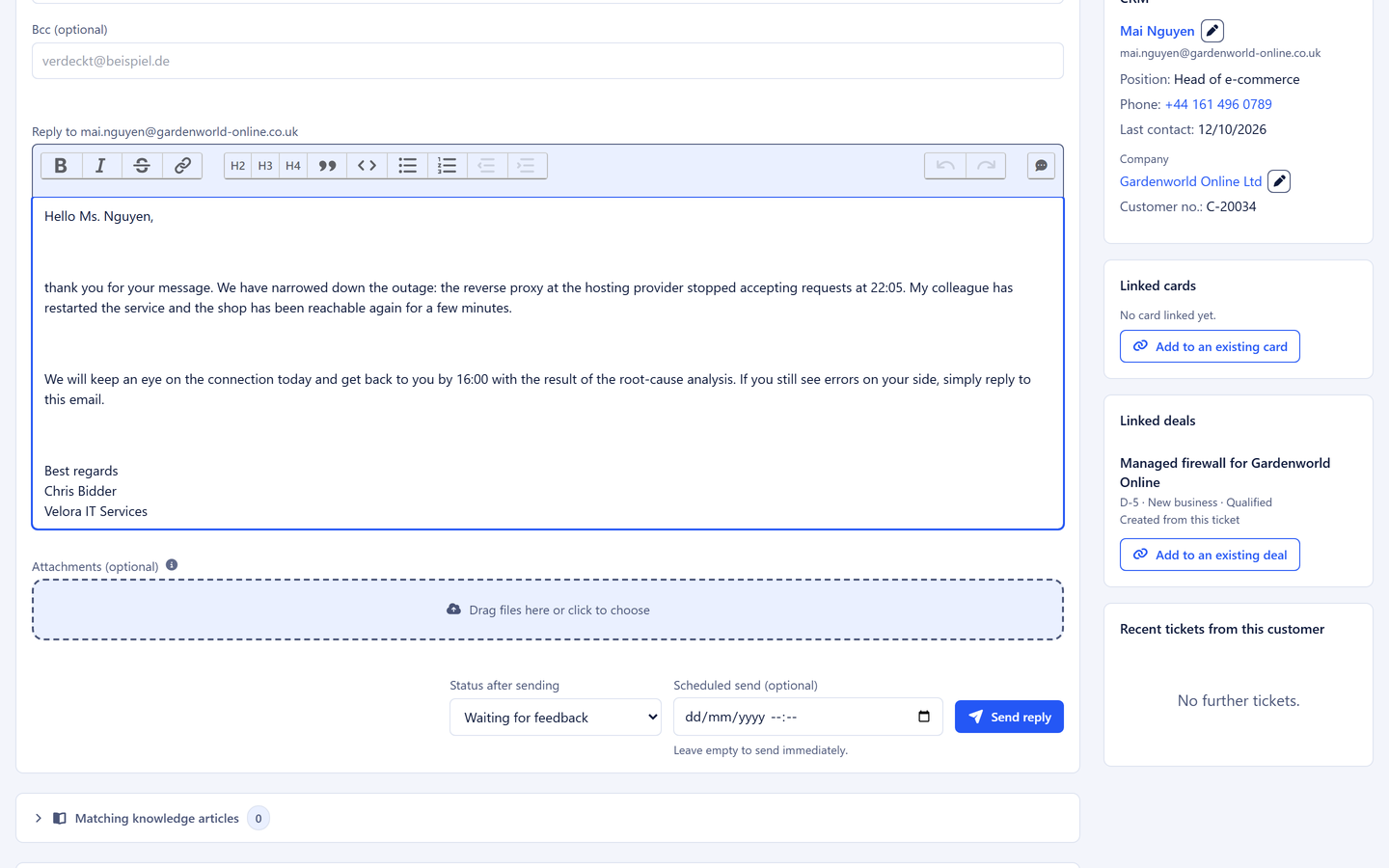
Reply box in the ticket

Summarise a ticket, with tag suggestions

One click summarises a long history: what it is about, what was promised, what is still open. The AI also suggests matching tags from your organisation's tag list, but creates no new ones. Whoever takes over a ticket is up to speed in a minute.

  • Summary with one click
  • Tag suggestions only from your list
  • Nothing happens without confirmation
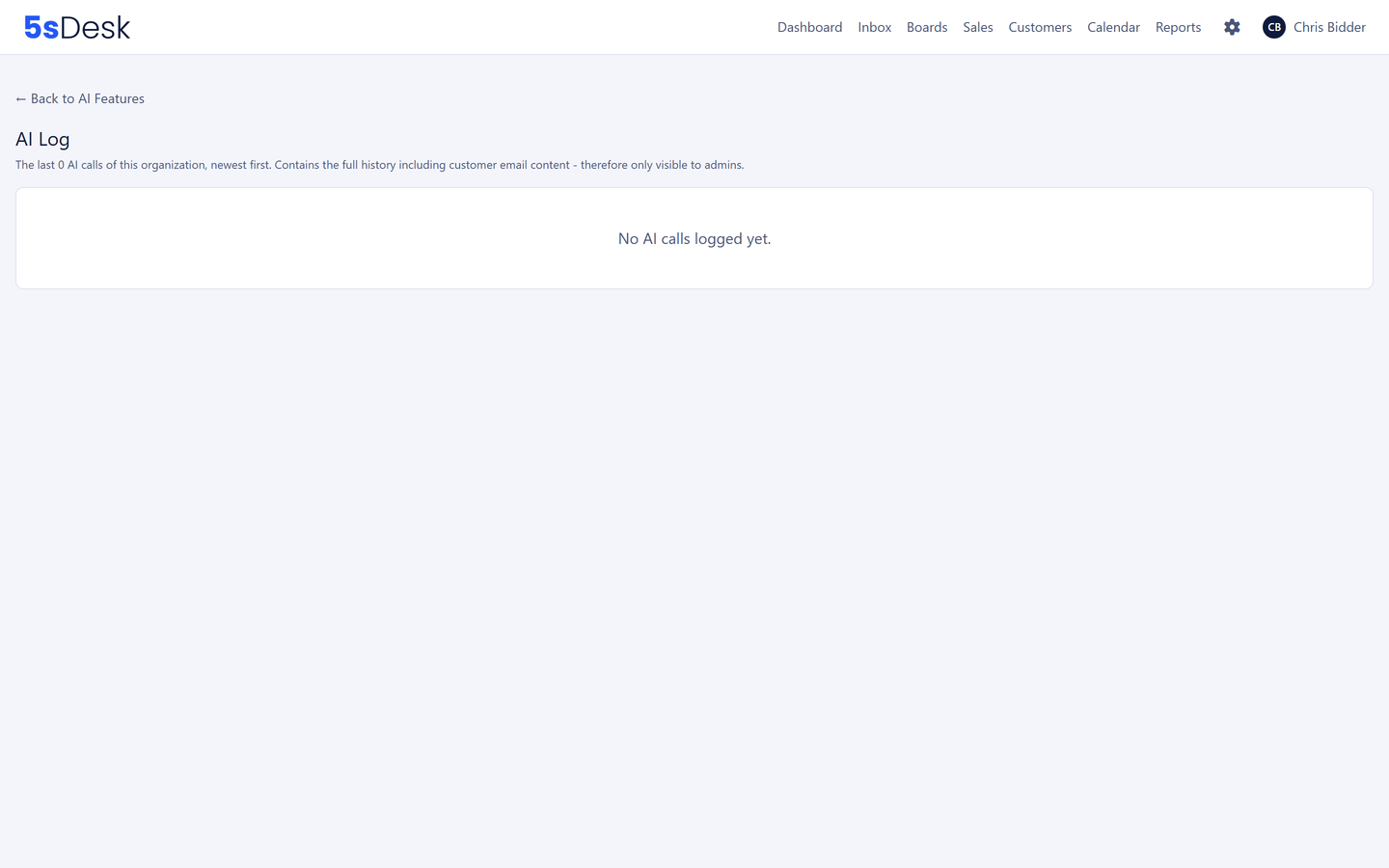
AI log with feature

Customer details from the email, including your custom fields

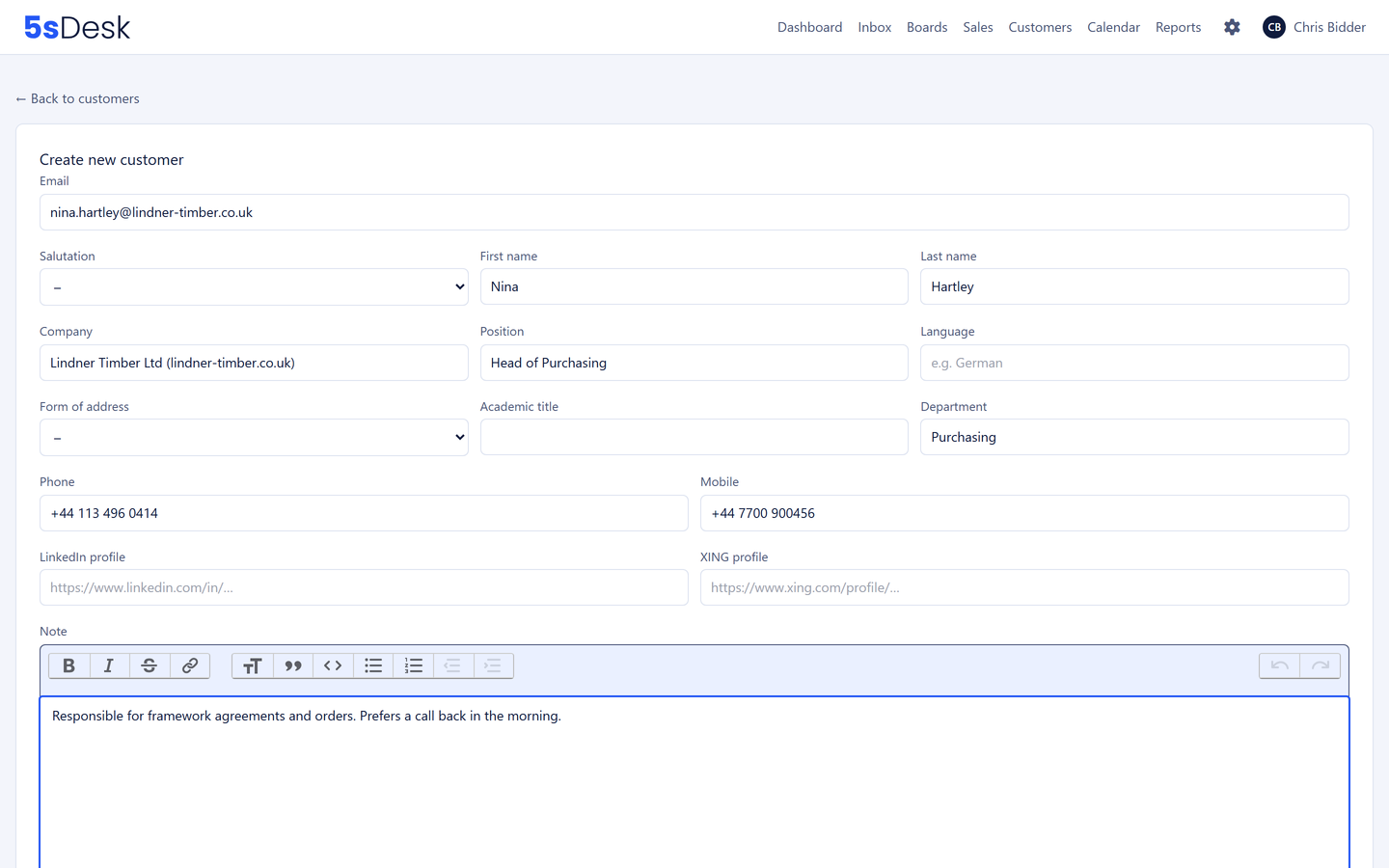
When you create a customer record from a ticket, the AI reads the form of address, title, name, position, phone numbers, profile links and company from the signature, recognises a new company and also pre-fills your custom fields, such as industry or system in use. Fields the provider must never see you lock "for AI". Your own team's signature in the quoted text is recognised and not taken over. Nothing is saved until you confirm.

  • Form pre-filled instead of retyped, including custom fields
  • Company recognised from the history, new company as a suggestion
  • Individual fields can be locked for the AI
Form for creating a customer record

Write, revise and translate knowledge

A resolved ticket becomes an article draft, generalised and without names or case-specific promises. Bullet points become a structured page. The AI checks existing content for typos and formatting, with a preview of the changes. Translation drafts into further portal languages are marked as machine-made. Forms and appointment types can also be translated as a copy into one of the 20 languages.

  • A content page from a ticket, content from bullet points
  • Revise content with a preview, translation drafts for help articles
  • Copy forms and appointment types into another language

Your model, your provider

You choose between Claude models from Anthropic, such as Opus 5.5 or Sonnet 5.5, and models from OpenAI, from fast and cheap to the most capable. You can switch at any time: store a different key, pick a model, done. If a fallback model ever steps in, it is noted in the log.

  • Anthropic or OpenAI, model per organisation
  • Switch with no lock-in
  • Fallback model marked in the log

You set the limits yourself, with a log

The AI is enabled deliberately; until it is, no AI button is visible. The administrators set the usage limits: per organisation and day between 1 and 10,000 requests, per person, hour and feature between 1 and 1,000. There is deliberately no "unlimited" setting. Every request is traceable: feature, model, time, size, status, with access to the request and the response.

  • Off by default, explicit consent
  • Daily limit per organisation, hourly limit per person and feature
  • Full log of every request
AI usage limits per organisation and per person

Frequently asked questions

How much does a draft reply cost?
That depends on the model you choose and the length of the ticket, and is charged by the provider according to usage. The AI log in 5sDesk shows the size of every request, so after a week of use you can see what your team actually consumes. Usage limits prevent surprises.
Why your own key instead of an AI package?
Because three things stay in your hands that way: the costs, which you see directly with the provider by usage; the choice of model, which you can change at any time; and the contract with the provider, which states what data goes where. And there are no costs for features nobody uses.
How do I keep AI costs under control?
With the usage limits in 5sDesk: a daily limit for the whole organisation and an hourly limit per person and feature. Once a limit is reached, the feature pauses until the next window. On top of that, the log shows every request with its size, and the provider's bill states the usage.
What data goes to the AI provider?
Only the content of the request in question, for example a ticket's history for a summary. Custom fields you have locked "for AI" stay in the system. The providers are based in the USA, which is a third-country transfer that you govern through your own contract with the provider. Until the AI is enabled, nothing leaves the system. Details on the Security & GDPR page.
How do you use AI in customer service without giving up control?
By having nothing happen automatically. In 5sDesk every AI output is a suggestion, marked as such. No draft is sent, no record saved without review, no tag assigned without confirmation. The AI speeds things up but does not decide.
Can I switch between Anthropic and OpenAI?
Yes, at any time. You store the other provider's key and choose a model. There is no lock-in to a provider.

AI at no extra cost, from day one

Store your key, choose a model, set limits. Try it for 30 days.

Start free trial

30-day trial · cancel free of charge during the trial · every module in every plan