30-day trial · cancel free of charge during the trial · every module in every plan
Feature · Tasks & Kanban
Tasks that know where they came from
Boards are the place for everything that needs more than one reply: projects, development work, consulting packages, internal initiatives. The difference from a separate task tool: a card here knows which customer request it grew out of, and the ticket shows the card.
30-day trial · cancel free of charge during the trial · every module in every plan
A card from the whole ticket or from exactly one email, with a way back in both directions
Your own columns, card types with colours, priority 1 to 10, due date, estimate
Timer and tracked time right on the card
In detail
From the mailbox to the board
Turn an email into a task with one click
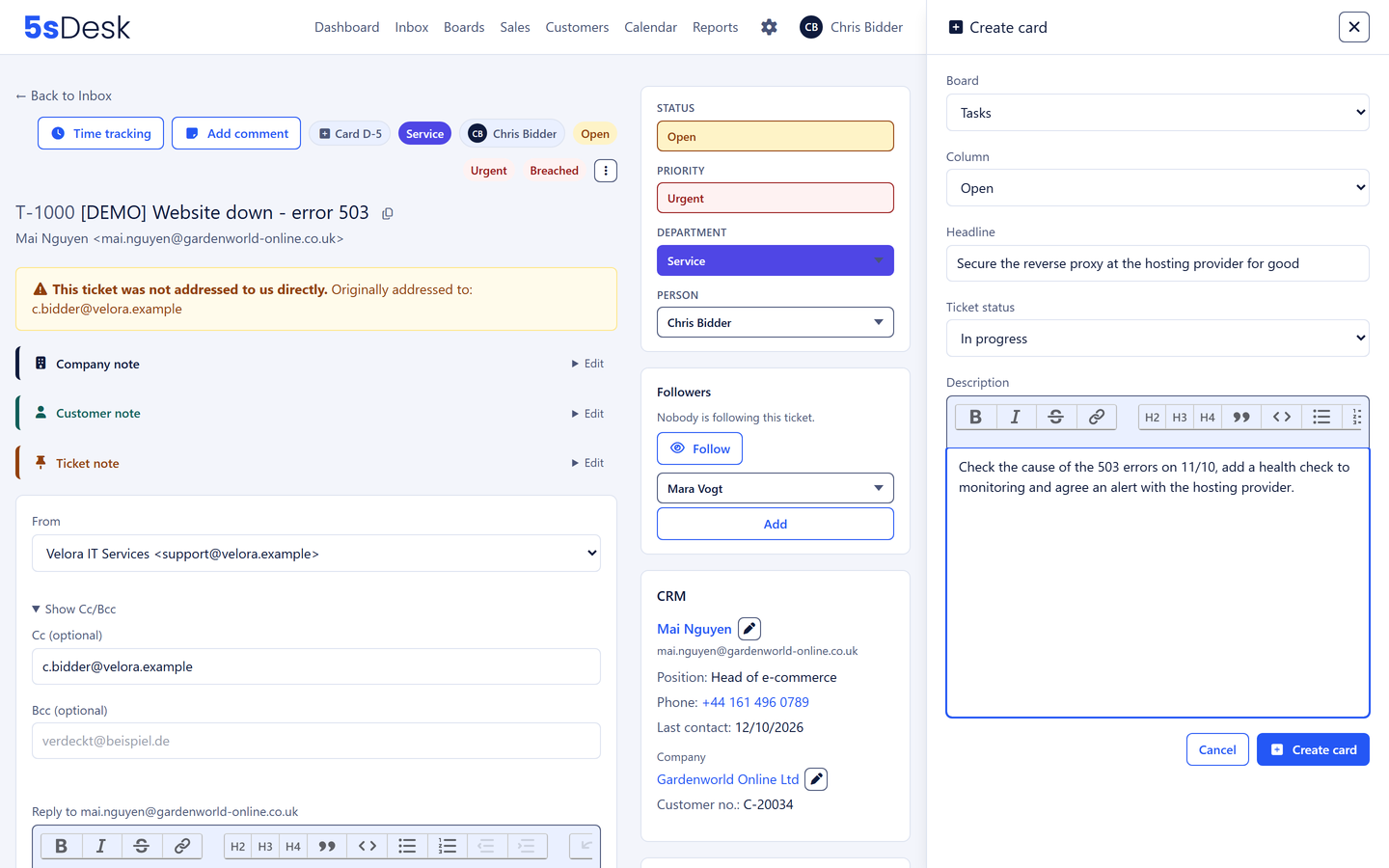
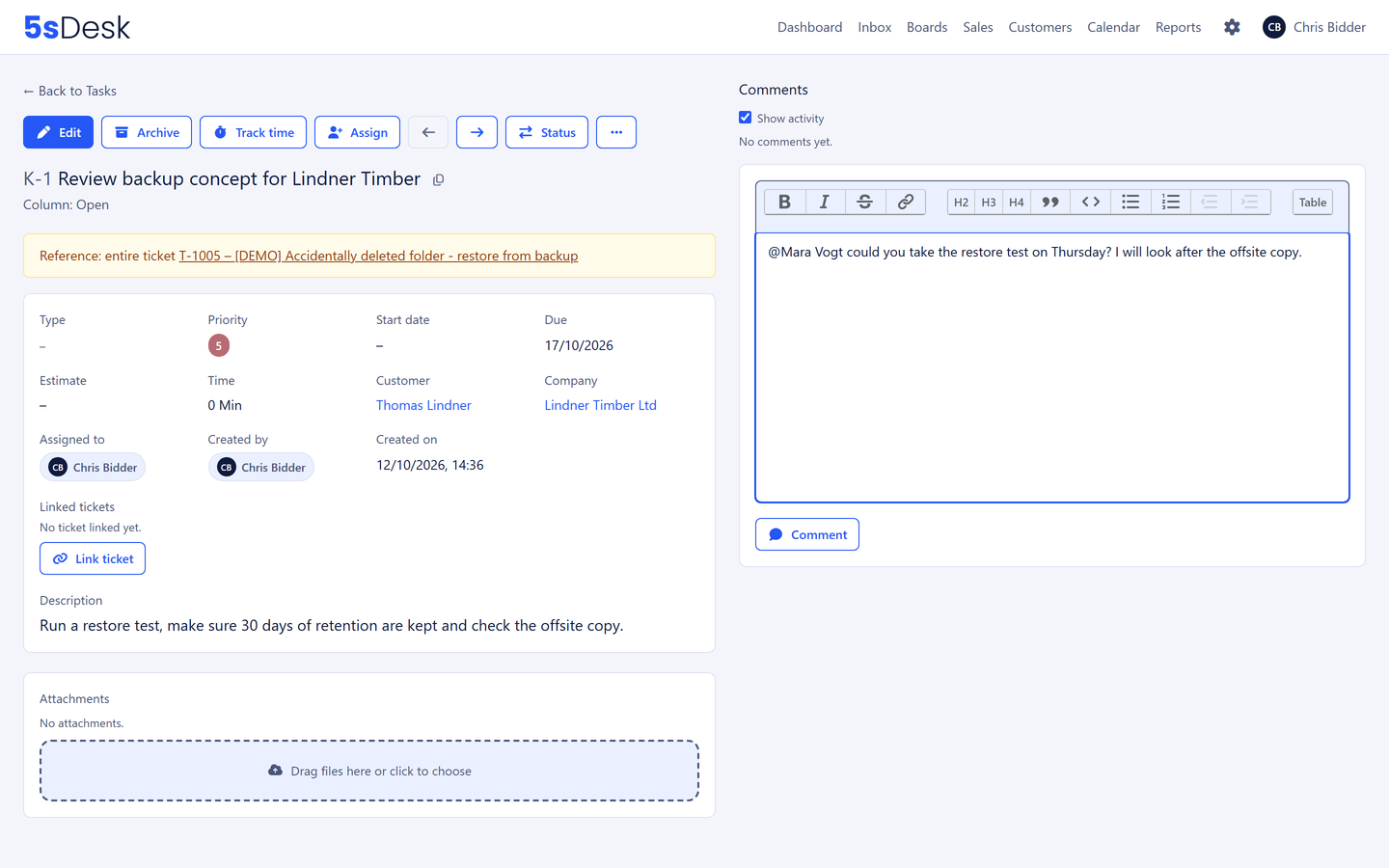
A button on the ticket opens the card dialogue. You pick the board and column and are back where you were. The card can refer to the whole ticket or to exactly one message in it, handy when a long thread holds three different tasks. The card shows its origin along with the ticket number, and the ticket shows the cards it produced, right on the message itself when a card came from a single email.
Card from a ticket or a single email
A way back in both directions
Customer and company come along
Boards that mirror the way you work
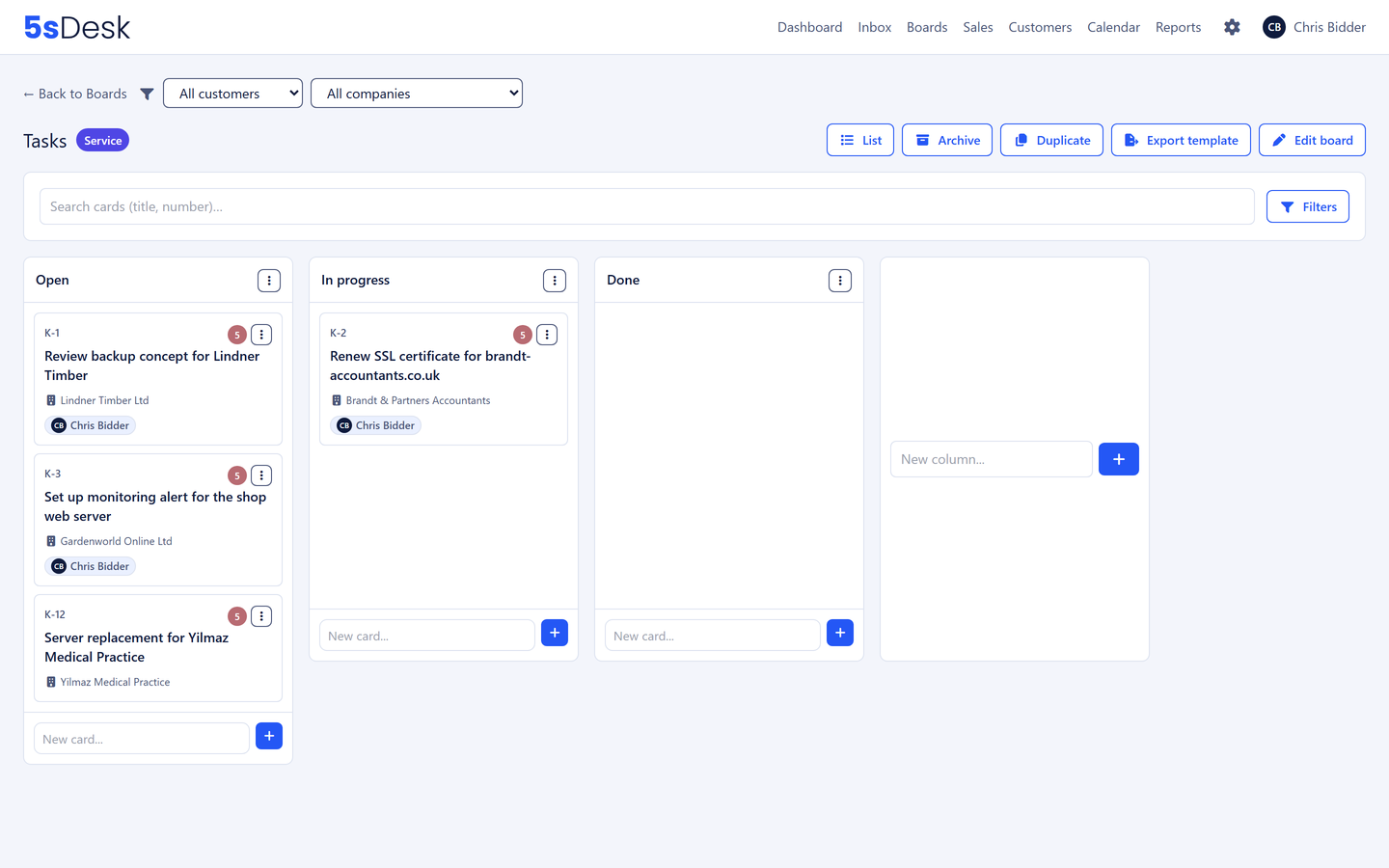
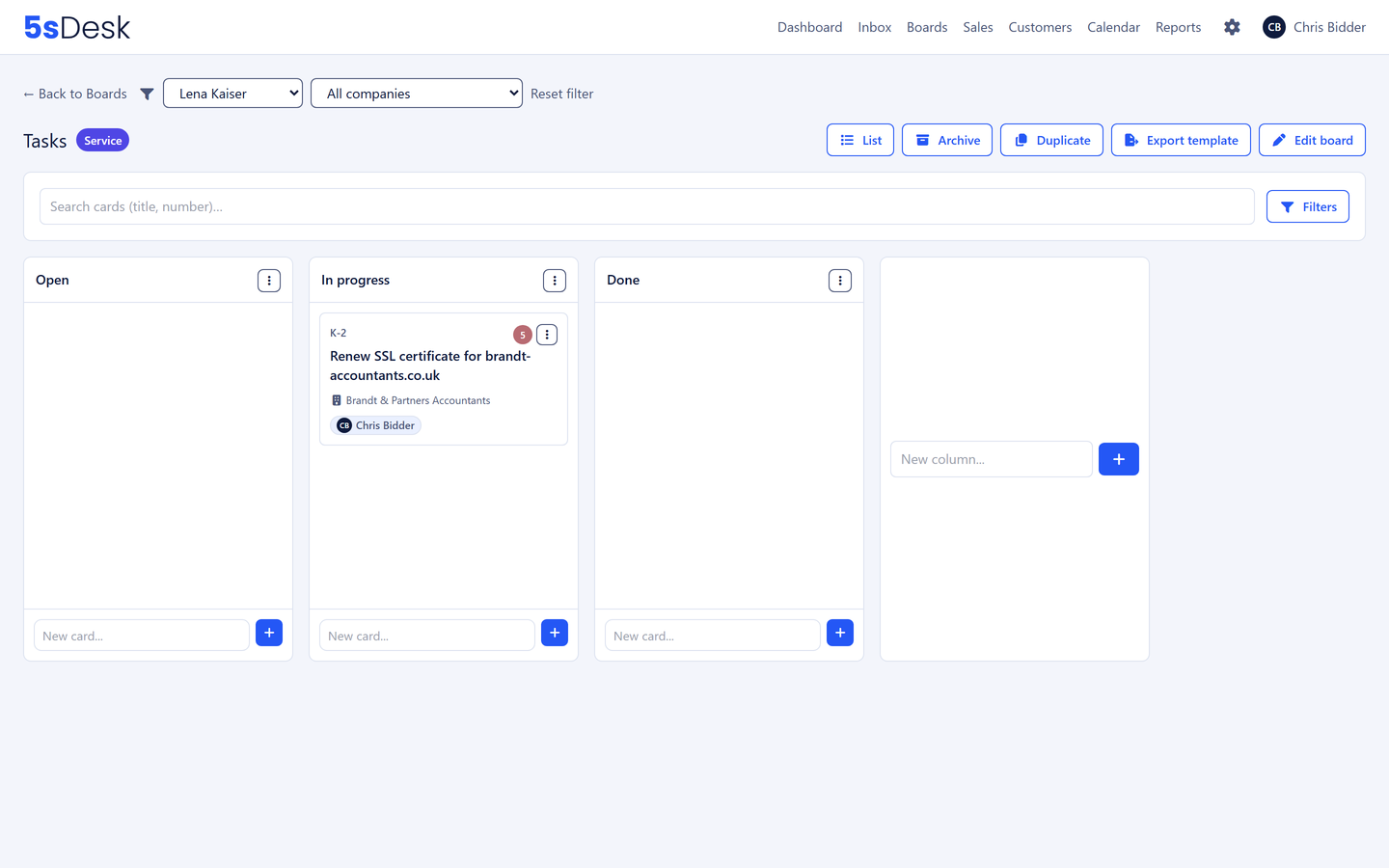
Name and reorder columns freely, move cards by drag and drop, set visibility per department. Card types with colours, priority 1 to 10 on a colour scale, start and due dates, an effort estimate as free text, tags, custom fields and meeting notes as lines on the card. Filters and saved views apply right on the Kanban, with a quick filter by customer or company and a switch between boards in the page header. A recurring project starts as a copy of a board or from an exported template.
Columns named as you like, visibility per department
Filters, search and saved views right on the board
Duplicate a board or export it as a template and load it in other teams
Live updates for everyone in the team
Table view and snooze
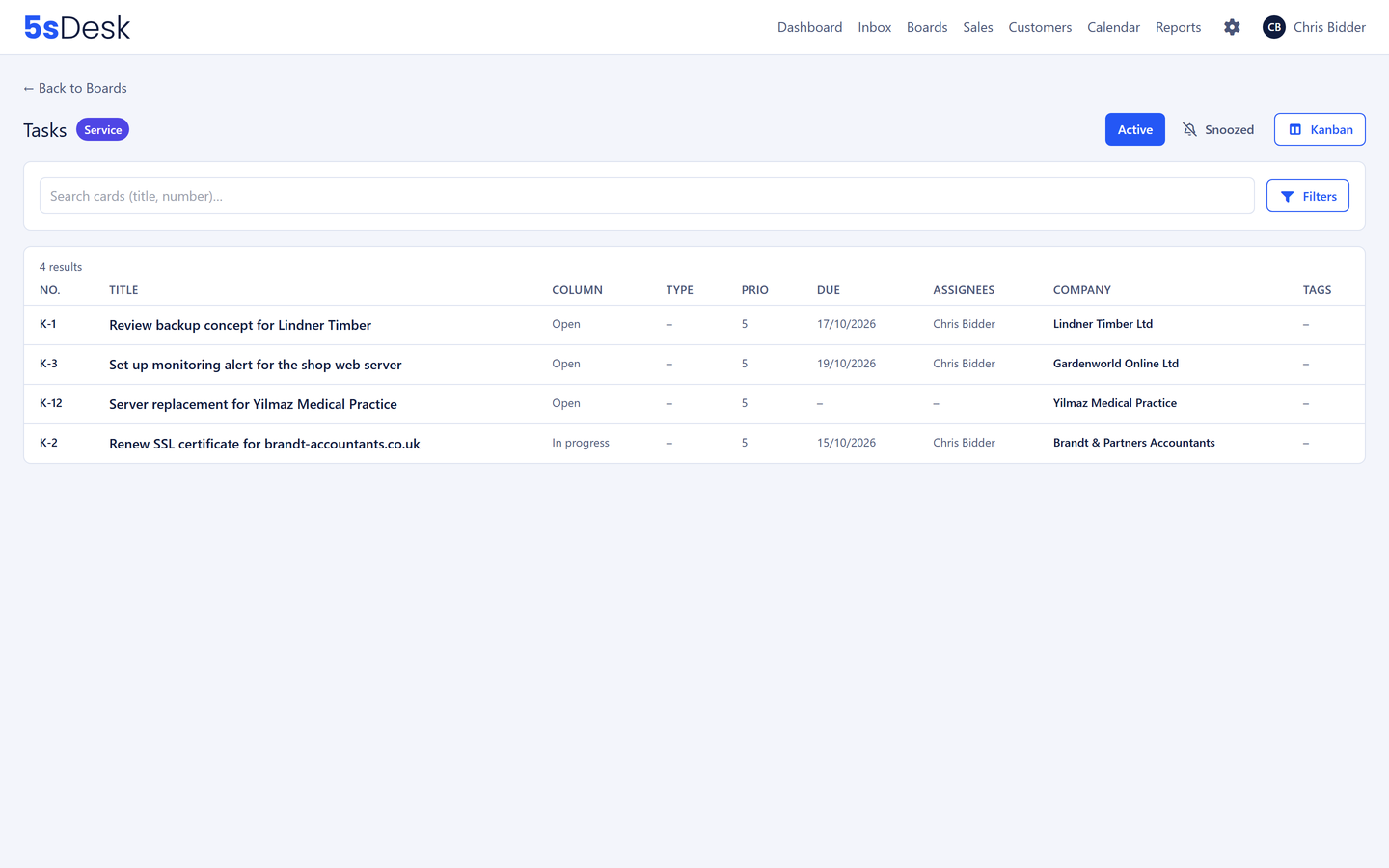
Every board can be opened as a table with the same filter rules as the customer lists: "all overdue cards without an owner" is one glance. If a card is waiting on a reply, you snooze it; it stays visible on the board but greyed out, and comes back at the set time with a notification. The due date is the deadline, the snooze is the alarm clock.
Table view with saved views
Snooze with a reason
Archive instead of delete, restorable
Working together on the card
Assignment to members of the responsible department, @-mentions in the description and comments, file attachments via a drop zone and checked by content, and notifications on assignment, activity, due date and escalation, by email or as a Microsoft Teams message, chosen per event. If a card lands with the wrong team, you move it to another board. Tracked time shows as a total on every card, with an indicator when a timer is running.
Comments, attachments, watchers, @-mentions in the description too
How do I turn an email into a task without losing the context?
In 5sDesk with the "Create card" button on the ticket or on a single message. The card carries its origin along with the ticket number, and the ticket shows the card on exactly the message it came from. Three months later you can still see what a decision was based on.
Can recurring projects be created as a copy?
Yes. When duplicating a board you decide whether archived cards come along, whether owners are kept, whether customer and company stay or are set afresh for the whole board, and what comes with the cards: attachments, links, comments, watchers.
What kinds of projects are the boards suited to?
Anything that grows out of customer communication and needs more than one reply: customer projects, development work, consulting packages, internal initiatives. With due dates, priority, estimates, time tracking and the link back to the original request.
How do I see what is due today?
On the dashboard. It shows your cards from every board by due date and priority, alongside your tickets, your deals and the running timer.
The first card comes from your mailbox
Create a board, turn an email into a task, start the timer. Try it for 30 days.