Skip to content

Feature · Ticketing system

The ticketing system that grows out of your mailbox

Every email becomes a ticket with its own number, status, priority, owner and deadline. Automatically, without anyone creating a thing. Call it a ticket or a case, it is the same thing: a request that cannot get lost.

30-day trial · cancel free of charge during the trial · every module in every plan

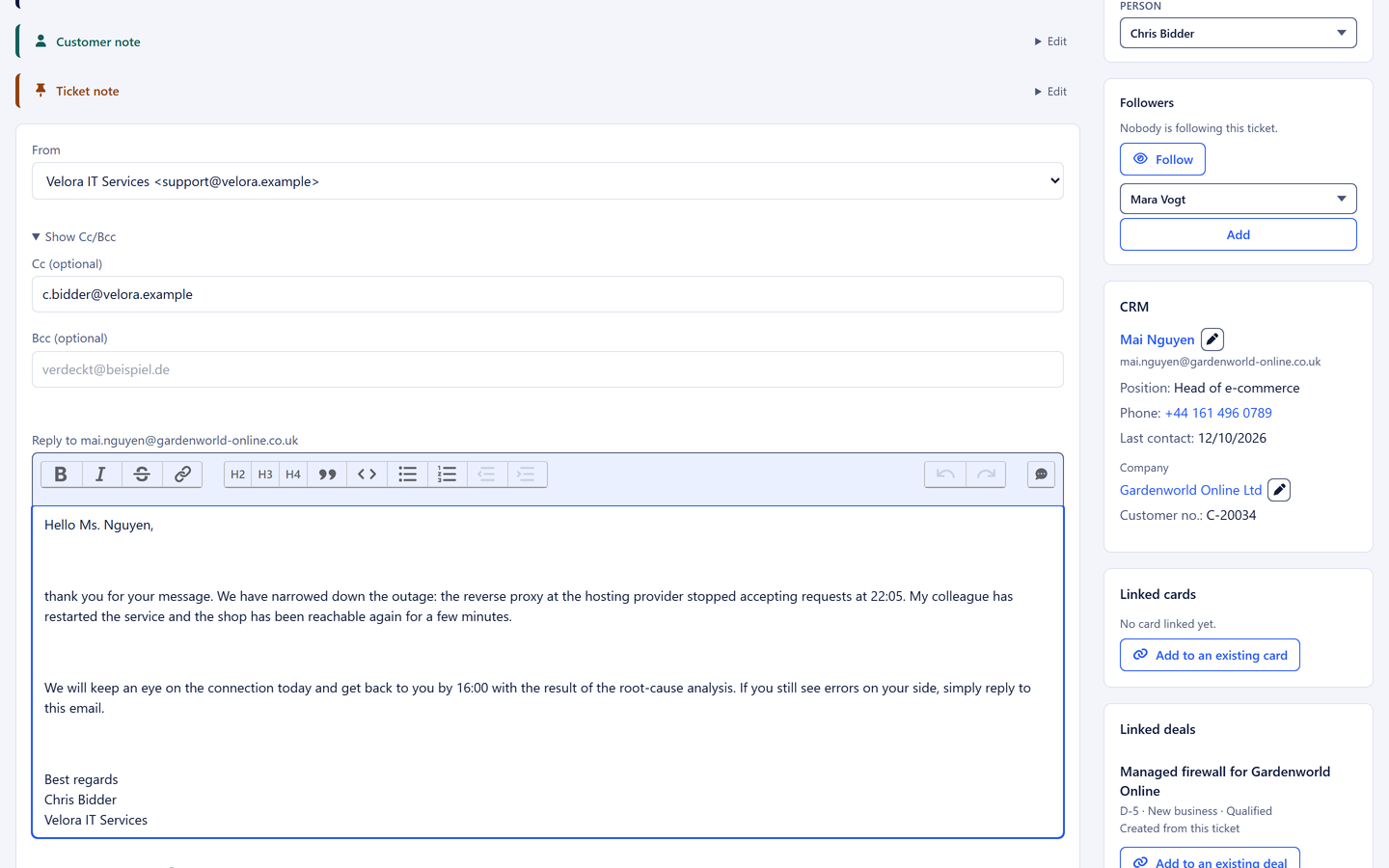
An open ticket in 5sDesk with timeline, reply box and customer history
  • Several mailboxes, each assigned to a department, via Microsoft 365 or IMAP
  • Automatic assignment round-robin or by workload, a deadline traffic light on every row
  • "Anna is typing": no more duplicate replies

In detail

What the inbox takes off your hands every day

Several mailboxes, one inbox

You connect service@, sales@ and accounts@ and assign each mailbox to a department. Incoming emails land with the right team automatically. Replies are matched to the existing ticket by their technical identifiers, so no duplicates appear. If a customer replies to a closed ticket, it reopens.

  • Microsoft 365 with "Sign in with Microsoft", including shared mailboxes, or IMAP and SMTP
  • Sender chosen freely for each reply, display name per mailbox
  • Sent-folder matching recognises replies sent straight from Outlook
  • Automatic acknowledgement with placeholders, only for genuinely new requests
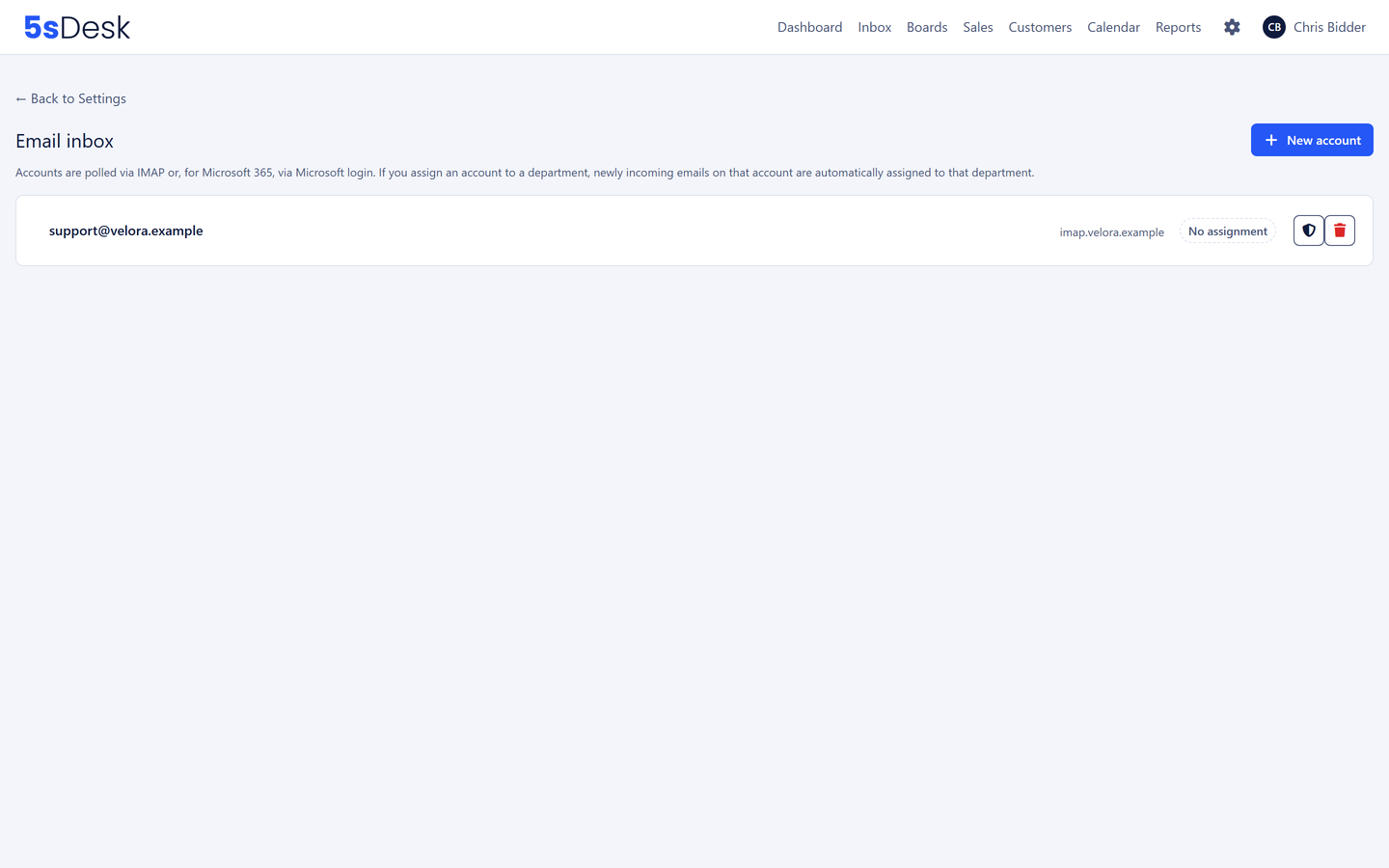
Connected mailboxes with their department assignment

Ownership that takes care of itself

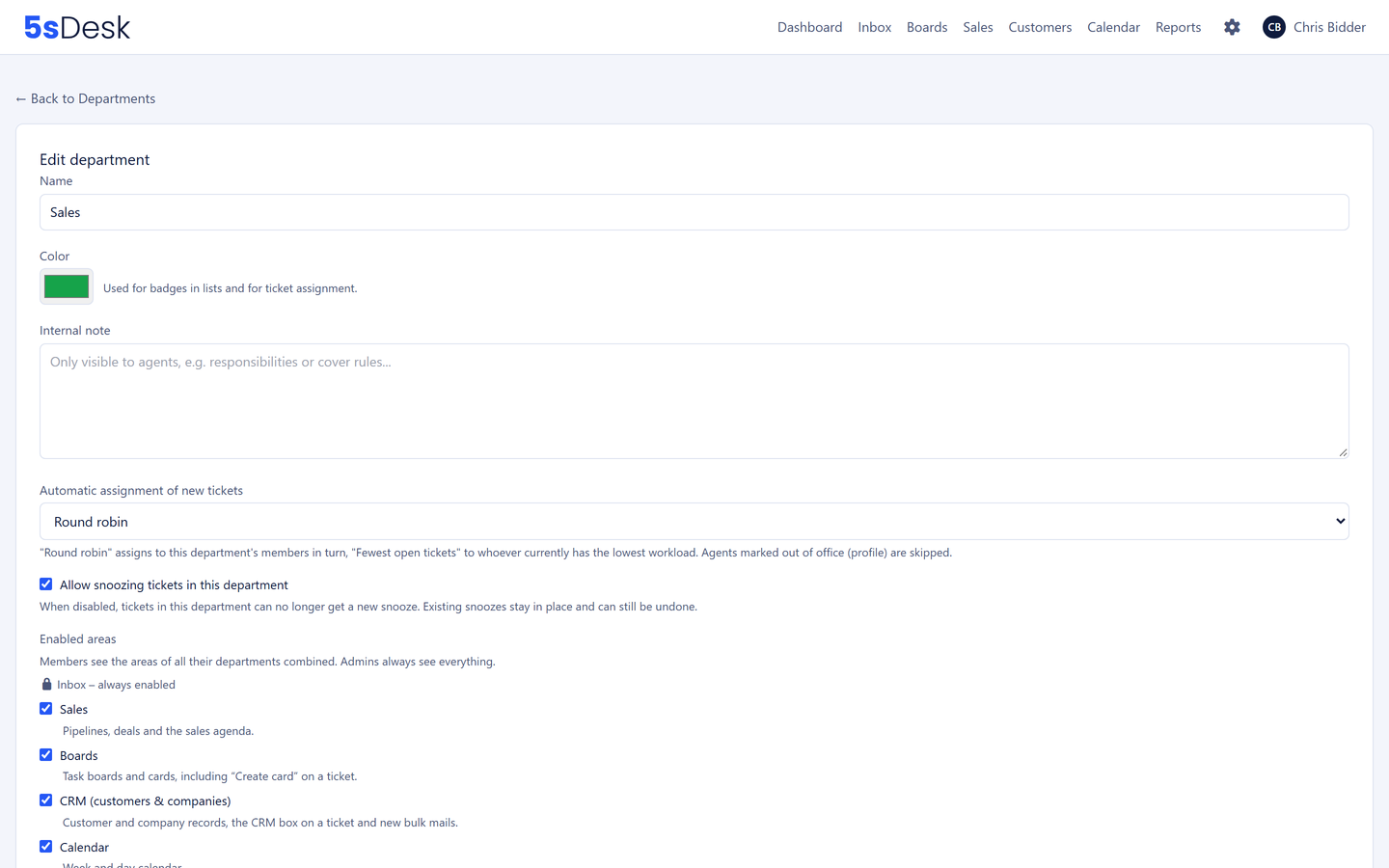
Instead of a new ticket sitting unowned with the whole department, it goes to one person straight away, round-robin or whoever has the fewest open tickets, configurable per department. Anyone marked "away" in their profile is skipped. If nobody is assigned, the system notifies the whole department. A ticket does not sit there because nobody feels addressed.

  • Assignment round-robin or by workload, per department
  • Absent colleagues are skipped automatically
  • "Take over" with one click, in the list and in the ticket
  • Escalation is one move: raise the priority and the owner is notified
Settings for automatic assignment per department

Filters, views and bulk actions

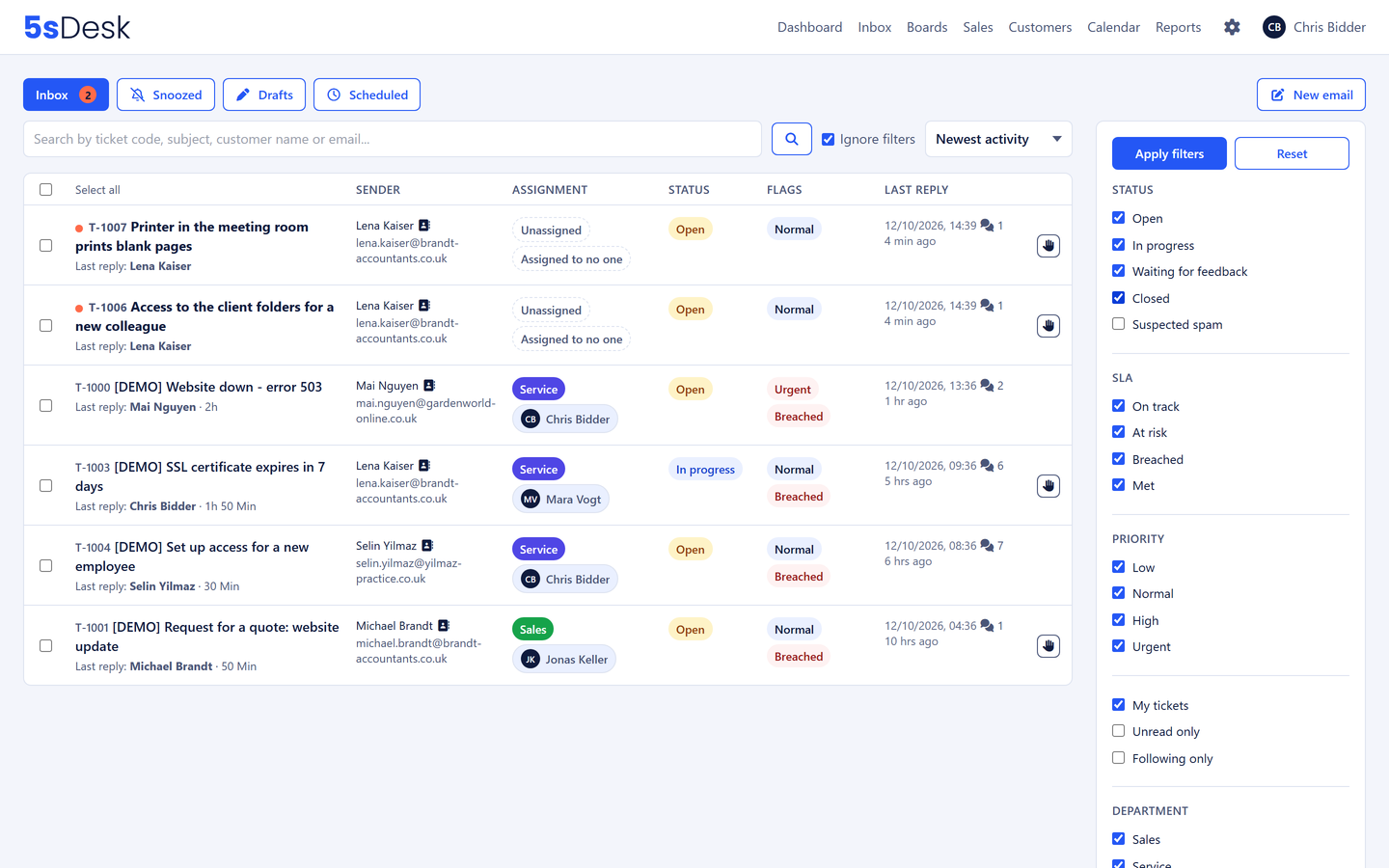
Status, deadline state, "My tickets", department, mailbox, priority, tags, unread, watched and custom fields can all be set at the same time. The filters sit in the page address, and you save a combination you use often as a tab of your own. For the Monday-morning triage, select several tickets and change status, priority, owner or tags in one go.

  • Saved views, personal or for the team
  • Coloured tags for your own categories
  • Full-text search across messages and internal notes, including by ticket number
  • Link tickets to each other by number or by pasting a link
  • List and ticket update without reloading
Filter bar and saved views in the inbox

Snooze instead of sticky notes

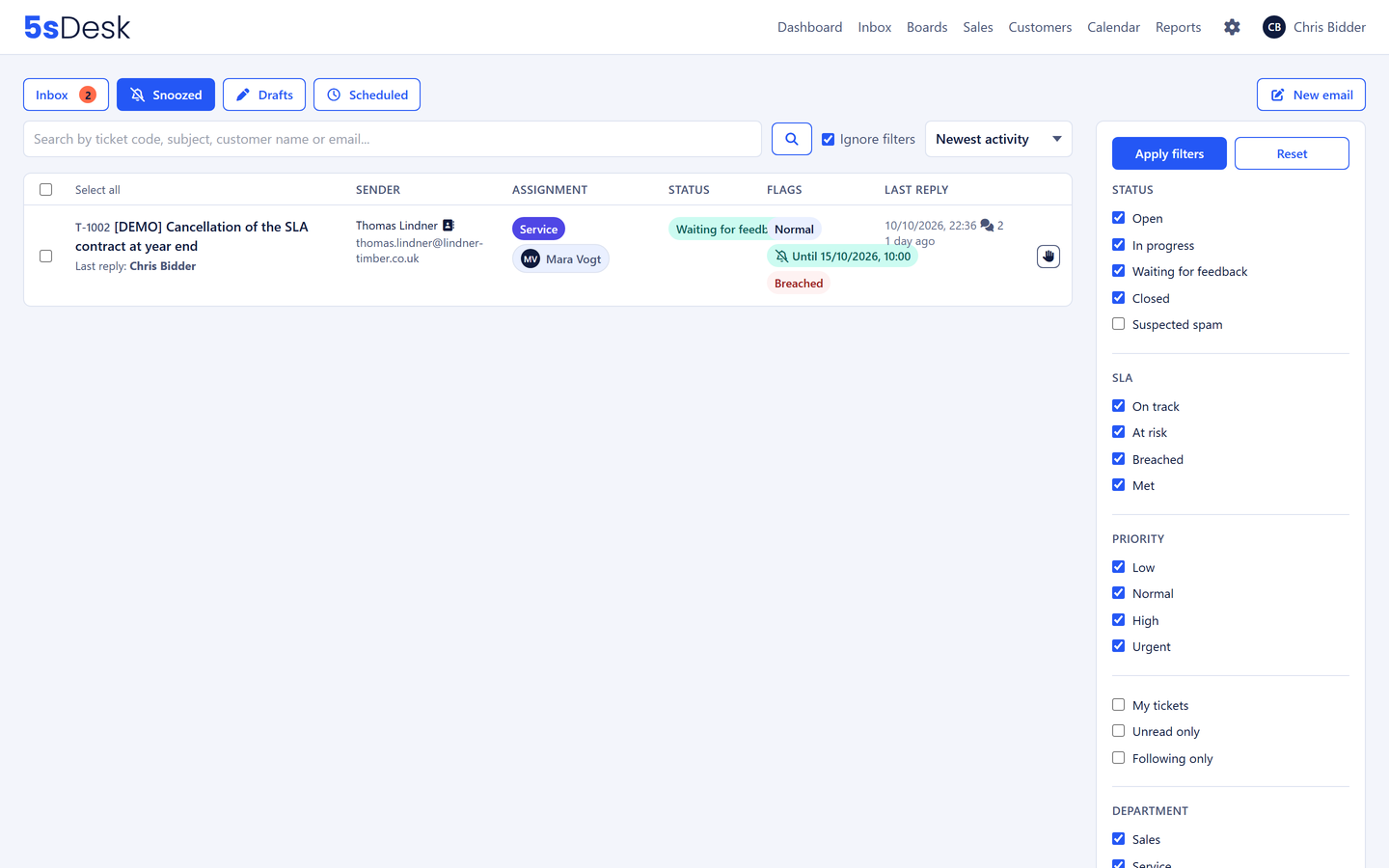
Waiting on a supplier? Snooze the ticket: tomorrow morning, in three days, next Monday or a time of your own. It disappears into the "Snoozed" tab and comes back with a notification. If the customer replies sooner, it is back straight away. A line about what you are waiting for lands in the ticket as an internal comment.

  • Fixed times or your own choice
  • Comes back automatically when the customer replies
  • Reason for snoozing visible to the team
The Snoozed tab with the time each ticket comes back

Replies that do not go out twice

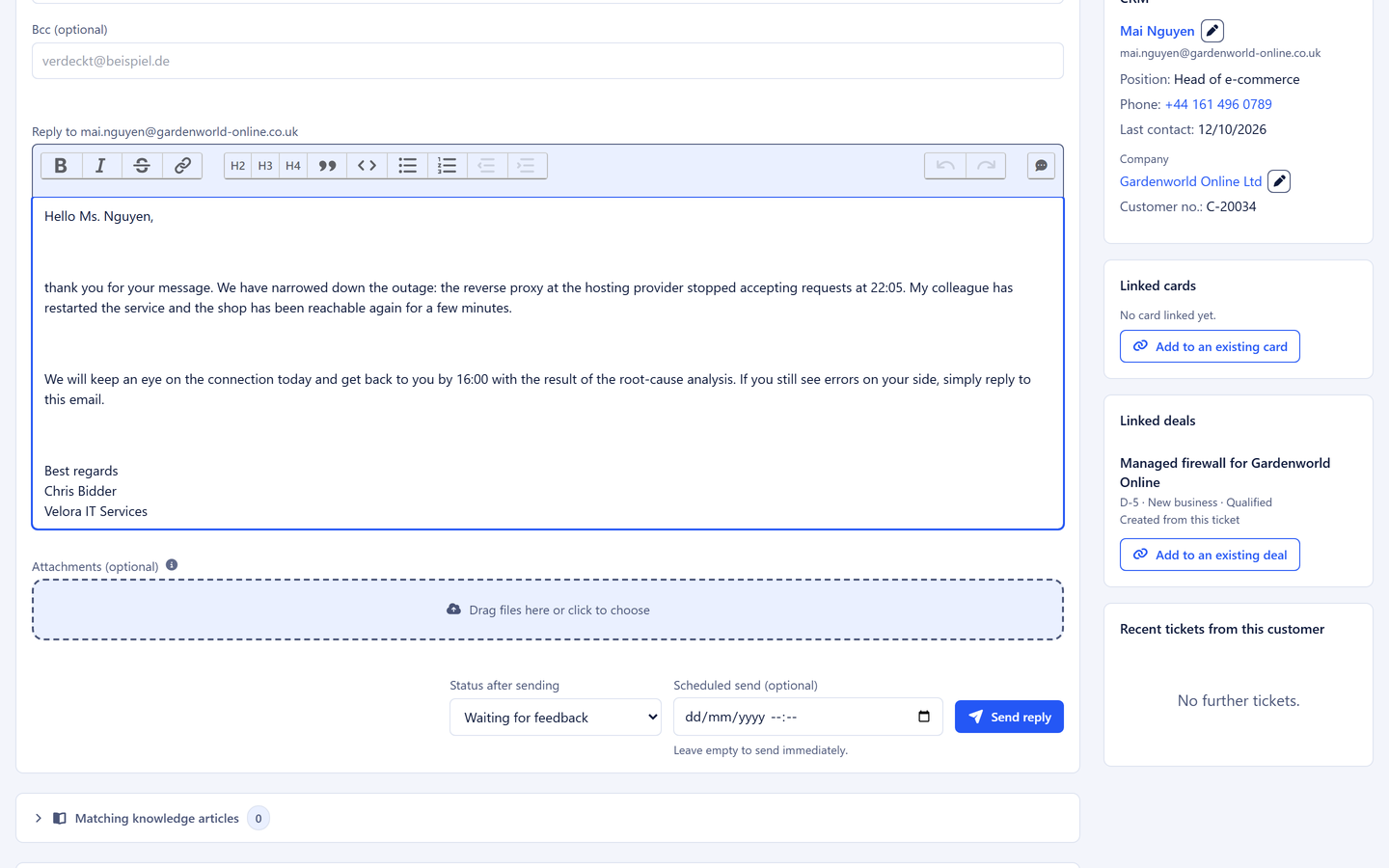
If a colleague is already working on a reply to the same ticket, you see it above the editor and in the list. Drafts are saved on the server and are private. When you send, you pick the follow-on status at the same time. A reply can be scheduled for later, and delivery problems appear right on the message instead of as silent waiting.

  • Collision notice "Anna is typing"
  • Formatted editor, attachments, signatures, Cc and Bcc
  • Canned responses and "Check reply" also in a new email without a ticket
  • Scheduled sending with preview
  • Internal comments with @-mentions, three levels of notes (ticket, customer, company)
Reply box with collision notice and canned response search

Frequently asked questions

What is a ticketing system?
A ticketing system turns every customer request into its own record with a number, status, owner and history. Unlike a shared mailbox, it is always clear who is working on a request, what has already happened and what is still open. In 5sDesk that record is a ticket.
Do you work in a shared Outlook mailbox today?
Then you know the questions "Who is replying?" and "Has anyone replied yet?". 5sDesk meets your team exactly there: the mailbox stays, but gains ownership, status and history. The Shared inbox page shows what that looks like.
How do old emails get into the system?
When you connect a mailbox, you take over the history from a start date of your choice, with a progress indicator. From an existing helpdesk, tickets can be brought across along with replies, notes and attachments. Details on the Free trial page.
Can colleagues keep replying from Outlook?
Yes. Sent-folder matching recognises replies sent straight from Outlook and attaches them to the right ticket. The history stays complete even if not everyone works in the system all the time.
Can I block senders?
Yes. Addresses, domains or domains including their subdomains go on the block list with a reason. Their messages are still captured but land in suspected spam and out of the default view. A button on the ticket does it in one click. The other way round, trusted senders never land in suspected spam, and "Not spam" brings a ticket back with one click.

Your mailbox as a ticketing system, in minutes

Create your account, connect your mailbox, and the first request becomes a ticket.

Start free trial

30-day trial · cancel free of charge during the trial · every module in every plan