30-day trial · cancel free of charge during the trial · every module in every plan
Feature · SLAs & deadlines
Deadlines you see before they are missed
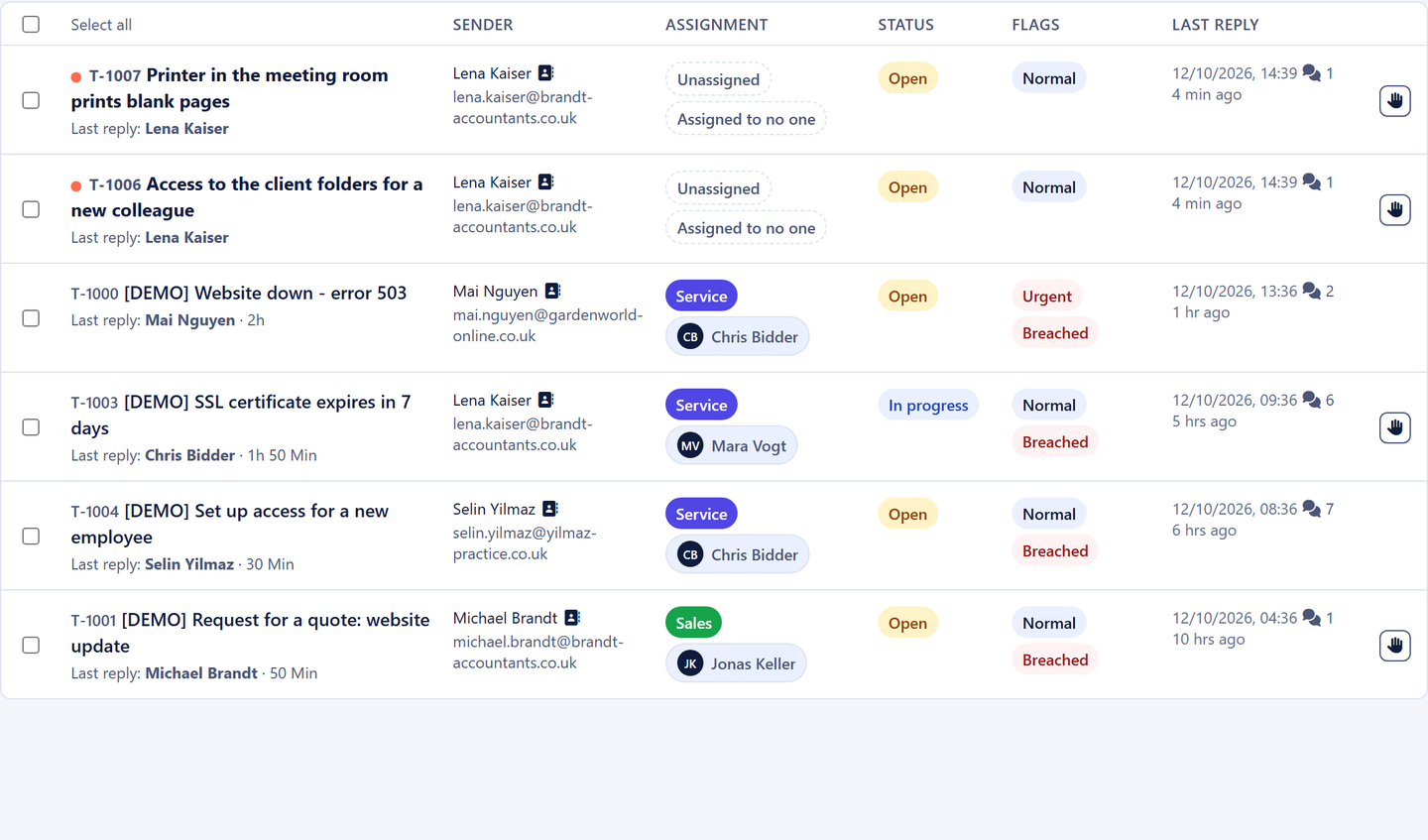
In many teams, whether response times are being met only becomes clear once a customer complains. In 5sDesk the deadline sits as a traffic light on every ticket row, pauses while it is the customer's move and warns you before it is exceeded.
30-day trial · cancel free of charge during the trial · every module in every plan
Deadlines per department and priority, the most specific rule wins
The clock pauses at "Waiting for feedback"
Early warning to the owner, or to the department if nobody is assigned
In detail
How deadlines work in 5sDesk
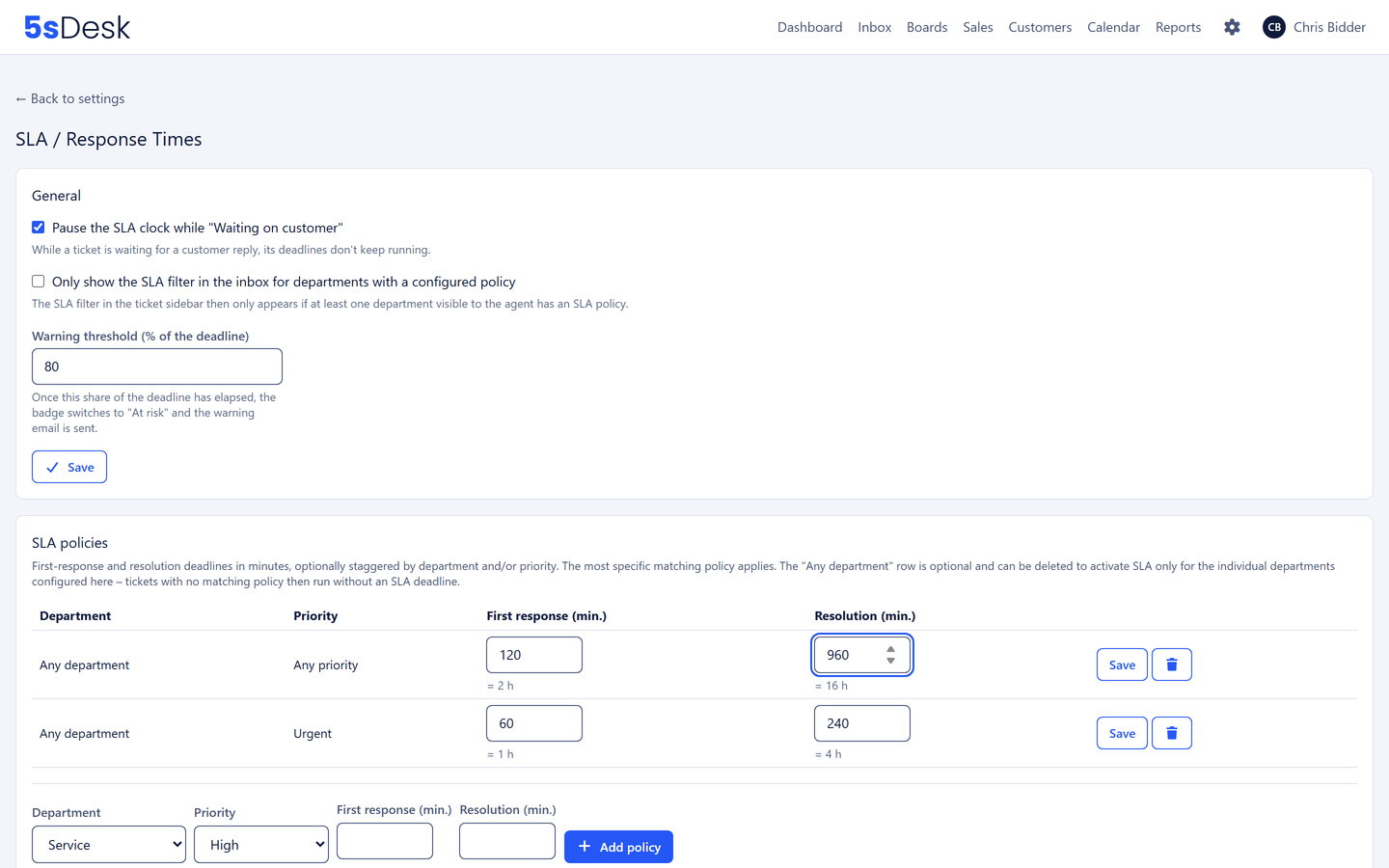
Response and resolution deadline per department and priority
You define how quickly a first reply and how quickly a resolution is expected, separately by department and priority. Four hours for a first response on urgent service cases, longer for normal ones. The most specific rule wins. If a ticket's department or priority changes, the deadlines are recalculated immediately.
First response and resolution kept separate
Per department and priority, with a default value
Deadlines adjust when things change
Traffic light in the list and the ticket
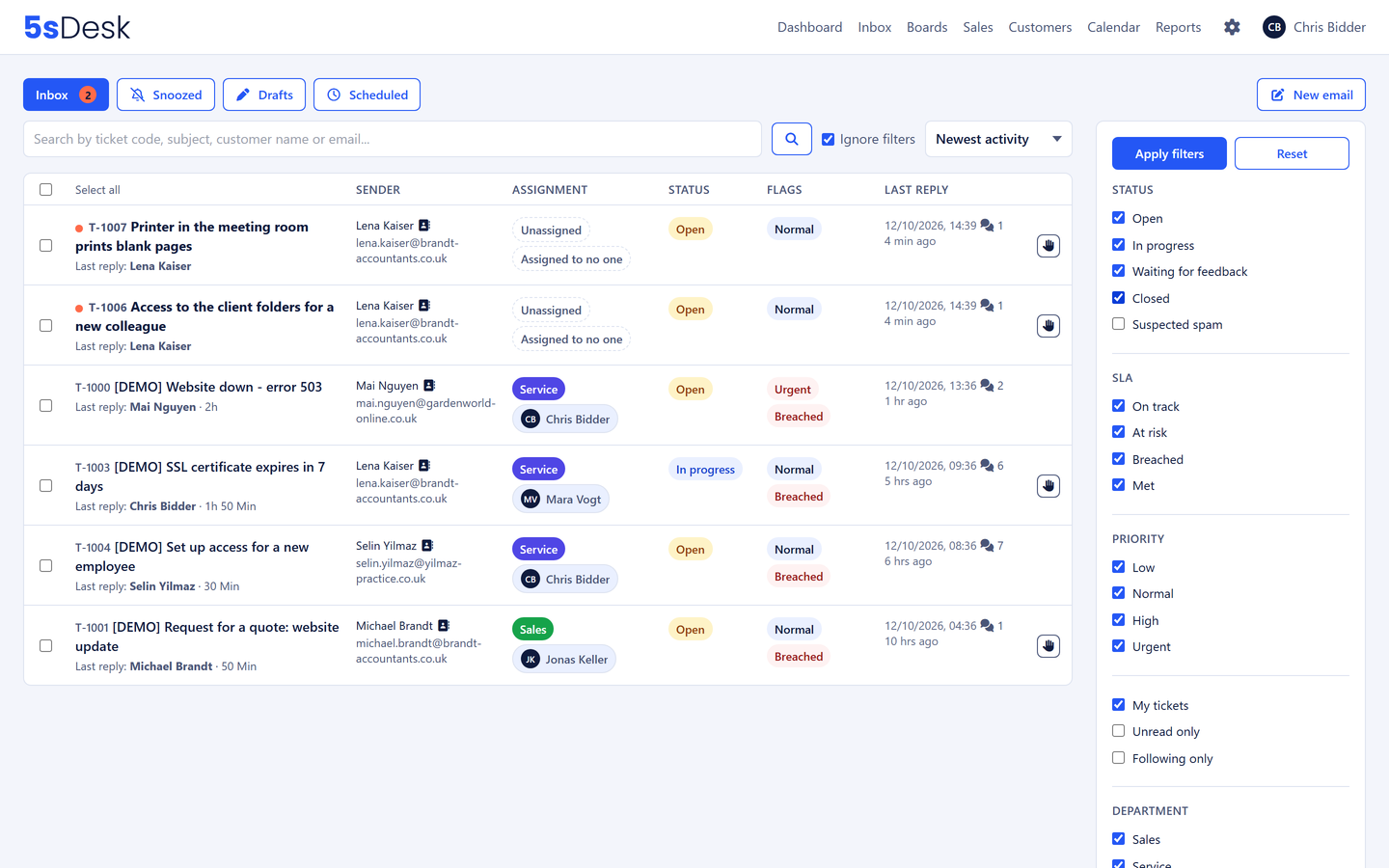
On track, due soon, overdue or met, with the due time as a tooltip. The deadline is not a report at month end but visible on every row. Sort the inbox by deadline and the most urgent cases sit at the top.
Four states with a colour
Filter by deadline state
Sort by due time
The clock pauses while it is the customer's move
When a ticket switches to "Waiting for feedback", the deadline stops running. A ticket does not turn red because a customer has not replied for two weeks. When they reply, the clock resumes and the owner is notified.
Pause at "Waiting for feedback"
Resumes when the customer replies
Set the status as you send
Early warning and escalation
At a share of the deadline that you set, a warning goes to the owner, or to the department if nobody is assigned. Escalation needs no process of its own: if someone raises a ticket's priority, the owner is notified and the shorter deadline applies immediately.
Early warning at a configurable share of the deadline
Raising the priority notifies the owner
Reporting: share of deadlines met, at risk and missed
Start with two values per priority: a first response time the team can reliably keep on a normal day, and a resolution time the customer reads as a promise. Set them per department, check in the reporting after four weeks how often the traffic light was amber or red, and then adjust. Overambitious deadlines get ignored; realistic ones get kept.
How are the deadlines counted?
In plain minutes from the moment the ticket arrives, with a pause at "Waiting for feedback". So plan your deadlines with nights and weekends in mind, for example with longer resolution times for normal priority.
Who receives the early warning?
The owner. If nobody is assigned, the whole department. The notification arrives by email and, if you wish, as a Microsoft Teams message.
Which metrics does 5sDesk provide on deadlines?
The reporting page shows, for any period you choose, the share of deadlines met, at risk and missed, plus the mean and typical first response and resolution time, new and closed tickets per day and the backlog by age. Export as CSV.
Response times the team keeps
Set up deadlines, watch the traffic light, adjust after four weeks. Try it for 30 days.