Skip to content

For IT service providers

Support, development and billing on one ticket

A support case that needs development work usually wanders through three tools. In 5sDesk it stays one ticket: ticket with deadline, card on the development board, timer on the card, reply to the customer, help article for next time.

  • Deadlines by priority with a traffic light, paused while "Waiting for feedback"
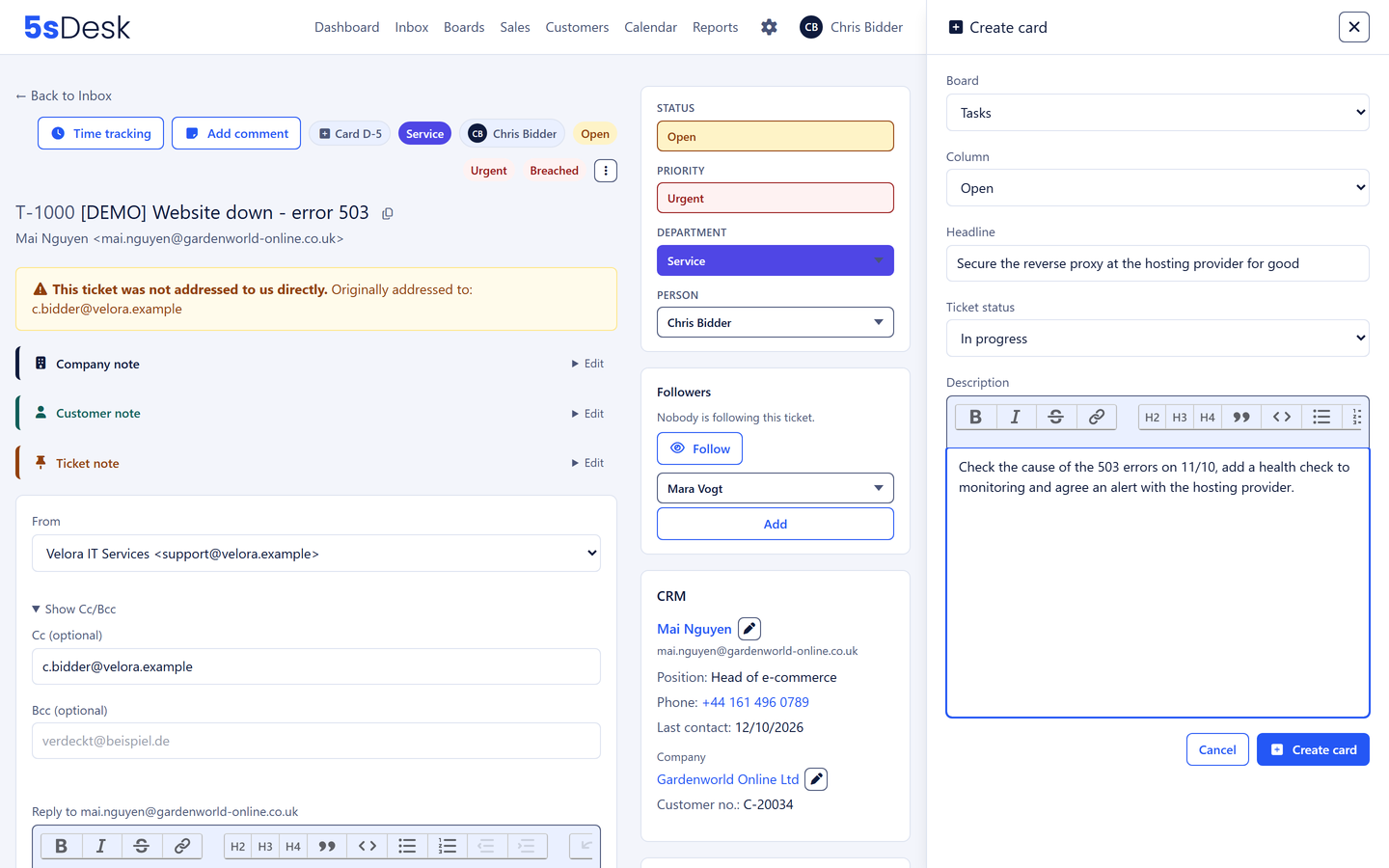
  • A card from exactly the email that triggers the development work
  • Customer portal with knowledge base, system in use on the company record

30-day trial · cancel free of charge during the trial · every module in every plan

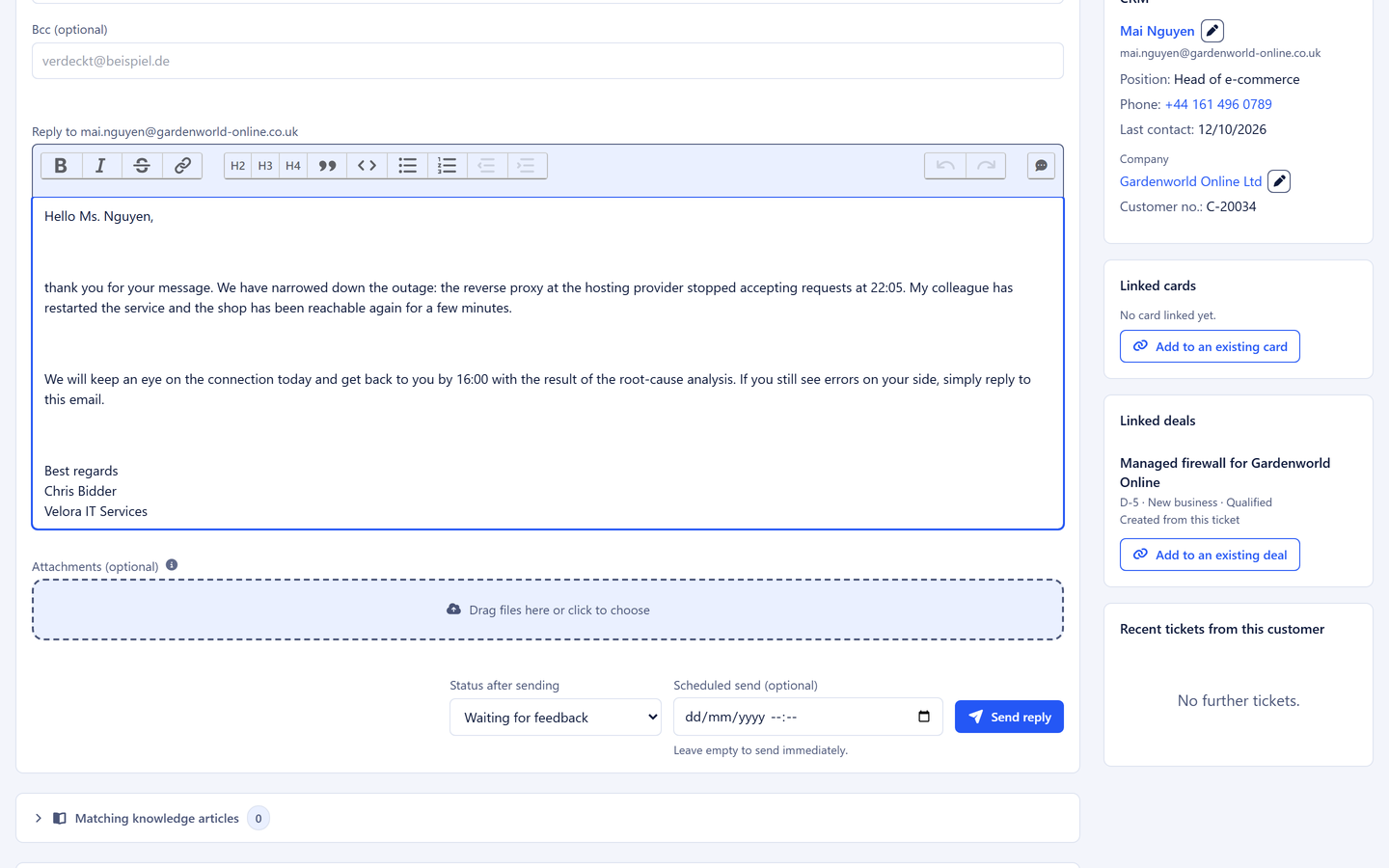
Reply to an incident report with the customer record, cards and deals alongside

Support life

Three things that get stuck in IT support

  • Ticket here, development there

    Support has the ticket, development has its board. What was discussed between the two is in neither.

  • Hours with no customer attached

    Time is tracked on the task, but which customer it belongs to has to be reconstructed at month end.

  • The same question every week

    "How do I reset my password?" is answered afresh every week because the answer is buried in a ticket nobody can find.

How it runs

A support case from start to finish

  1. Step 1: The email becomes a ticket

    It arrives in the service mailbox and gets a number, the Service department and four hours for the first response. The sender is known, and the company record shows the system in use and its version.

  2. Step 2: A reply with a help article

    A matching article appears next to the reply box. The agent inserts it, adds two sentences and sets "Waiting for feedback". The deadline pauses.

  3. Step 3: The rest is development work

    The customer replies, and part of it stays open. Exactly this email becomes a card on the development board, type Development, priority 8, due Friday.

  4. Step 4: Time on the card

    The developer starts the timer, works, stops it and marks the time as billable. The card knows the ticket, and the company is resolved.

  5. Step 5: Close and write it up

    The agent replies on the ticket and closes it. The customer sees everything in the portal. The reply becomes a help article, and the next customer finds it before they write.

Creating a card from an email

The features behind it

What IT service providers use most in 5sDesk

Deadlines the team actually keeps

First response and resolution per department and priority, a traffic light on every row, an early warning to the owner. Reporting delivers first response and resolution time and the SLA rate for the monthly report to the customer.

More about SLAs & deadlines
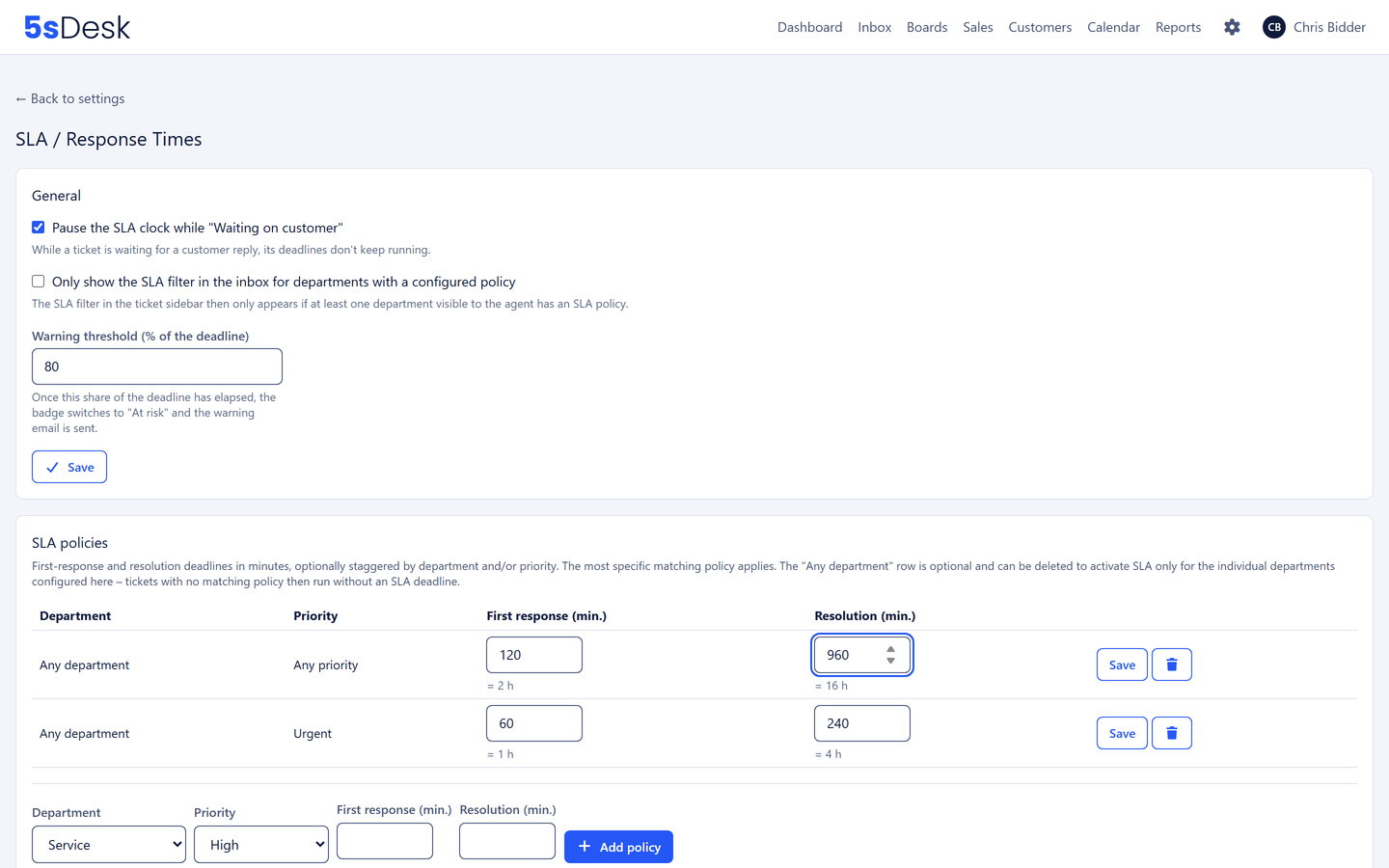
Deadline matrix per department and priority

Development board linked to tickets

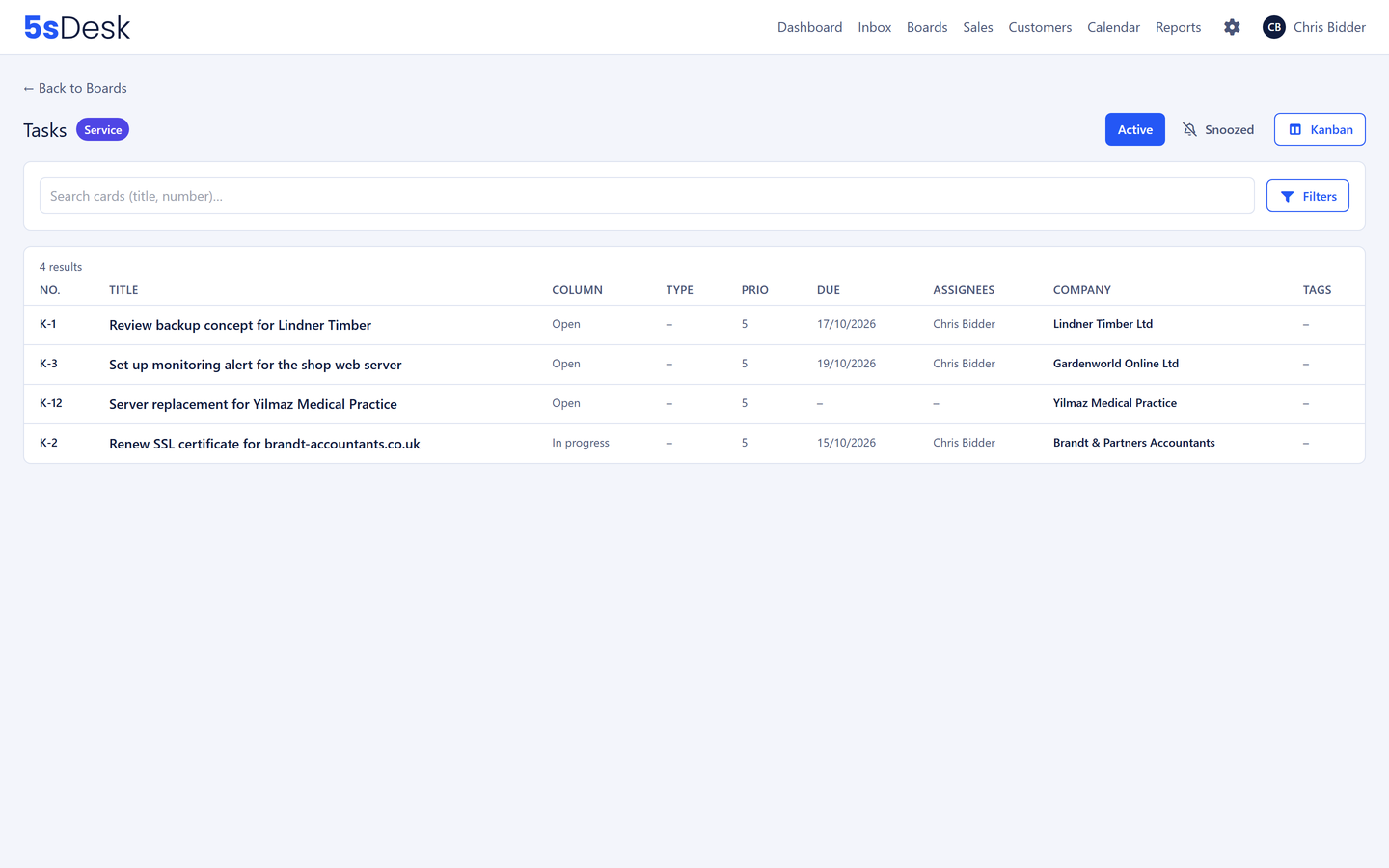
Cards from tickets or single emails, card types such as Bug, Feature, Update, priority 1 to 10, a table view for "every overdue card without an owner". Live updates for everyone in the team.

More about tasks & Kanban
Table view of a board with due date

Knowledge base for customers and team

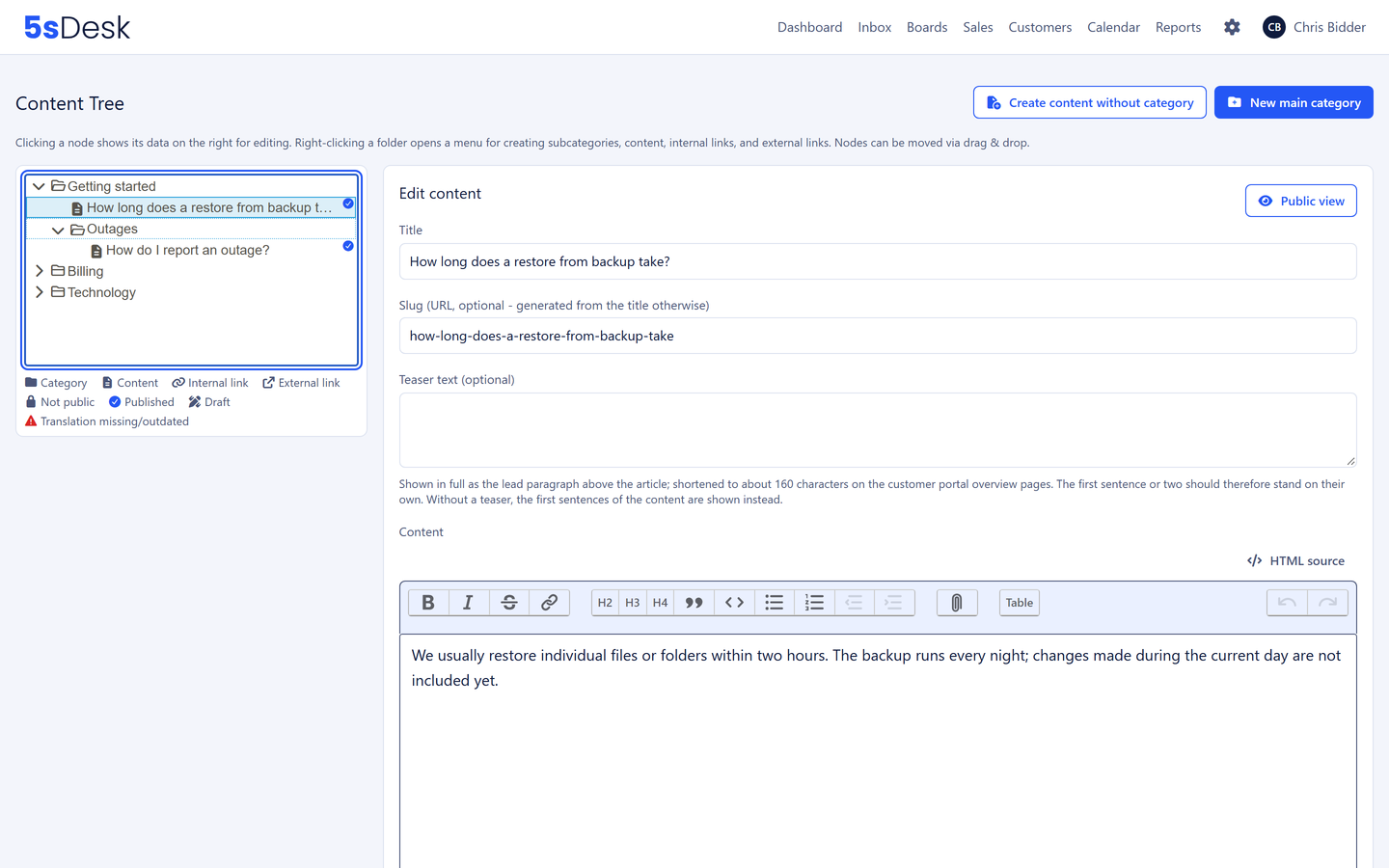
Public articles in the portal, internal articles for the technicians only, suggestions in the reply box. From a solved ticket the AI drafts an article without the customer's name.

More about the knowledge base
Content tree with internal and public articles

Custom fields for systems and contracts

The technical context sits where you need it when replying.

  • System in use
  • Version
  • Service contract
  • Contractual response time
  • Maintenance window
  • Credentials stored with
  • Deadlines that pause

    The clock stops while "Waiting for feedback"

  • A card from the email

    A link back in both directions

  • Time per customer company

    Even when it was tracked on the card

  • Microsoft 365 via OAuth

    No stored passwords

  • REST API and webhooks from Basic

    With finely scoped keys

Frequently asked questions

How do we give the customer a monthly report on response times?
From the reporting: choose the period, filter by department or customer, read off first response and resolution time, SLA rate and backlog by age, and export as CSV.
Can we take over tickets from our previous helpdesk?
You take over the email history straight from the mailbox from a start date, and customers and companies from a spreadsheet. 5sDesk imports Freshdesk tickets with replies, notes and attachments. Details on the free trial page.
How do we connect 5sDesk to our monitoring or billing system?
Through the REST API and webhooks in Basic and Pro: create tickets, match customer master data, and report events such as new tickets or closed tickets to your systems.
Do customers see who is working on their ticket?
Yes, the portal shows the person handling it and the department responsible. Internal comments and internal articles stay invisible.

From ticket to card to hour, without a break

Connect your service mailbox, set up the development board. Try it for 30 days.

Start free trial

30-day trial · cancel free of charge during the trial · every module in every plan