30-day trial · cancel free of charge during the trial · every module in every plan
Feature · Appointment booking & calendar
Appointments without the email ping-pong
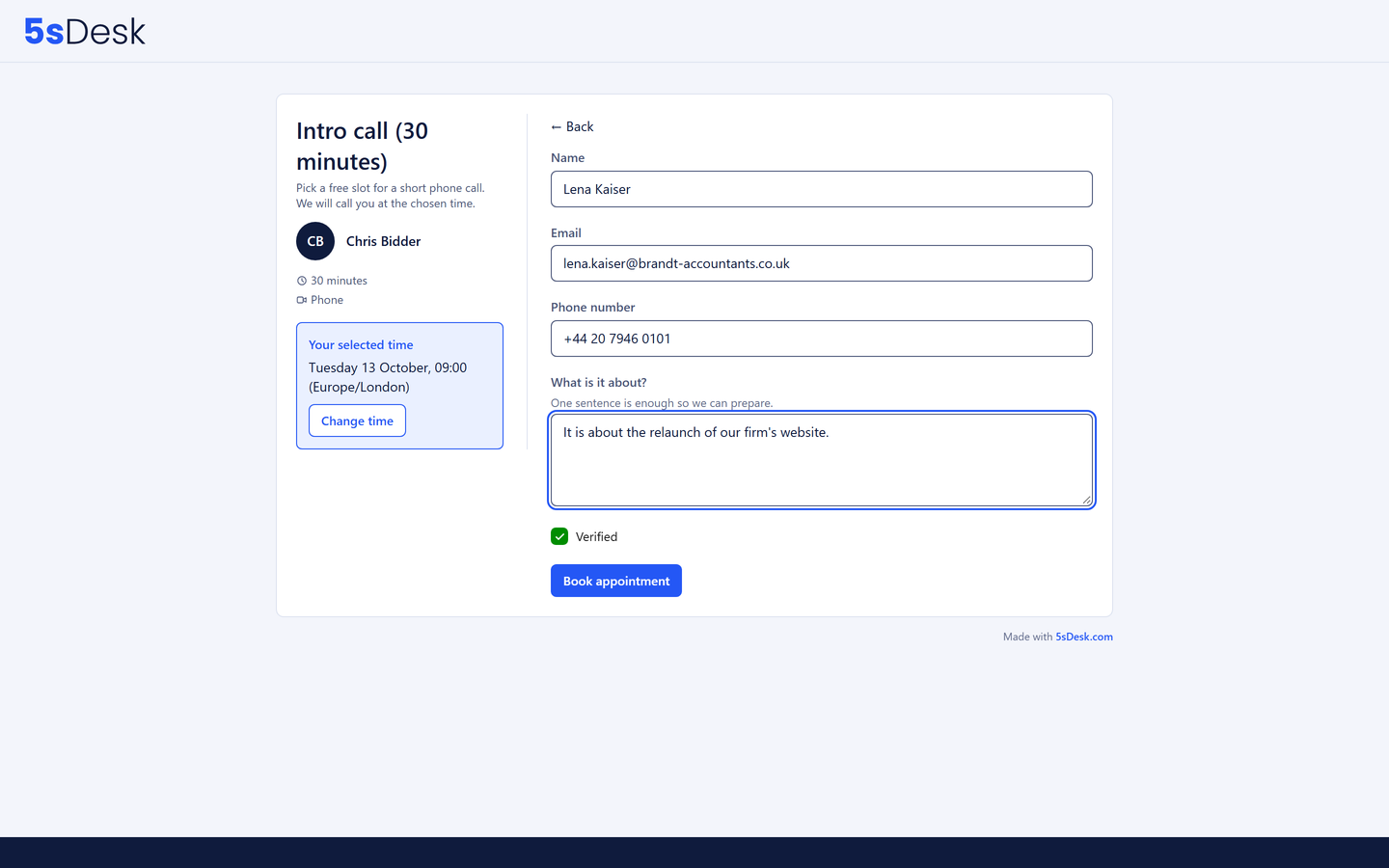
"Does Tuesday at 14:00 work?" "No, Wednesday?" Appointment booking replaces that chain: customers book for themselves, and only what is genuinely free. Every person has their own calendar in 5sDesk for this; Outlook and Google join in when you connect them. The Teams or Google Meet link is created automatically, and the appointment lands in the customer record.
30-day trial · cancel free of charge during the trial · every module in every plan
Each person has their own calendar, with Outlook and Google as optional extras
Appointment types for one person or a department pool with fair distribution
Phone appointments without an external calendar, Teams and Google Meet included
In detail
How customers book with you
Your calendar in 5sDesk
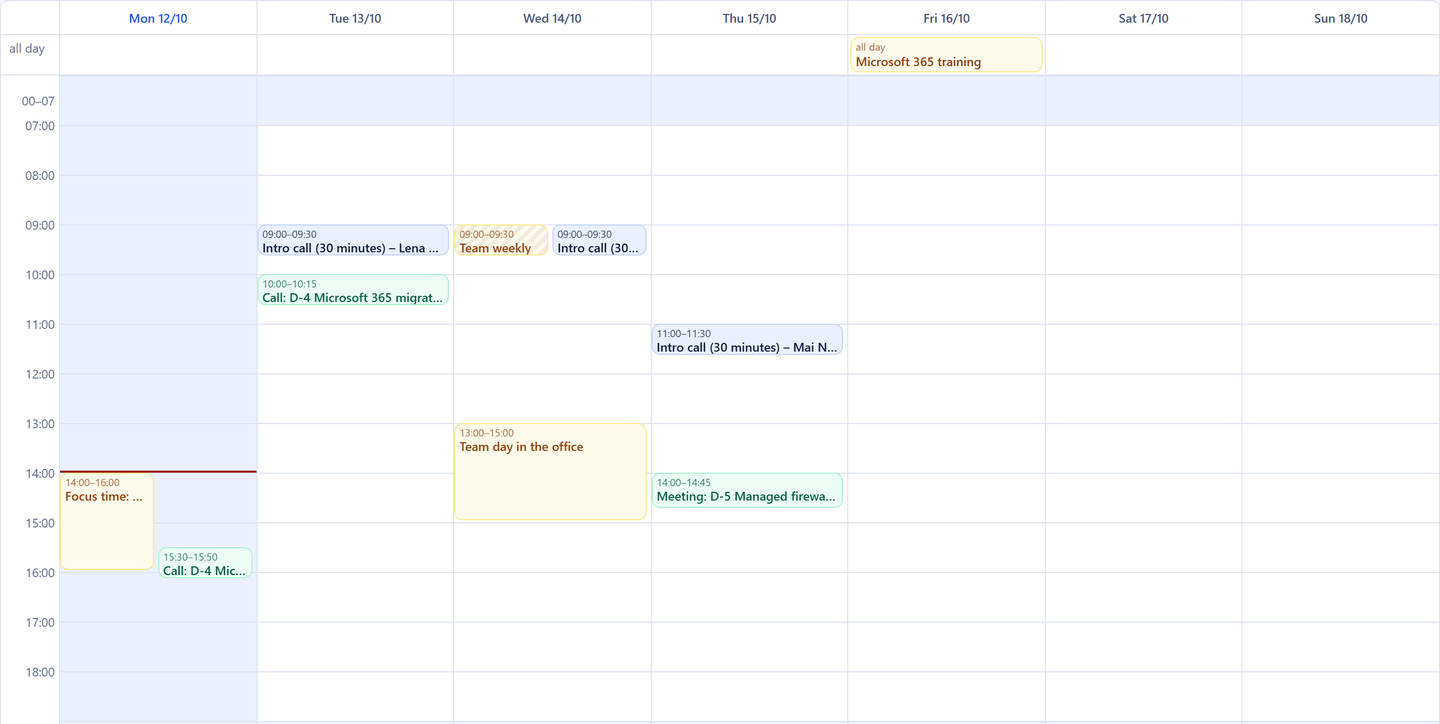
Every person has a week and day view with booked customer appointments, planned sales actions and their own entries such as blockers, holiday or an internal meeting. One click on a free slot creates an entry, marked "busy" or "free" as you choose. Busy entries block the time for online booking, free ones leave it open. Each person sets the hours of the day their calendar shows.
Week and day view with appointments, actions and your own entries
Blockers, holiday and internal meetings control what can be booked
Team leads see their department's calendar
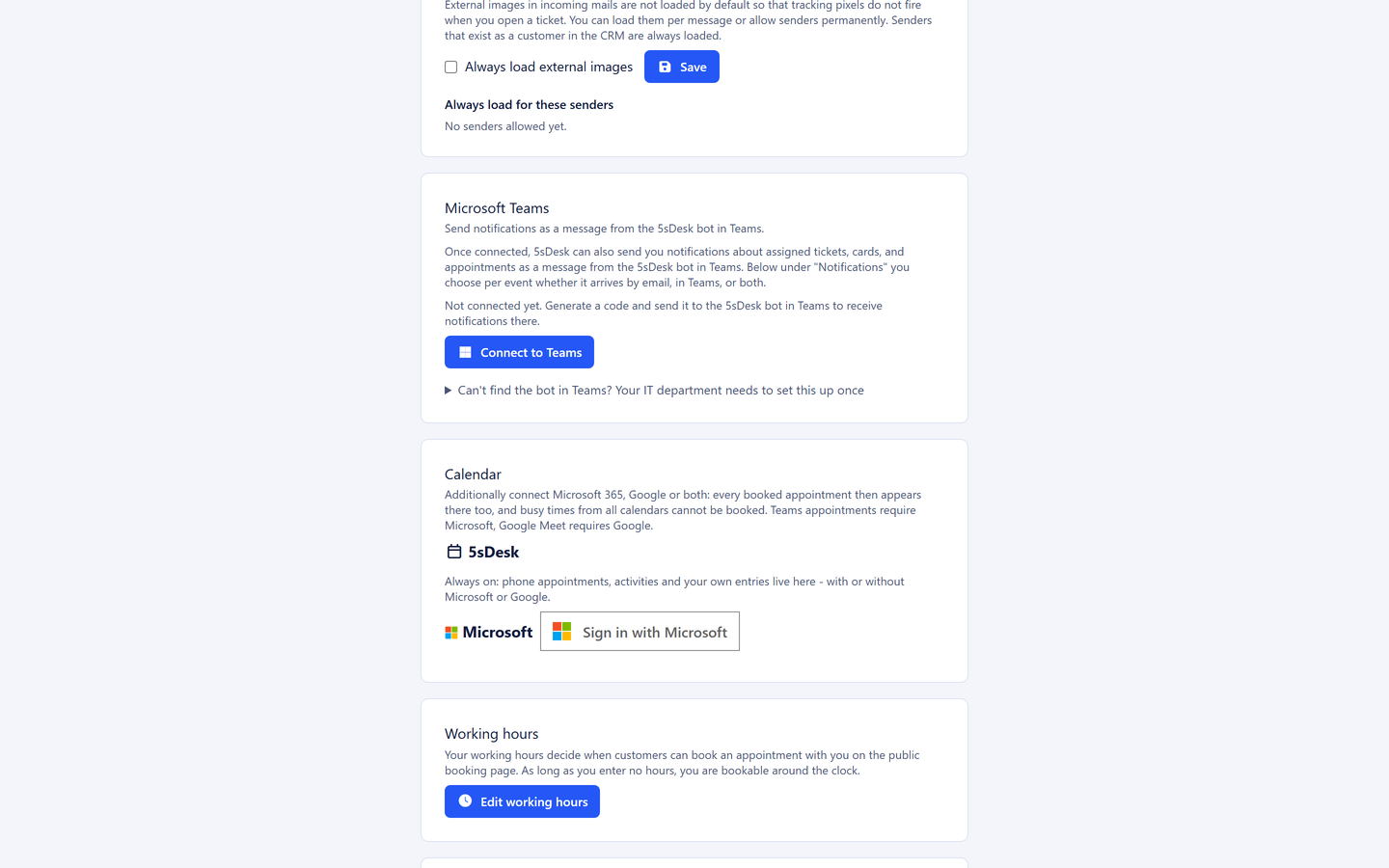
Outlook and Google, optional
Connect Microsoft 365 or Google and every booking, every entry of your own and every sales action is mirrored into your own calendar, including ones made earlier. Busy times from Outlook or Google appear in 5sDesk as an untitled block and block the booking; the details stay in the external calendar. The copies run outwards from 5sDesk, not back.
Microsoft 365, Google or both, per person
Busy times from the external calendar block slots without transferring any content
A notice when a connection needs renewing
Phone appointments without an external calendar
Phone appointments can be booked without a connected Microsoft or Google account, using the 5sDesk calendar alone. That makes appointment booking usable for small teams, temporary staff and field staff who have no company Outlook access. Teams meetings still need Microsoft 365, and Google Meet needs a Google account, since that is where the join link is created.
Phone without an external account, the number is required when booking
Teams or Google Meet link automatically in the confirmation and the calendar entry
Double booking ruled out technically
Appointment types for one person or a department pool
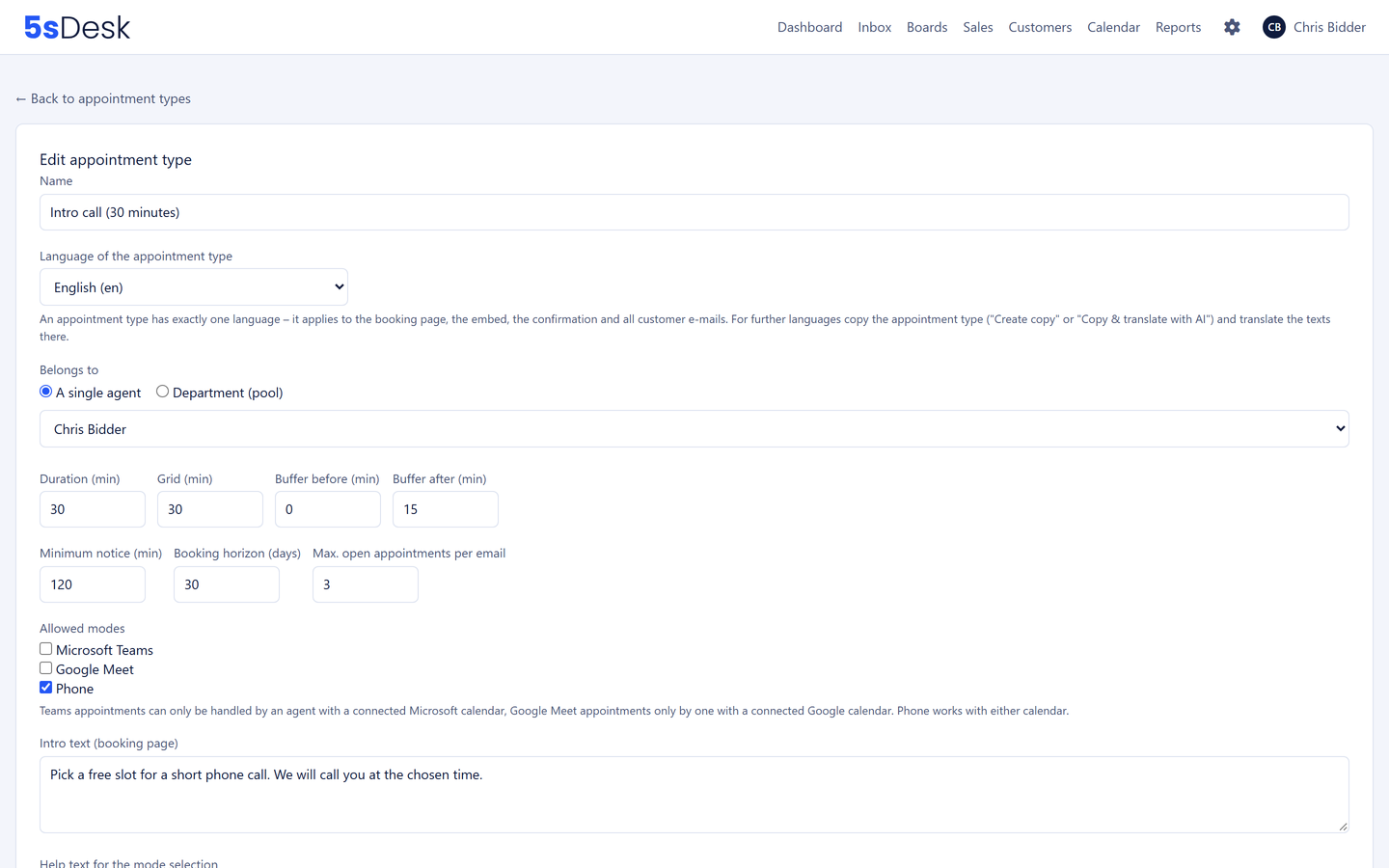
"Intro call, 30 minutes" and "Technical review, 60 minutes" each get a link for signatures, proposals or the website, or alternatively a two-line snippet to embed. If an appointment type belongs to a department, availability comes from all its members, and a new appointment goes to the person with the lightest load, including people without an external calendar.
Duration, time grid, buffer, minimum notice, booking horizon, maximum number of open appointments
Link or embed, both routes side by side
Fair distribution in the pool, still works if a calendar is briefly unreachable
One language per appointment type, 20 to choose from
Every appointment type has one language for the booking page, confirmation and reminders. If you need the same type in German or Polish, you create a copy and have the AI translate every text, with your own key and at no extra cost. The booking page detects the visitor's time zone and shows it.
20 languages for the booking page and emails
A copy translated by AI instead of retyping
The customer's time zone detected automatically
After the booking it runs by itself
Customers manage their appointment through a personal link: cancel or move it up to a cut-off you set. Staff move their own appointments themselves, and the customer gets an email with a calendar file. Reminders with their own lead time for both sides, and every booking is matched to the customer record or creates one.
Customers manage their own appointments, staff move theirs
Reminders, for example 24 hours and 1 hour before
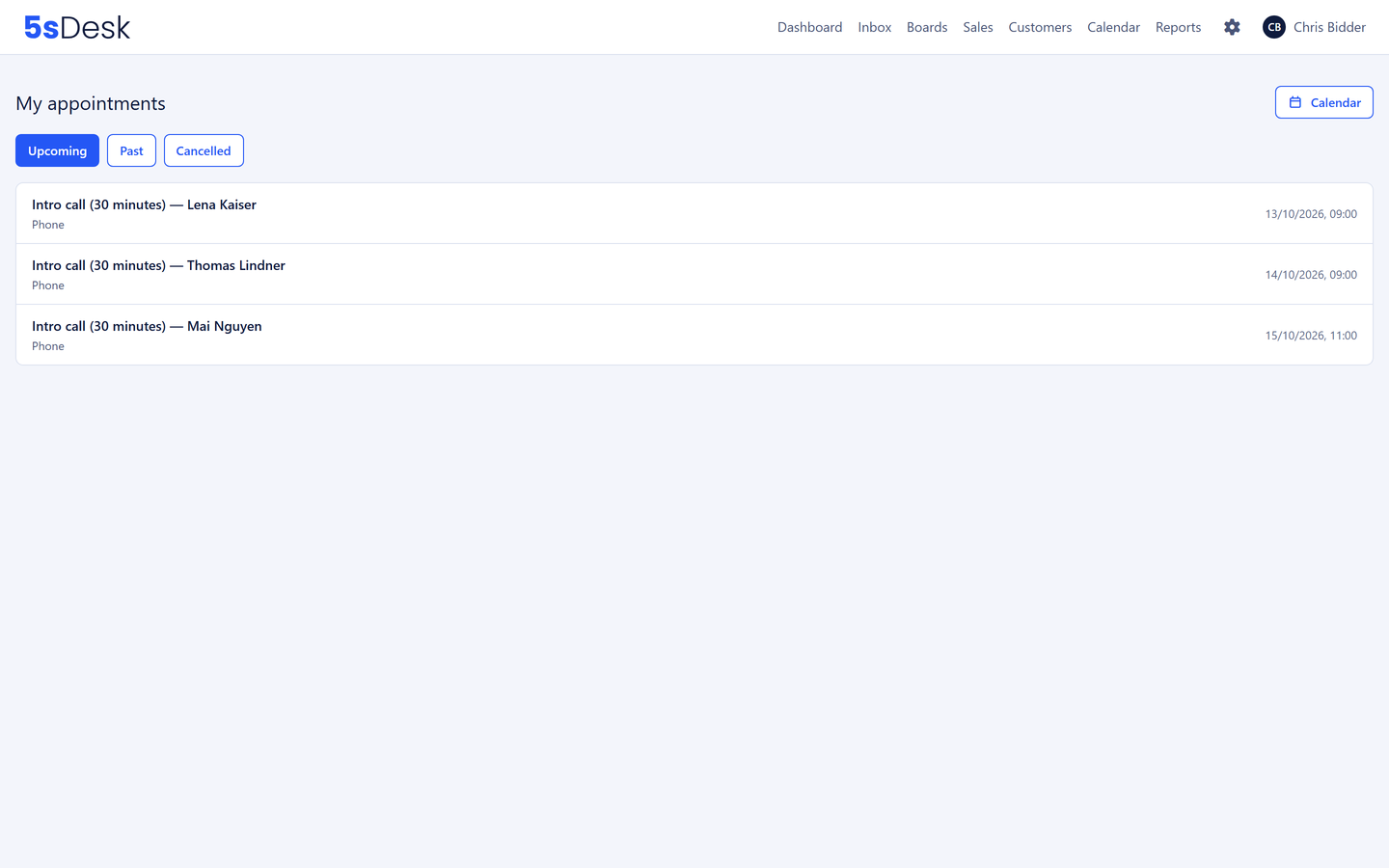
Appointment list with upcoming, past and cancelled tabs
Do I need Outlook or Google for appointment booking?
No. Every person has their own calendar in 5sDesk, and phone appointments can be booked with it without an external account. Teams meetings need Microsoft 365 and Google Meet needs a Google account, because that is where the join link is created.
Can I see my Outlook appointments in 5sDesk?
Busy times from Outlook or Google appear in the 5sDesk calendar as an untitled block and block the booking. The appointments themselves, with title, location and attendees, stay in Outlook or Google. In the other direction, 5sDesk copies every booking, every entry of your own and every sales action there.
Does a booking create a Teams link automatically?
Yes. For appointment types in Teams mode the join link is created automatically and sent with the confirmation and the calendar entry. Google Meet works the same way. The attached calendar file merges with the invitation in the customer's calendar instead of creating a second entry.
Can appointment booking combine the calendars of several consultants?
Yes, through the department pool. Availability comes from all its members, and a new appointment goes to the person with the lightest load, including people without an external calendar. If a customer moves an appointment, the system looks for the right person again.
How do I add appointment booking to my website?
With a link to the booking page or a two-line snippet that embeds the appointment type right in your page. The embedded form brings its own look and is shielded from the website's stylesheet. From Basic without the 5sDesk notice.
Is the booking page available in other languages?
Yes. Every appointment type has one language from a choice of 20. For a second language you create a copy and have the AI translate the texts. Customers also see the time in their own time zone, and can switch it.
The next appointment books itself
Create an appointment type, put the link in your signature, connect a calendar if you need one. Try it for 30 days.