30-day trial · cancel free of charge during the trial · every module in every plan
For agencies
Client requests land on the board, the hours with the client
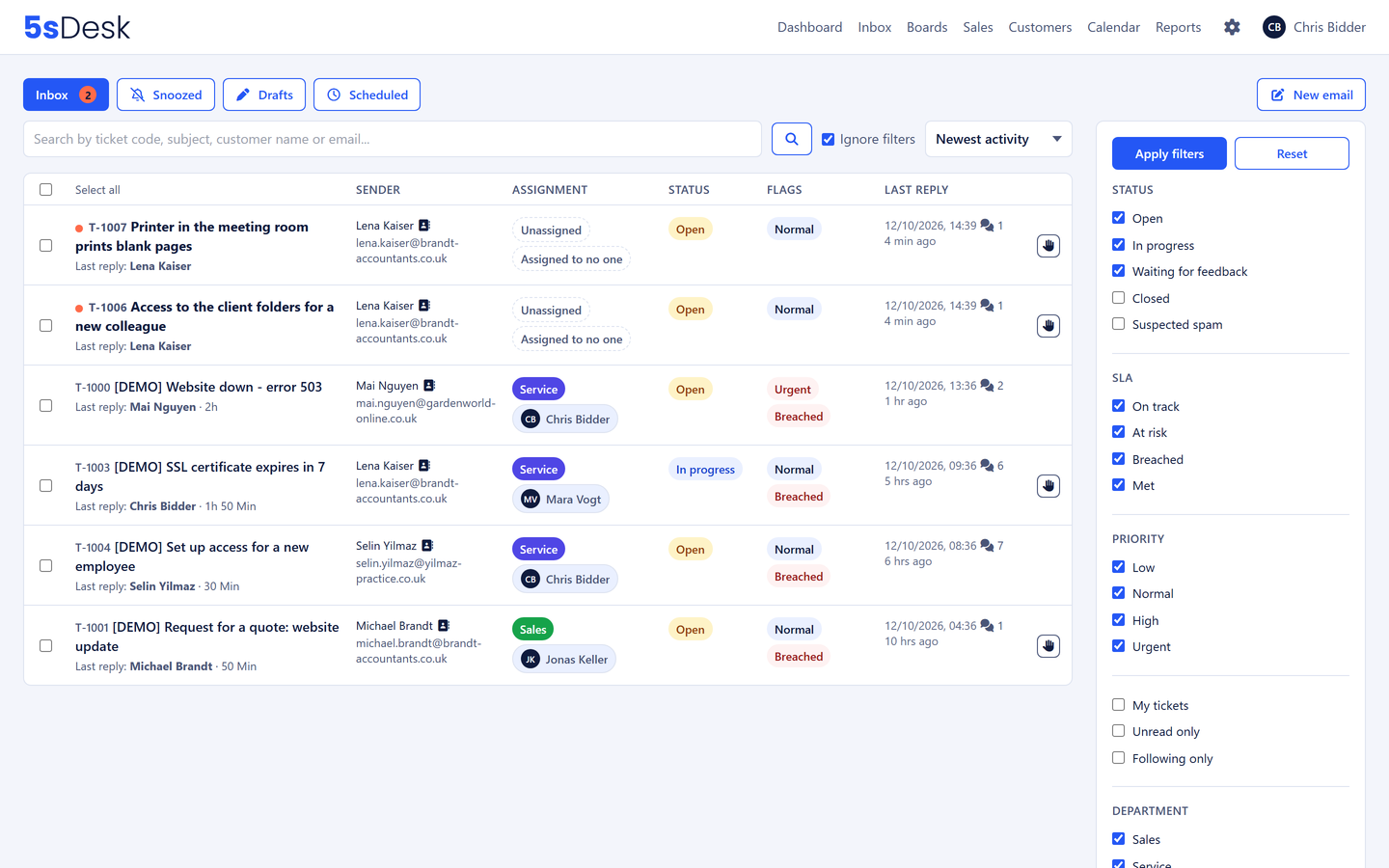
In agencies, change requests arrive by email, get copied into the project tool and lose their context on the way. In the evening everyone writes up their hours from memory. 5sDesk collects client emails and form requests in one shared inbox and keeps request, task, time and client on one record.
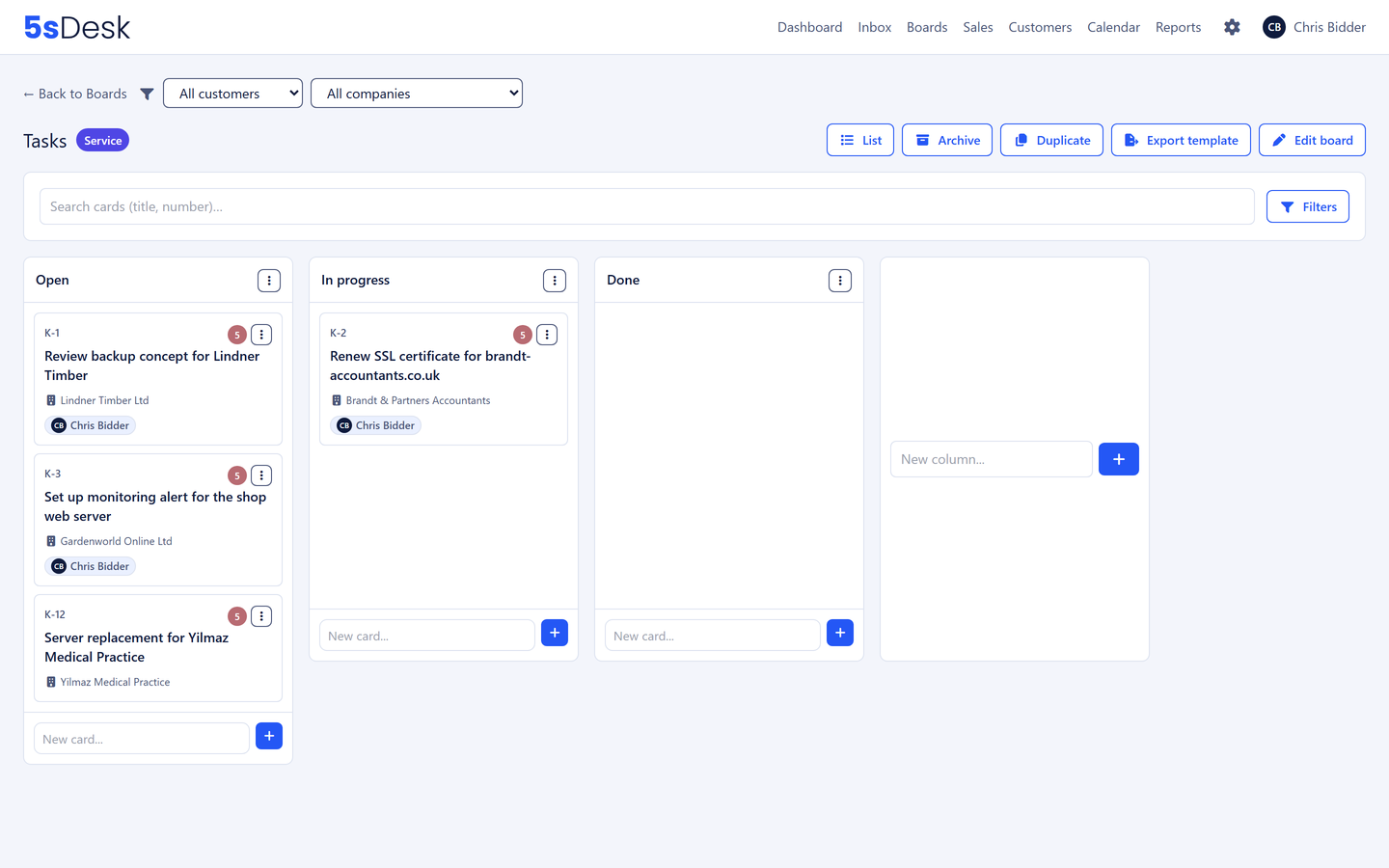
Client email or form request lands in the inbox, one click turns it into a card that knows where it came from
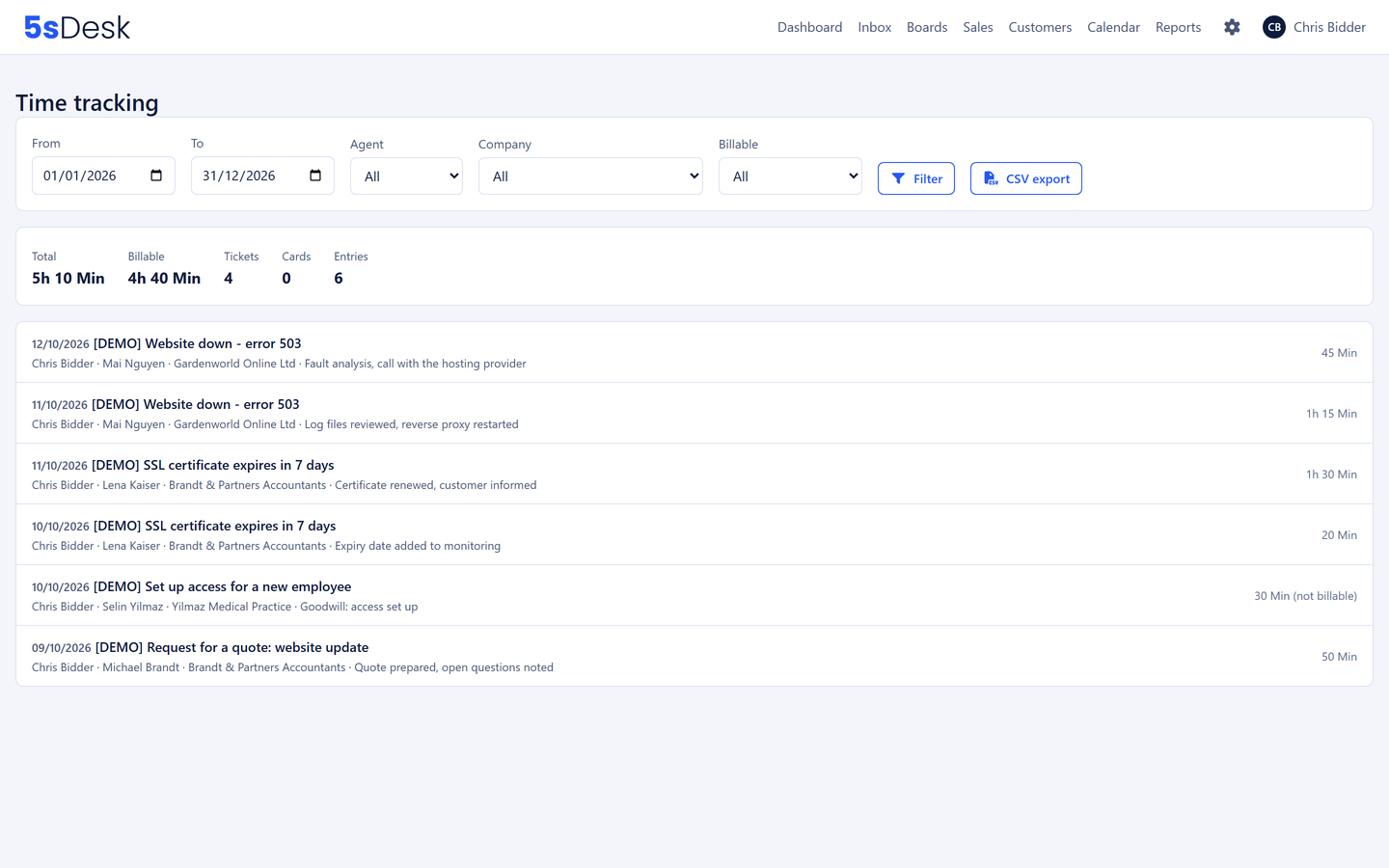
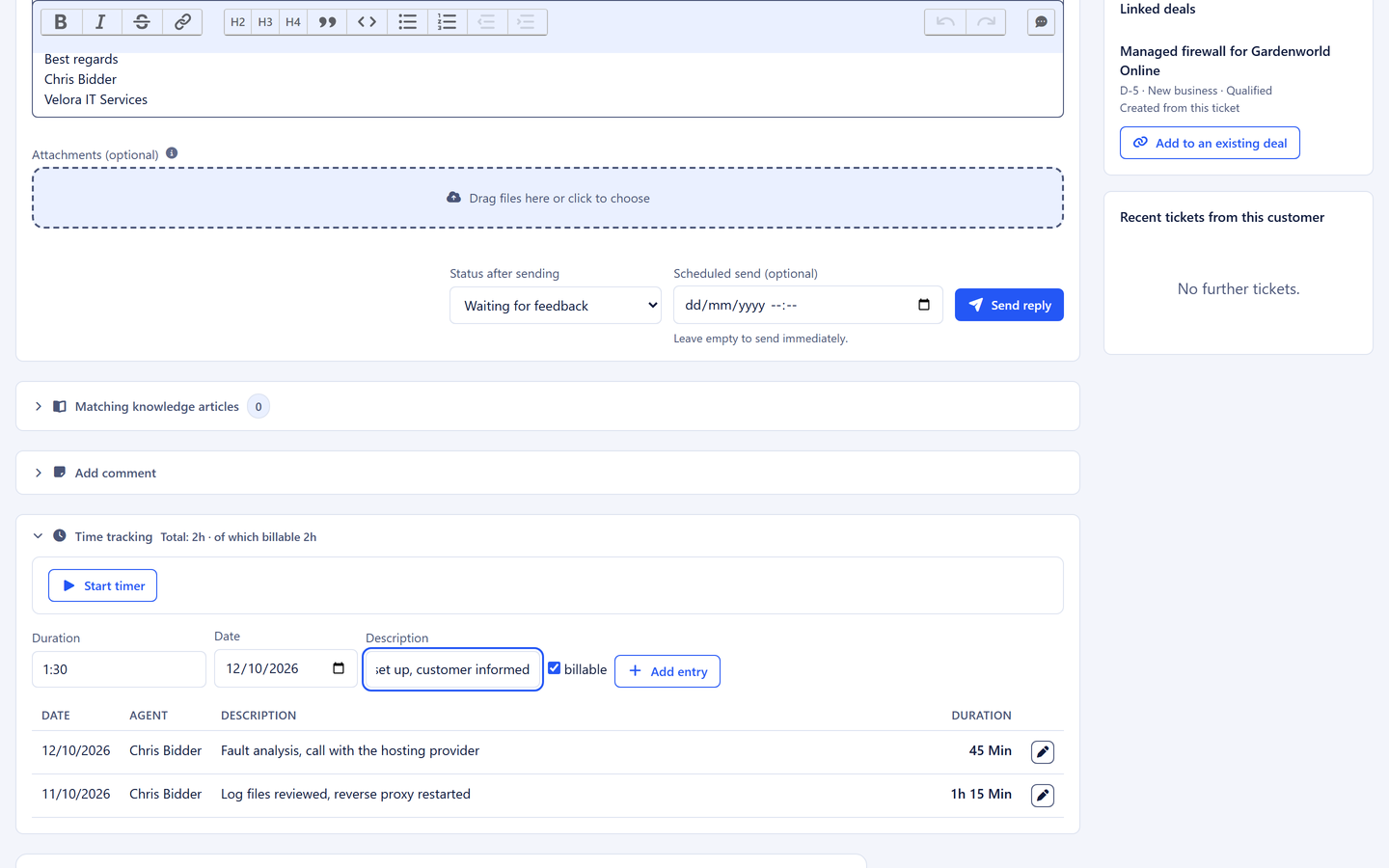
Timer on the card, billable or goodwill, reporting per client company
Intro calls via a booking link with a Teams or Google Meet link
30-day trial · cancel free of charge during the trial · every module in every plan
Agency life
Three places where margin gets lost
The client's request gets retyped
"Can you make the logo bigger?" arrives by email, moves into the project tool and loses its history. Three months later nobody remembers why it was decided that way.
Hours from memory
Friday afternoon goes on writing up the week. Small tasks are missing, and goodwill never gets recorded at all.
Scheduling ping-pong before every intro call
Four emails until a slot is agreed. And then it lands in the lunch break anyway.
How it runs
From the first request to the basis for the invoice
A client project as it happens every day, without a single thing copied across by hand. It starts with the form on your website or simply with an email.
1
Step 1: Request by form or email
A prospect fills in the form on your website and uploads two files, or simply sends an email to your projects mailbox. Either way, sender and company are matched to the customer record and files come along as attachments. The form creates the card straight on the project board in the "New requests" column; the email lands as a ticket in the inbox and becomes a card there with one click.
2
Step 2: Intro call via booking link
You send the link for "Intro call, 30 minutes". The prospect books a real gap in their own time zone. Teams link, calendar entry and reminder are created automatically.
3
Step 3: Notes and estimate on the card
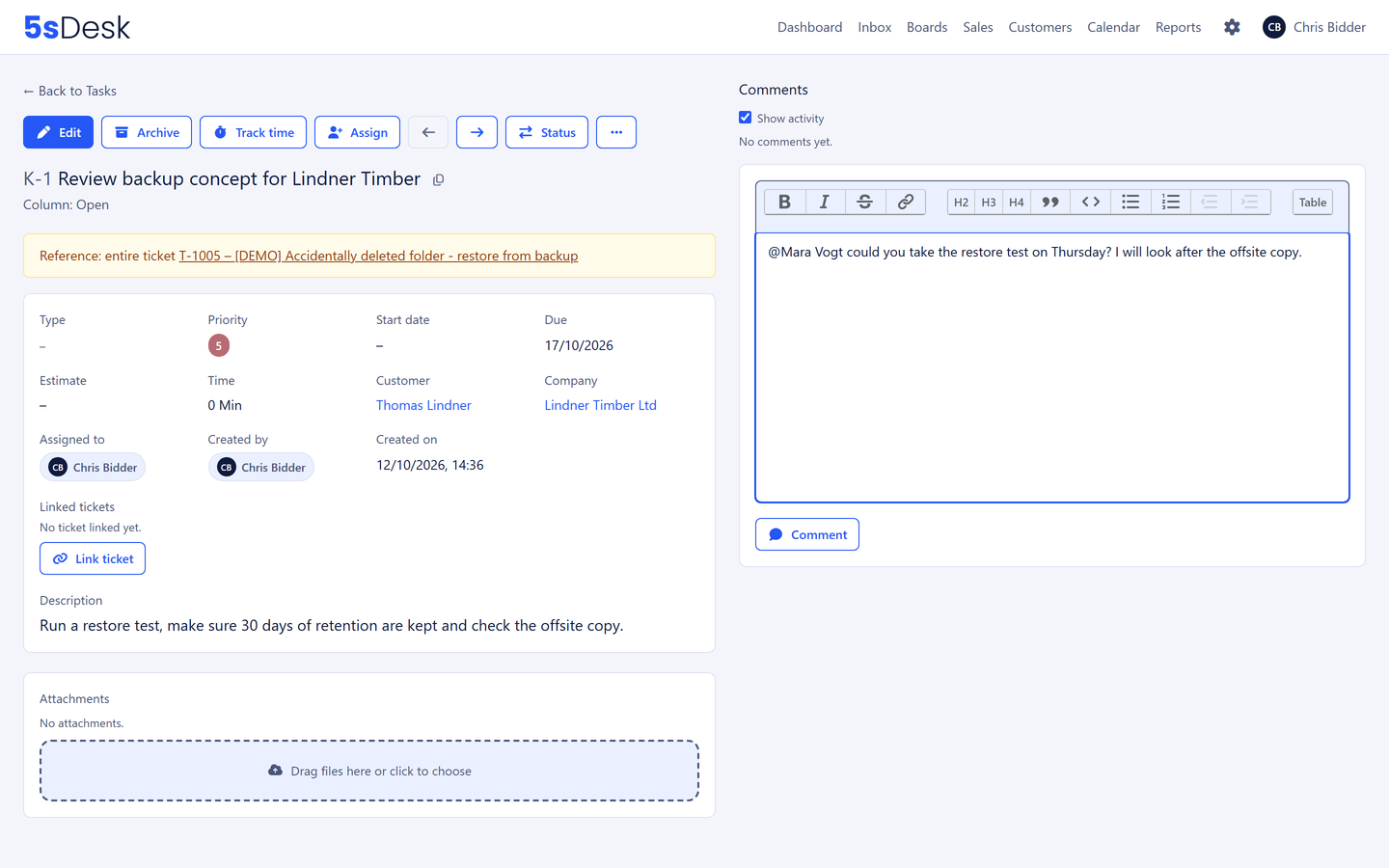
After the call, the meeting notes, effort estimate and due date sit on the card, not in a separate minutes document.
4
Step 4: Time runs on the card
While the work is done, the timer runs. Every entry is billable or not. The client's questions in between run as tickets in the inbox and are linked to the project through the customer record.
5
Step 5: Month end in three clicks
Choose period, company, billable. The basis for the invoice is there, every line linking back to the specific task.
The features behind it
What agencies use most in 5sDesk
One inbox for your projects mailbox and forms
Your projects@ or info@ mailbox is connected via Microsoft 365 or IMAP. Every client email becomes a ticket with a number, an owner and a status, and the sender is linked to their customer record. You reply from 5sDesk with your usual address, so the client notices no difference. That way, questions that come up during a project stay with the client instead of in someone's personal mailbox.
A card is created from the ticket in the inbox, from the whole thread or from exactly one message. Card types such as concept, design, development, priority 1 to 10, due date and estimate. A recurring project starts as a copy of a board, with a new client and fresh owners.
Timer on the ticket and the card, one running timer per person, billable yes or no. Reporting by client company resolves the company whether the time was on the ticket or on the task. The export opens straight in Excel with nothing to tidy up.
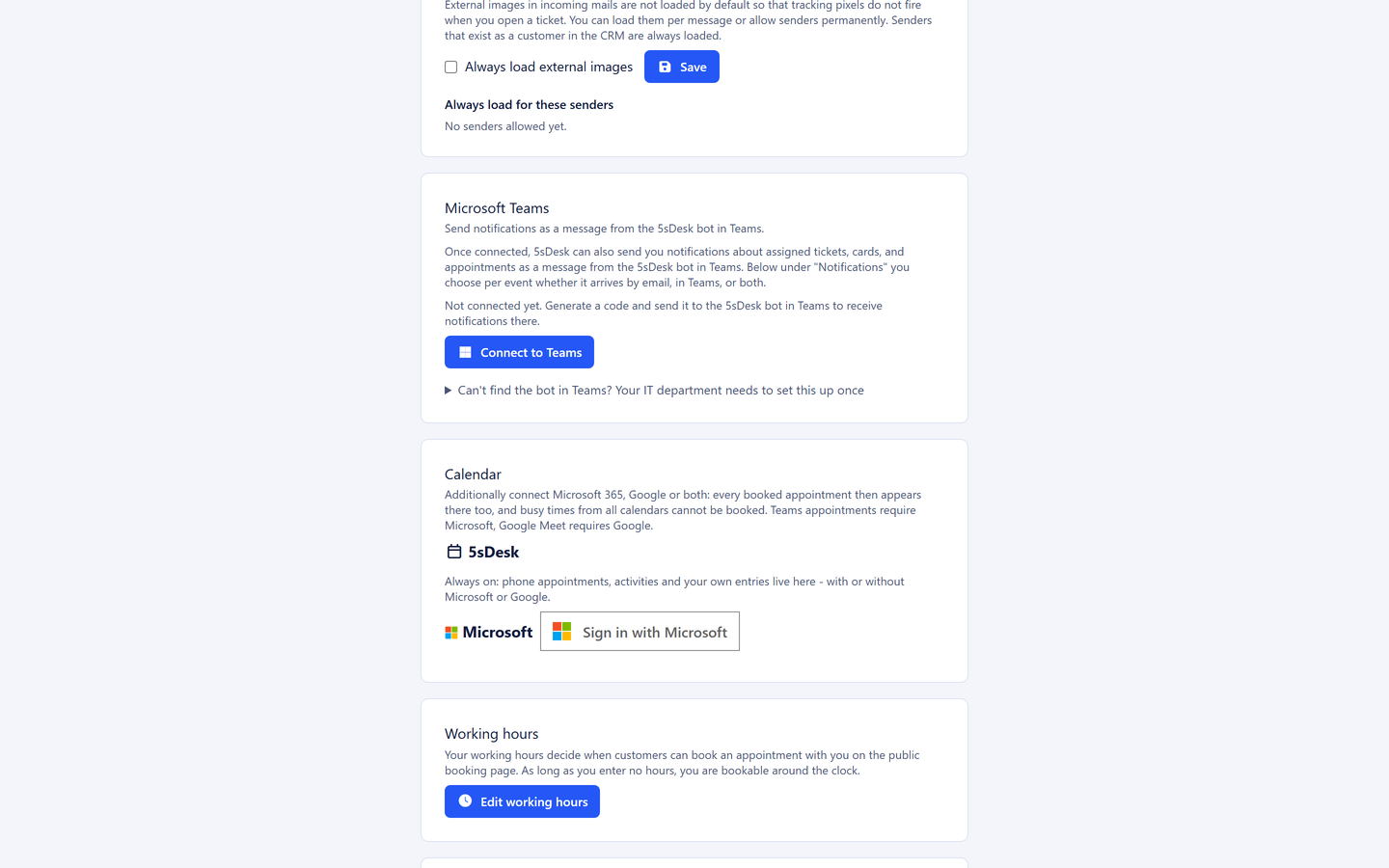
Booking link in your signature, free slots from your own 5sDesk calendar and, when connected, from Outlook or Google. Teams or Google Meet link automatically, phone appointments even without an external account, reminder 24 hours before. For teams, a department pool with fair distribution.
Customers, companies and cards get the fields that define your business. A few examples from agencies:
Project number
Retainer hours per month
CMS in use
Hosting provider
Approval contact
Contract end
Timer on the ticket and the card
One running timer per person
Excel-ready export
Umlauts, decimal comma, hours and minutes
Your own calendar, Outlook or Google
Teams or Google Meet link automatically
Every module in every plan
Basic from €25 per agent, paid annually
Hosted in Germany
Data centre in Nuremberg
Frequently asked questions
We already have a project tool everyone knows. Why switch?
Because the boards in 5sDesk grow out of the communication: a card from a ticket or an email, a link back in both directions, time and client on the card. The project tool does not know the client's email; 5sDesk does. And time tracking is no longer a third tool.
Our clients just send an email. Do we still need the form?
No. The form pays off for new requests via your website, because it brings files and required details along straight away. Existing clients keep writing to your usual address: the email lands as a ticket in the inbox, is linked to the customer record and becomes a card with one click. Both routes end up on the same board.
How do I bill retainer clients?
Set up the retainer hours as a custom field on the company and filter the time reporting by that company and "billable" each month. The export shows whether the allowance has been used up, and every line leads back to the task.
Per person, that is more expensive than our free Kanban tool.
What should be compared is not the Kanban board alone but ticketing system, board, time tracking, appointment booking and CRM together. Basic costs €29 per agent and month, €25 when paid annually. Set that against what one lost billable hour a week costs.
Can clients see the status of their project?
Clients see their tickets in the portal with status and history. Project boards stay internal; whatever the client should know, you share as a reply on the ticket.
The next request lands straight on the board
Connect your mailbox or embed the form, set up a board, start the timer. Try it for 30 days.