30-day trial · cancel free of charge during the trial · every module in every plan
Feature · Sales pipeline
Requests become deals, not notes
Which requests are open, what needs doing next, and what is it all worth? In many teams the answer lives in a spreadsheet that goes out of date. In 5sDesk a deal grows out of the ticket or the website request, carries its next step and speaks up when it is left sitting.
30-day trial · cancel free of charge during the trial · every module in every plan
Deal from a ticket or form, with contact, company and lead source carried across
A next action on every deal, with an owner, a time and a block in the calendar
Reporting with win rate, time in stage and loss reasons, as CSV
In detail
From first contact to handover
Pipelines with stages
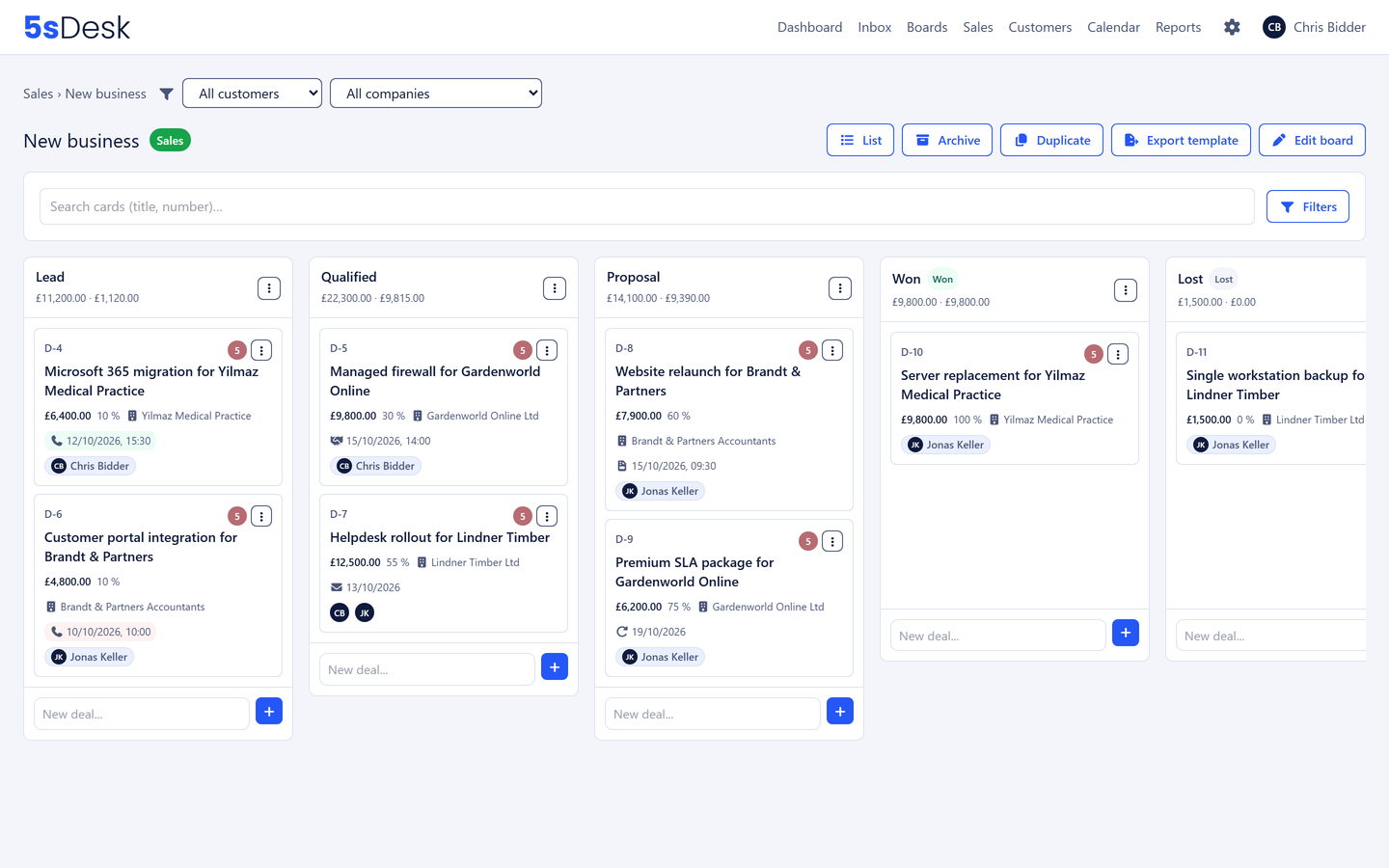
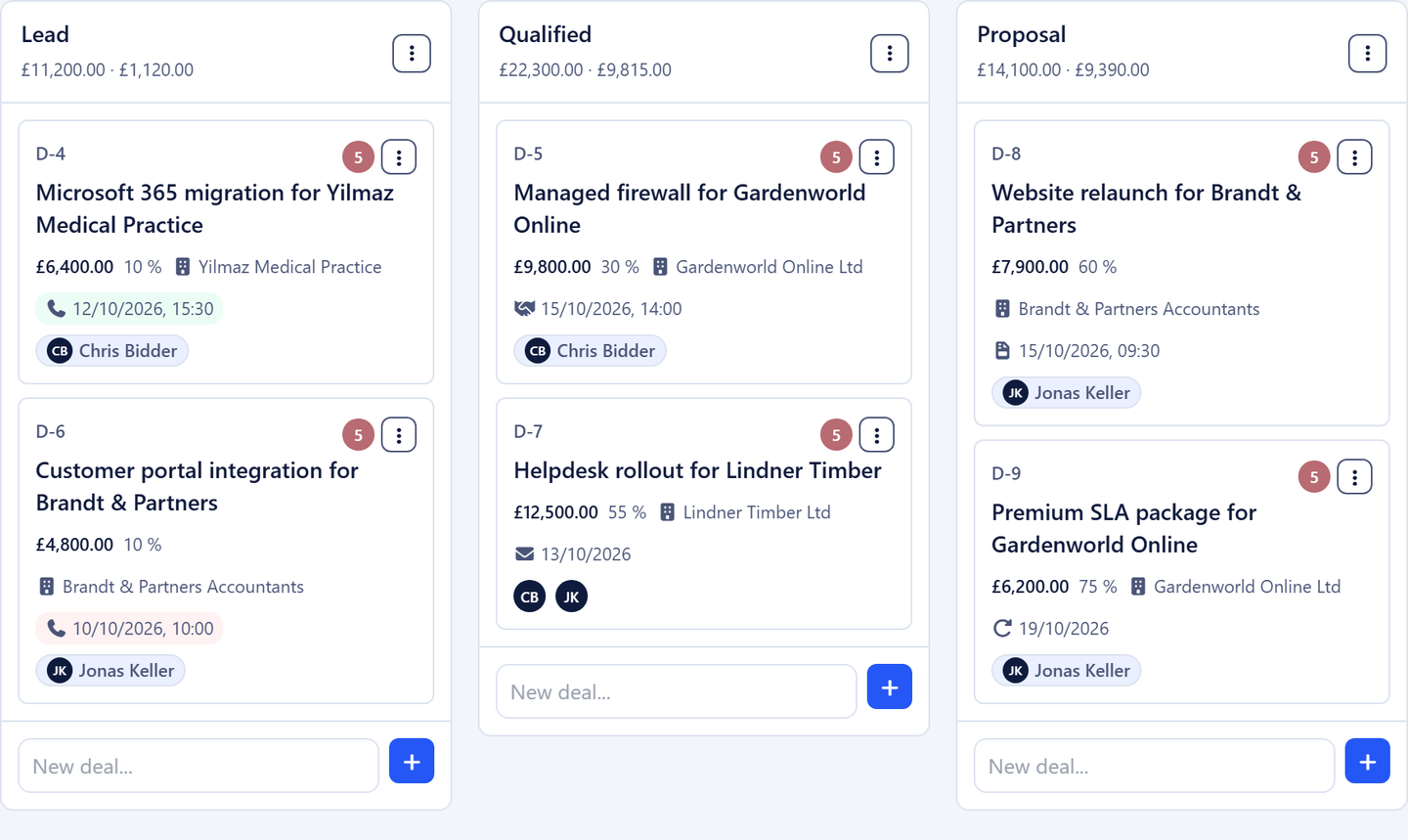
A pipeline is a board with sales semantics: every column is a stage and counts as open, won or lost. You adapt the template Lead, Qualified, Proposal, Won, Lost to the way you work. Every open stage carries a default probability, so a deal is valued more realistically the moment it moves forward. Filters and saved views apply right on the Kanban, and a switch in the page header moves between pipelines.
Stages, order and probabilities are yours to set
Column totals, unweighted and weighted, recalculate as you drag
Filter by customer or company right on the board
Export a pipeline as a template and load it in other teams
Deals that know where they came from
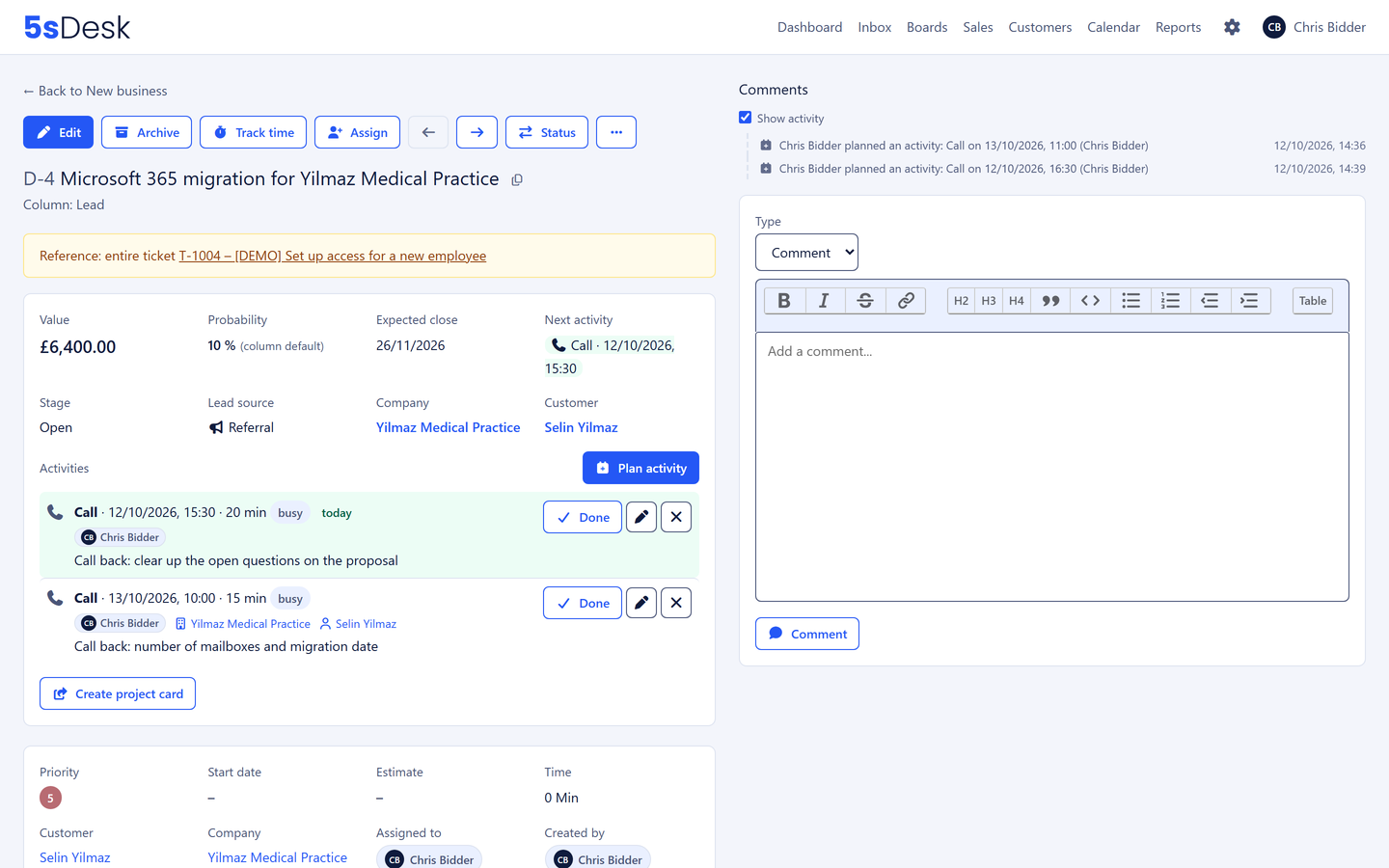
"Create deal" on a ticket takes the contact and company with it. A website form creates a deal directly in the stage you choose, sets the lead source and can take a form value as the deal value. The deal shows the ticket, the ticket shows the deal. The deal list brings every pipeline together in one table, with the same filters as the CRM and as a saved view for the team.
Value, probability, expected close, lead source
Comments with a type and a time (call, meeting, email), also backdated
Deal list with open, won and lost tabs and filters you can save
A next action instead of a sticky note
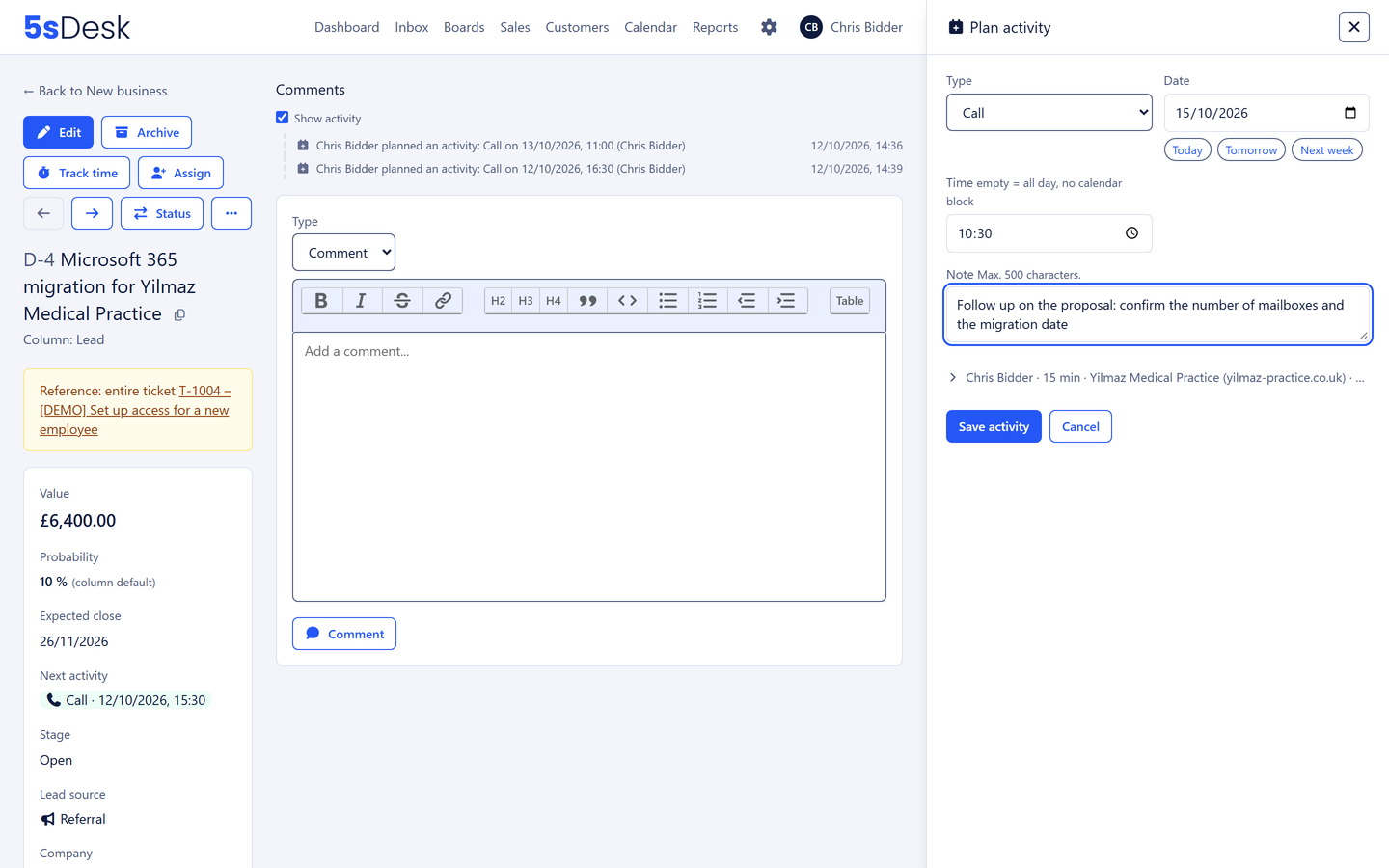
Every deal carries its next steps as planned actions: call, meeting, email, task, "reactivate if no reply" or "chase the proposal". Each one has a date, time and duration, an owner and a note. The earliest open step sits on the card, in the deal list, in the customer record and on the dashboard. Red means overdue, green means today. A deal without a next step is flagged, and one click shows every "forgotten" deal at once.
Complete one and plan the next in a single step, both land in the history
An action with a time appears as a block in the owner's Outlook or Google calendar
The owner is notified, and won or lost deals clear their open actions
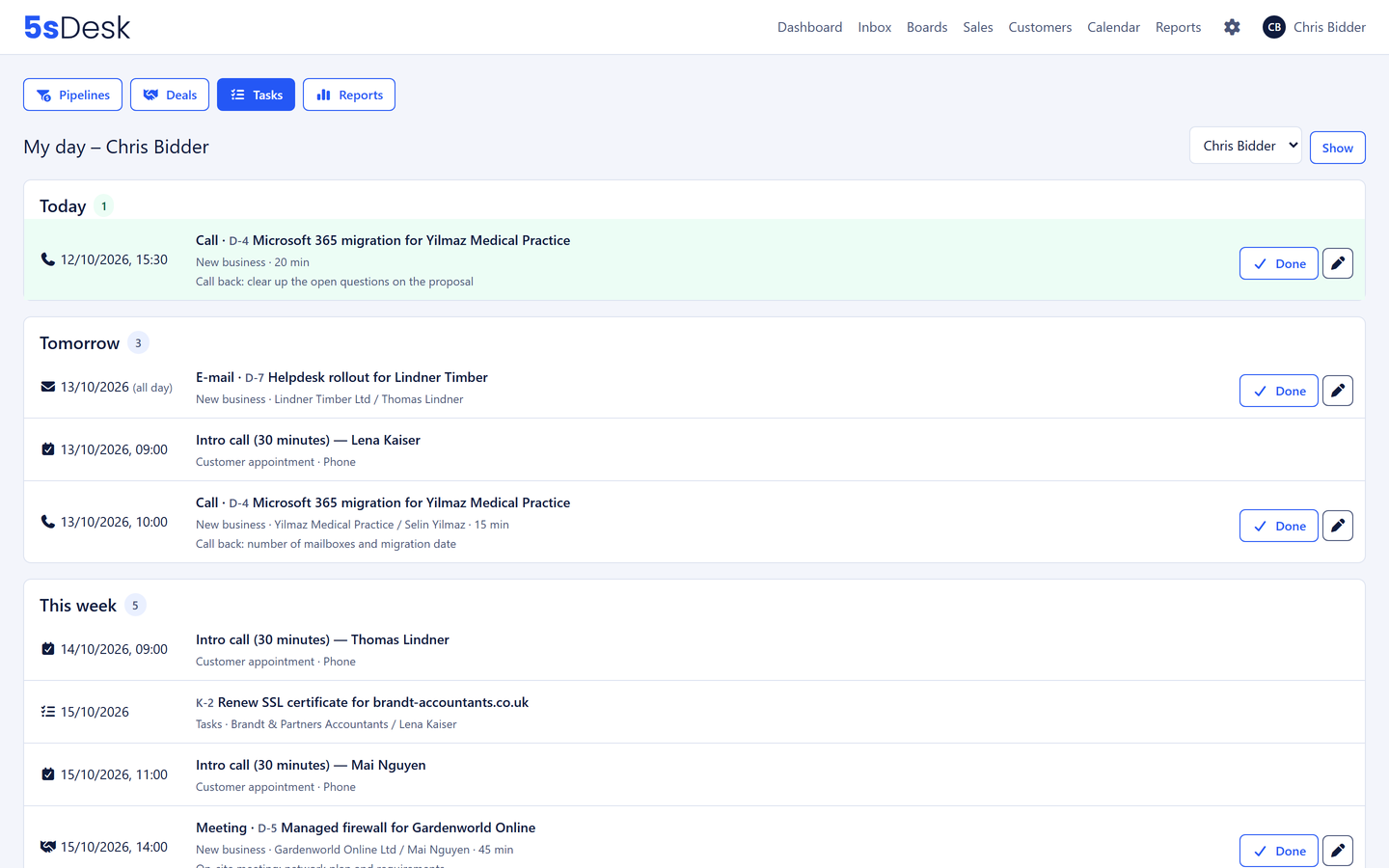
My day, the view of today
The "Tasks" page in the sales menu shows everything waiting for you across every pipeline: planned actions, booked customer appointments and cards that are due, grouped into overdue, today, tomorrow, this week and later. The dashboard greets you with the same Today tile, including a count for tomorrow. Team leads see each person's list, for example when covering holiday.
One list instead of searching five pipelines
What you completed in the last few days stays visible
Cover without a handover meeting
Reporting with numbers for the quarterly review
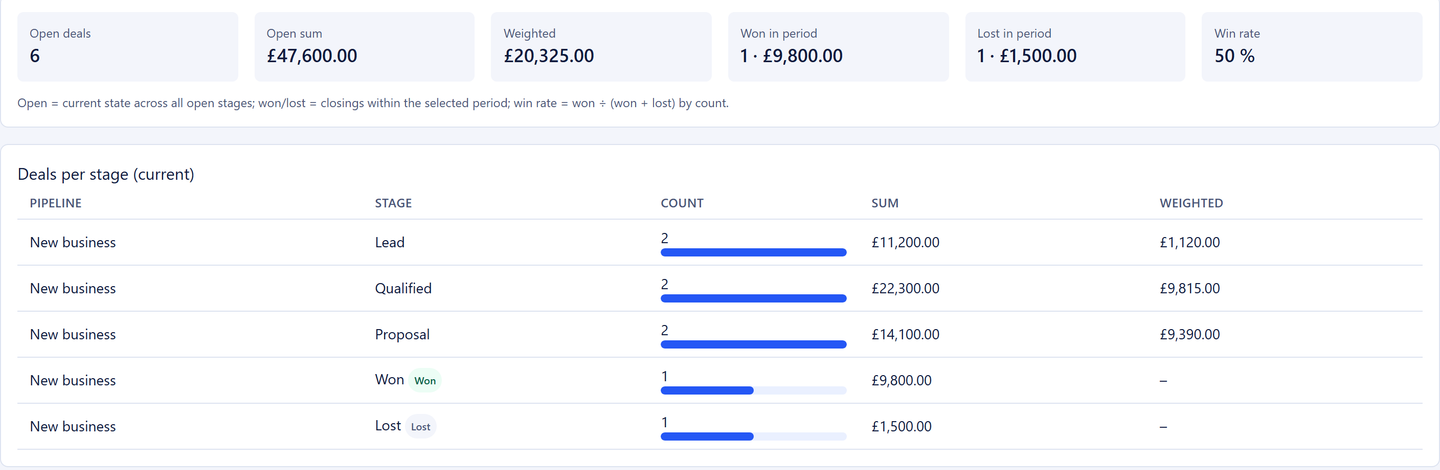
The pipeline reporting shows the count, total and weighted total per stage, deals won and lost per period, the win rate, the average time in each stage and the loss reasons, also per person. Filter by pipeline, period and owner, export as CSV. Which lead source brings the best closes is a question for the deal list.
Open and weighted, won and lost, win rate
Time in stage shows where requests get stuck
CSV for your spreadsheet and the management team
Lost with a reason, won with a project card
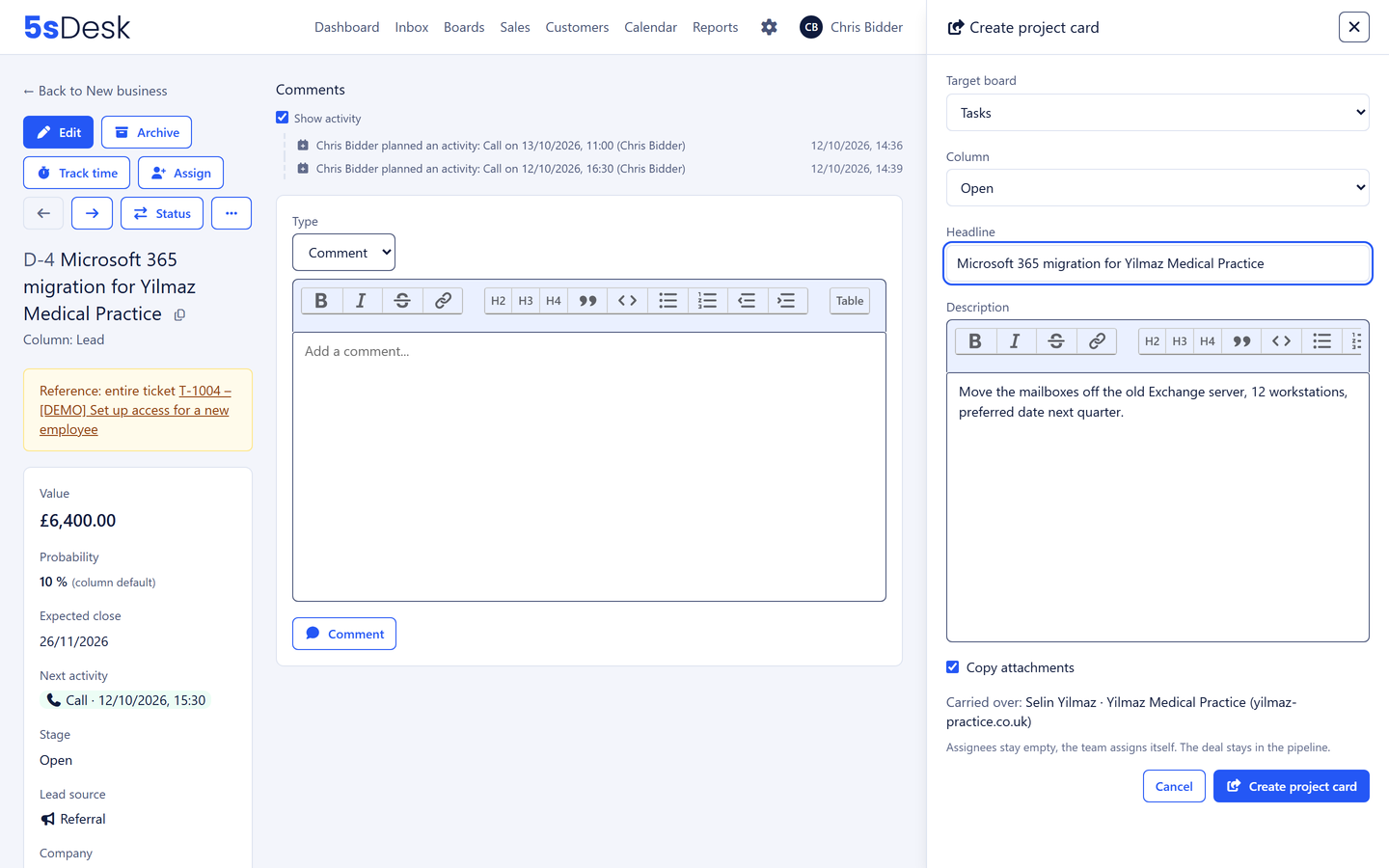
When a deal is lost, you record why: price, no need, no reply or your own reasons. When a deal is won, you create the project card on the delivery team's board right from the side panel, with a description in the editor. Customer, company and attachments come along, and the deal stays in the pipeline and keeps counting.
Loss reasons, can be made mandatory per pipeline
Project card with customer, company, description and attachments
With a handful of stages that reflect real decisions: Lead, Qualified, Proposal, Won, Lost. Give every open stage a probability, require a reason when a deal is lost, and plan the next step on every deal. After a quarter, the reporting shows where requests get stuck and why.
How do we stop follow-ups being forgotten?
Every deal carries a next action with a date and an owner. Overdue actions show in red on the card, in the deal list and on "My day", and a deal without a next step is flagged straight away. Whoever completes an action plans the next one in the same dialogue.
How does the handover from sales to the project team work?
With a project card. From the won deal, a card is created in the side panel on the delivery team's board, with customer, company, description and attachments. Your colleague reads the same history, the same notes, the same customer record. There is no system boundary where information gets lost.
Do the actions land in Outlook or Google?
Yes, if the owner has connected their calendar. An action with a time and duration appears there as a block, marked "busy" or "free" as you prefer. Moving it, changing the owner and completing it are carried across. The copy runs from 5sDesk into the calendar, not back.
What does the company record show about sales?
Every open deal with its stage, value and next action, the total of open business and the deals won and lost in the last twelve months. Before every conversation you know whether the prospect is already a customer and what came up last time.
Retire the spreadsheet nobody keeps up to date
Create a pipeline, turn the first request into a deal, plan the next action. Try it for 30 days.