30-day trial · cancel free of charge during the trial · every module in every plan
Feature · CRM
A CRM nobody has to maintain on the side
A separate CRM goes unmaintained because contact details would have to be retyped from emails. The CRM in 5sDesk fills itself from everyday communication and in return provides the context that is missing when you reply: the whole customer history next to the reply box.
30-day trial · cancel free of charge during the trial · every module in every plan
Known senders are attached to the customer straight away, new companies are recognised by their domain
Custom fields the AI pre-fills from the correspondence, with a lock per field
Email to a customer selection with a ready-made salutation, a separate ticket per recipient
In detail
Customer knowledge that belongs to the company
How the CRM fills itself
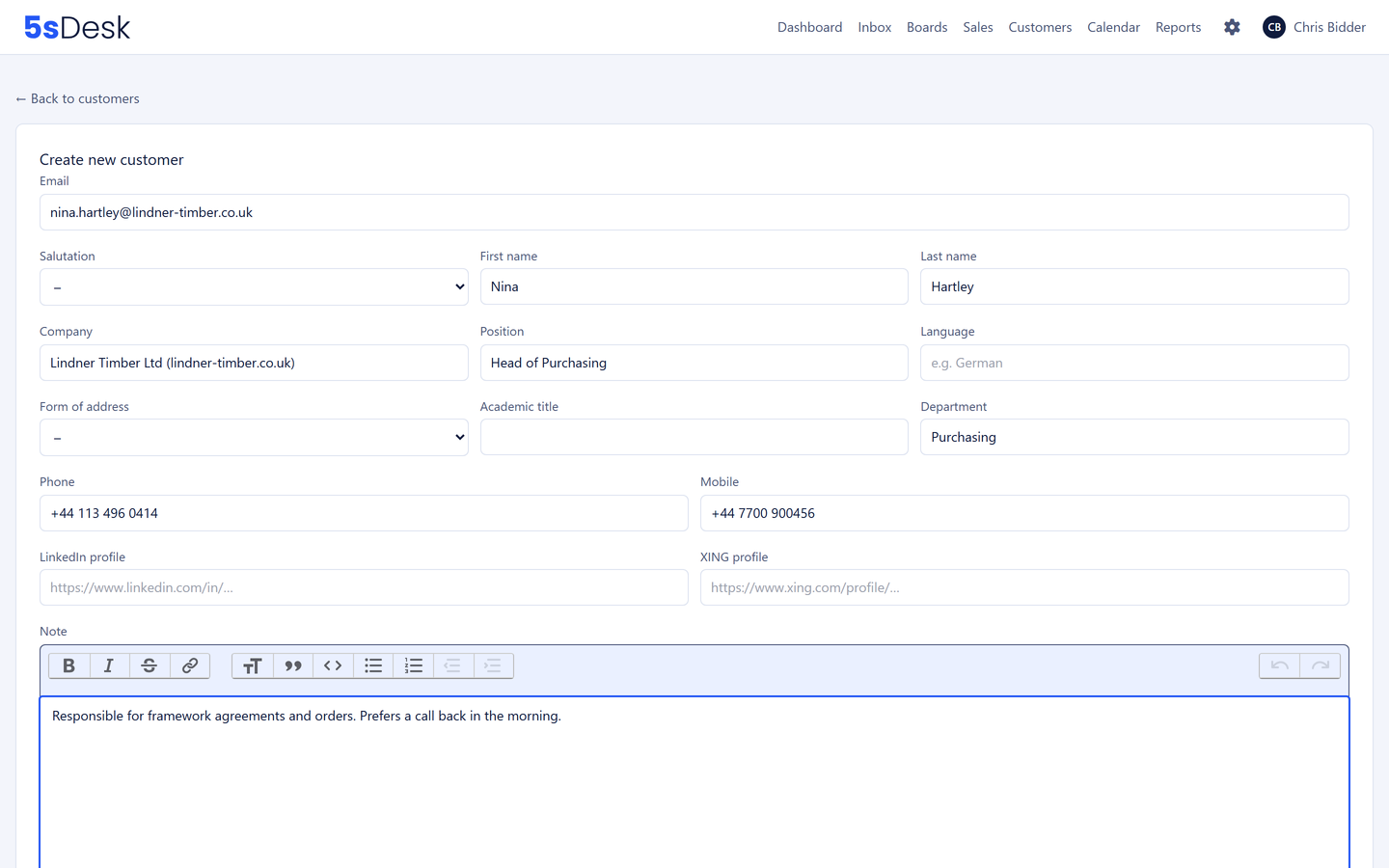
If a message comes from a known address, the ticket is attached to the right customer straight away. If a new person writes from a known company domain, the company is assigned, with freemail addresses deliberately excluded. "Add to CRM" creates the record from the ticket, pre-filled by the AI from the correspondence, and suggests a new company for you to check. Website forms create customer and company without retyping.
Automatic matching by email address and domain
Created from the ticket, pre-filled, with a company suggestion
Pointer to existing records, no duplicates out of ignorance
Customer record and company record
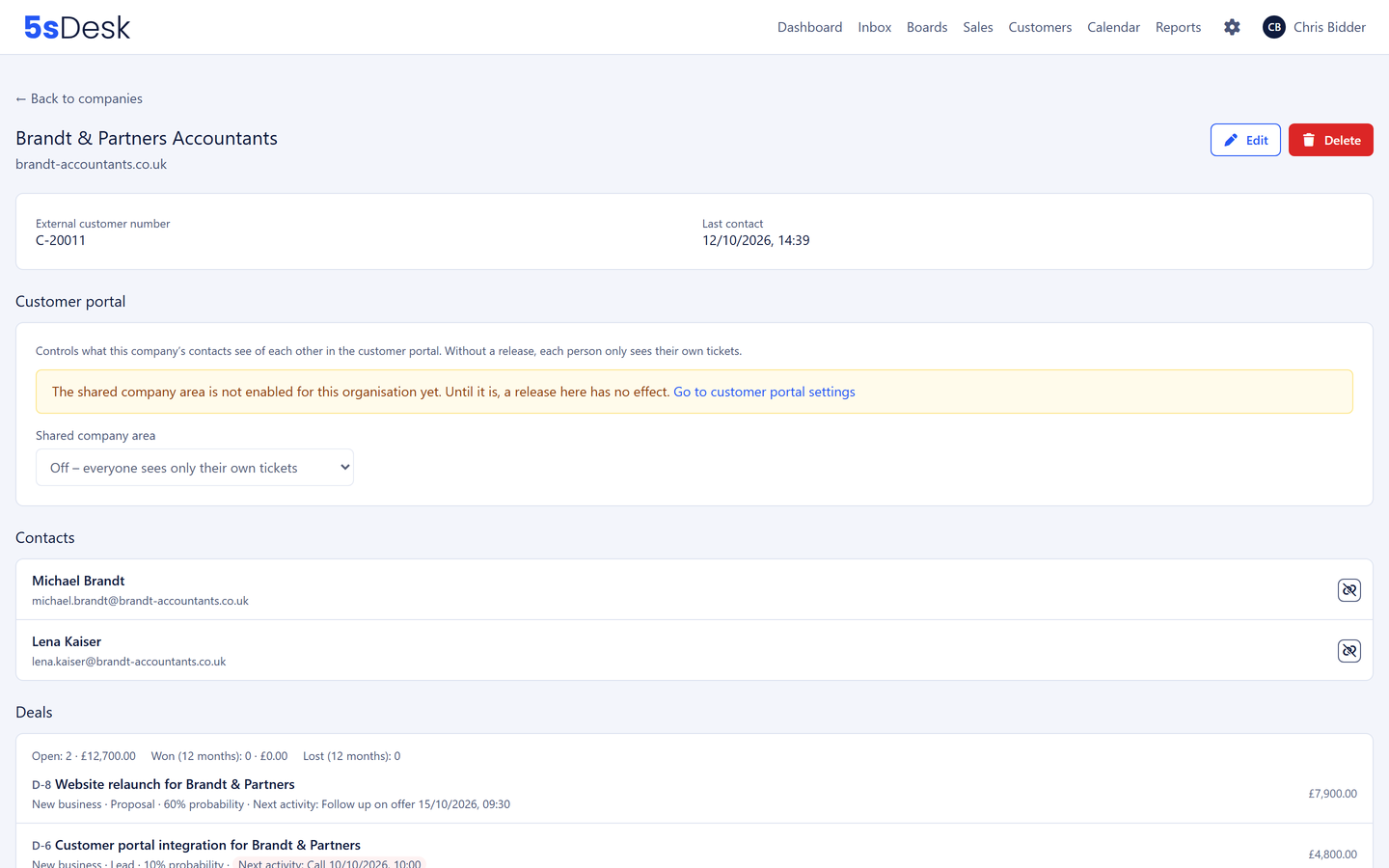
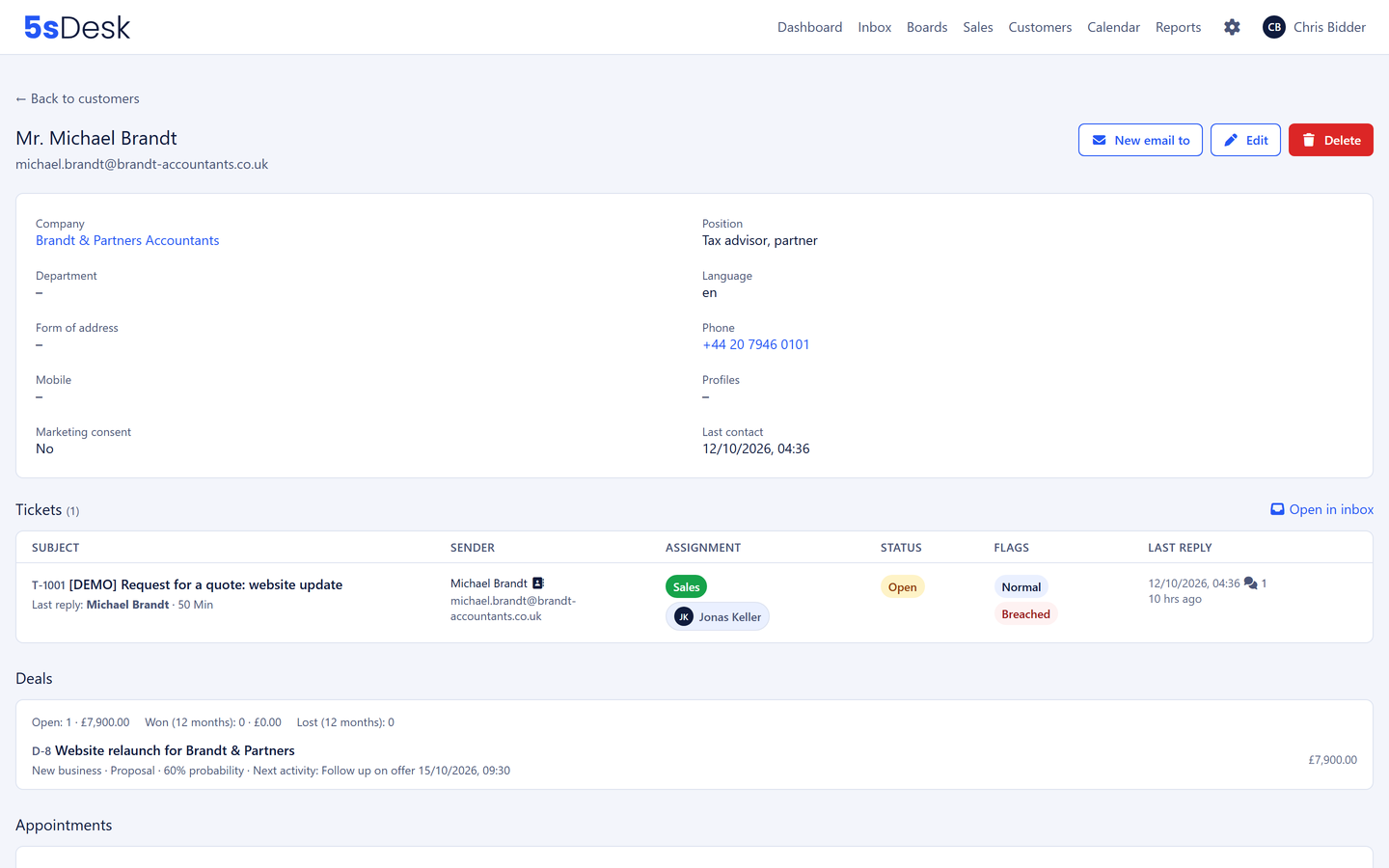
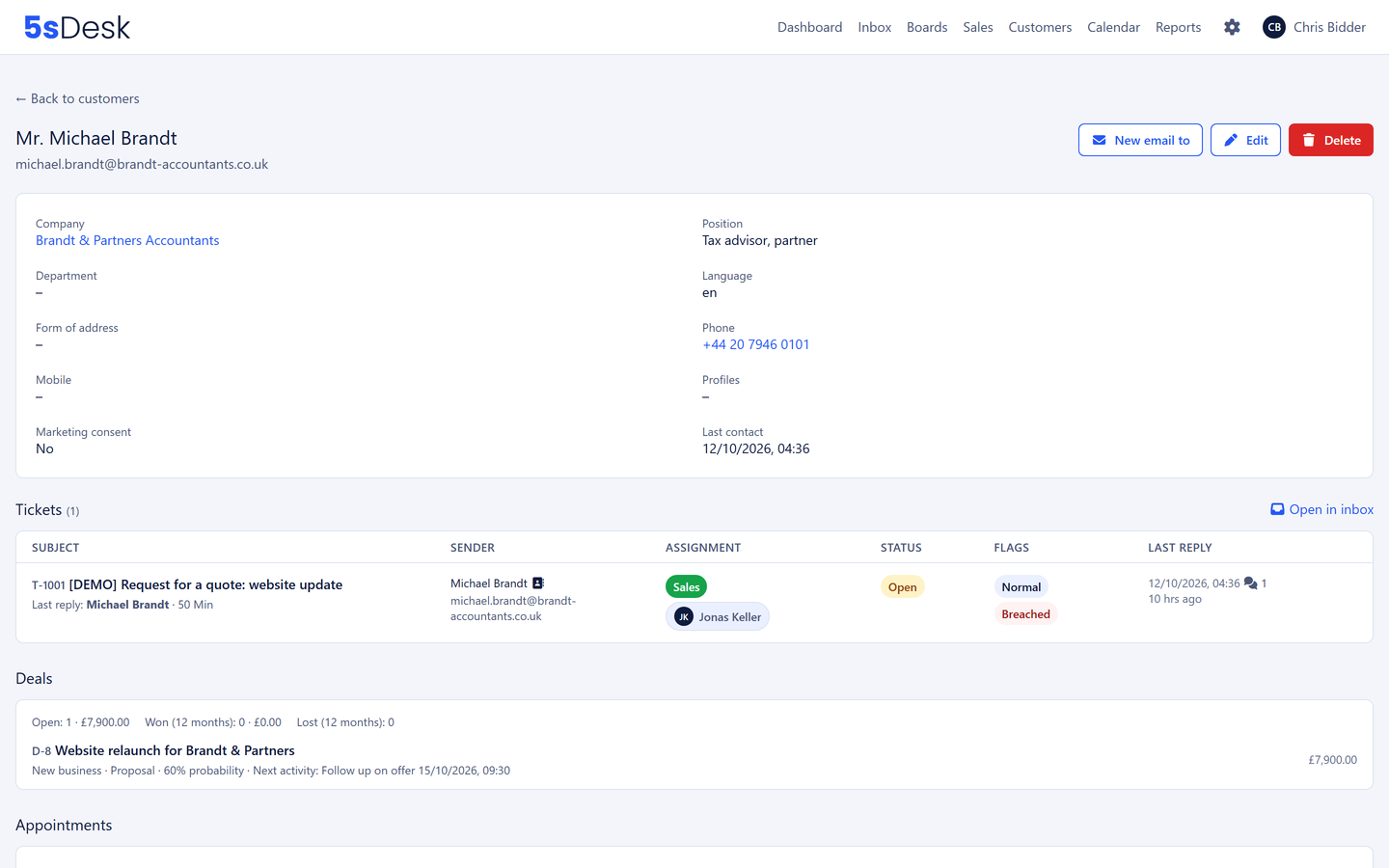
Form of address, formal or informal, title, position, phone and mobile, language, time zone and the customer number from your ERP system. The company record knows the main domain and further domains, every contact, every ticket of every contact, open deals with their next action, won deals and the technical context: system in use, version, project addresses. Before a call you read one page, not five.
Last contact taken automatically from the tickets
Every ticket, appointment and deal of a person on one page
Protected from deletion while tickets refer to the record; deletion only by leads and administrators
The AI fills your custom fields
Custom fields exist for customers and companies, with a label per language, a required flag and an info text that only customers see in the portal. When creating a record from a ticket, the AI reads not just the name and phone number from the signature but also pre-fills your custom fields, such as industry or system in use. Fields the AI provider must never see you lock "for AI"; they stay in the system. Nothing is saved without your confirmation.
Custom fields, also in the ticket's CRM card
Pre-filled by the AI, with your key and at no extra cost
Individual fields can be locked for the AI
Email to a customer selection
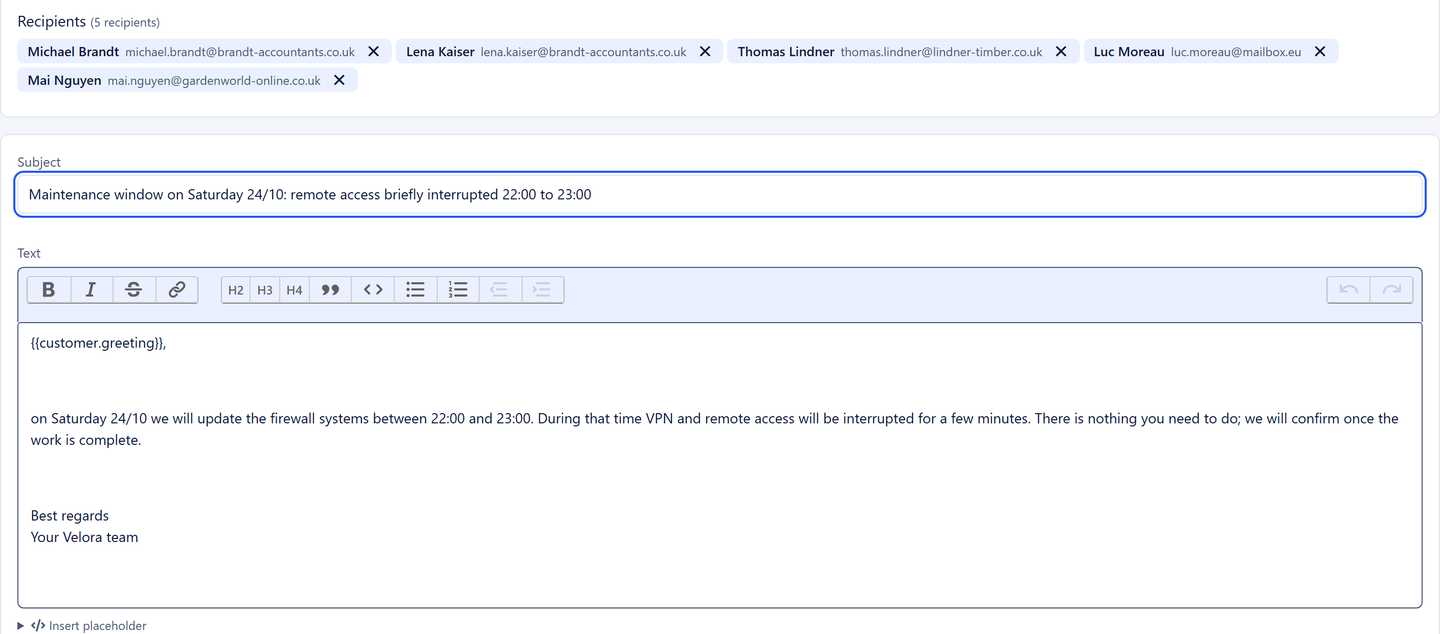
From a filtered customer list you write an email to every match, say to every customer of one product line about a maintenance window. Every recipient gets their own email with a ready-made salutation from placeholders, and every email is its own ticket, so replies land where your team handles them. Preview before scheduling, sending no sooner than an hour later, cancellable until then, at most 500 recipients per email.
A separate email and a separate ticket per recipient
Placeholders for salutation, name, company and custom fields
Preview, scheduled sending, cancellable
Import, filter, export
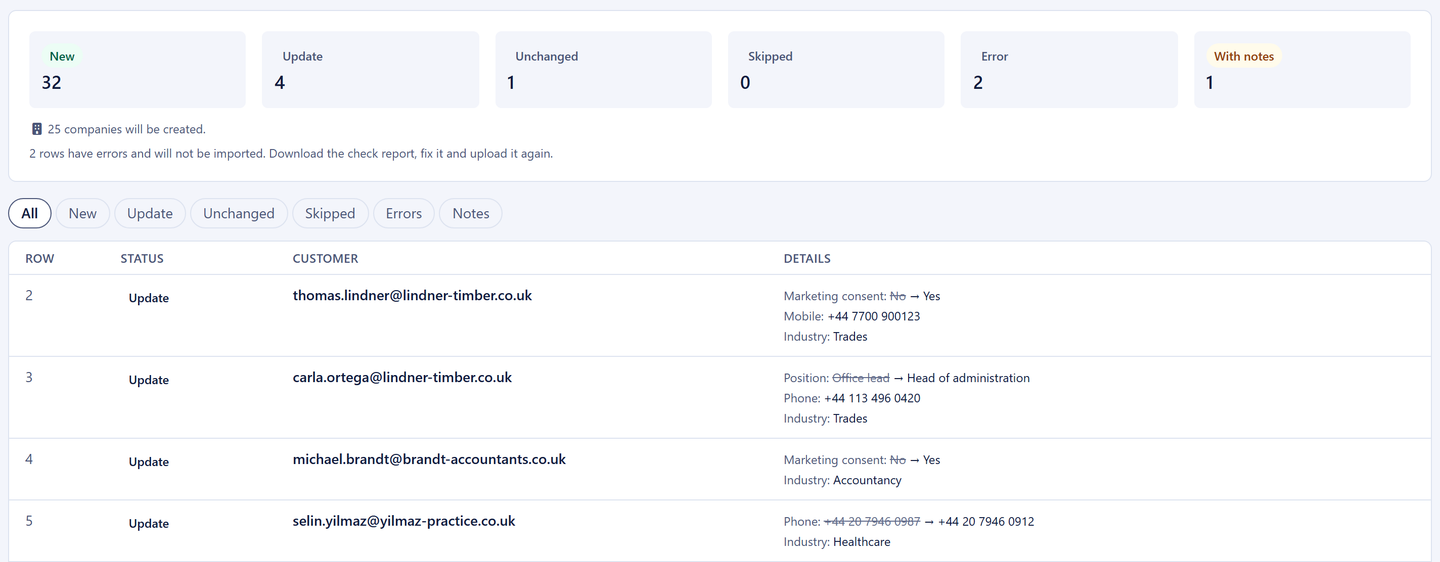
Bring existing lists in as a CSV file, custom fields included. Before anything is saved, the preview shows for every row what will happen: create, update with the old and new value, or leave unchanged. The import recognises existing customers by email address and companies by customer number, domain or name. Day to day, you narrow down lists by the pattern "field, condition, value", including custom fields such as contract end or industry, and save the combination as a view, personal or for the team. Every list and every view can be exported. Possible duplicates are suggested by the system with a reason; merging happens only on your decision.
CSV import with a preview, an error list and a way back
Filter builder with custom fields, shareable views
Export of any list, duplicate detection with a reason
Marketing consent that holds up in court
When a member of staff sets marketing consent, a confirmation email goes to the customer automatically. Only their confirmation counts. Granted, withdrawn, pending or abandoned are recorded in the history with time, source and the person acting. If in doubt, the evidence is one page, not a research project.
5sDesk is a CRM for teams whose customer relationships run through email, tickets, appointments and projects. It offers customer and company records, custom fields, a filter builder, duplicate detection, import and export, email to a customer selection and the sales pipeline with deals, next action and reporting.
Can I write to several customers at once?
Yes, from any filtered customer list. Every recipient gets their own email with a personal salutation, and every email is its own ticket, so replies land in the inbox with the right customer. At most 500 recipients per email, sending no sooner than an hour later and cancellable until then. It is meant for information to existing customers, such as maintenance windows or price changes.
How do our existing contacts get in?
As a CSV file; in Excel, use "Save As" and choose "CSV UTF-8". Download the template with every column of your CRM or take your own list and map the columns. Before anything is saved, the preview shows which customers and companies will be created and which will be updated. Existing contacts are recognised by email address, customer number or domain instead of being created twice.
Why a company rather than just a contact?
For service providers, the company is the real customer relationship. The company record shows every contact, all their tickets, every deal and the technical context. If a contact moves on, the knowledge stays with the company.
Can I use the CRM without the ticketing system?
You can, but the strength lies in the link: the CRM fills itself from your email, and the customer history sits alongside when you reply. Without tickets you would be back to maintaining the data by hand.
Customer knowledge that stays
Connect your mailbox, import your customers, and the CRM fills itself. Try it for 30 days.