30-day trial · cancel free of charge during the trial · every module in every plan
Feature · Knowledge base
Write it once, never type it again
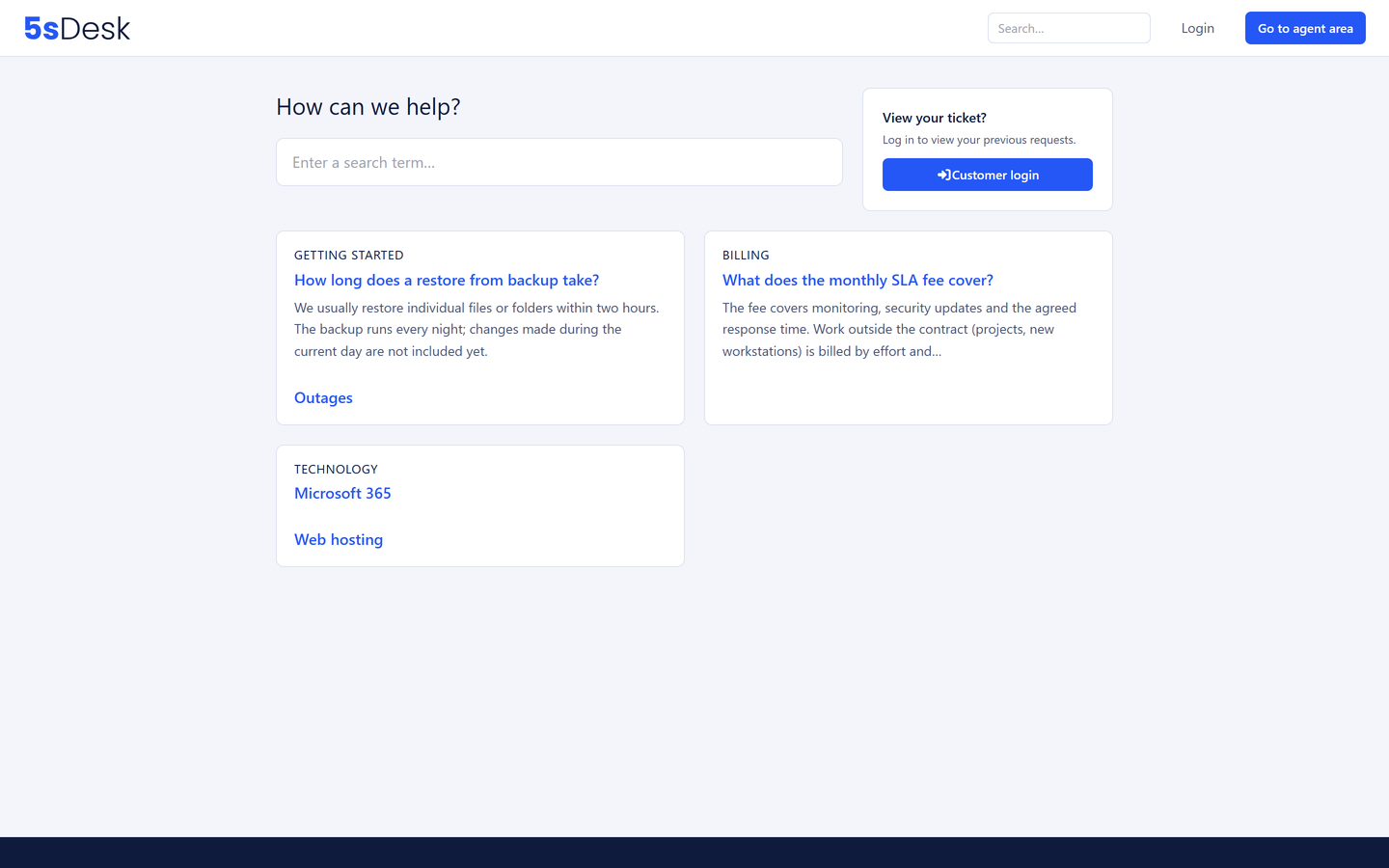
The team writes the same answers over and over, and customers ask questions that were answered long ago. The knowledge base in 5sDesk serves both sides: articles in the portal lower the volume, suggestions in the reply box shorten the handling.
30-day trial · cancel free of charge during the trial · every module in every plan
One content tree, three visibility levels: public, internal, or certain departments only
Article suggestions in the reply box and when opening a ticket in the portal
Canned responses with a shortcode and placeholders that fill themselves
In detail
Knowledge that turns up in the right place
One content tree for outside and inside
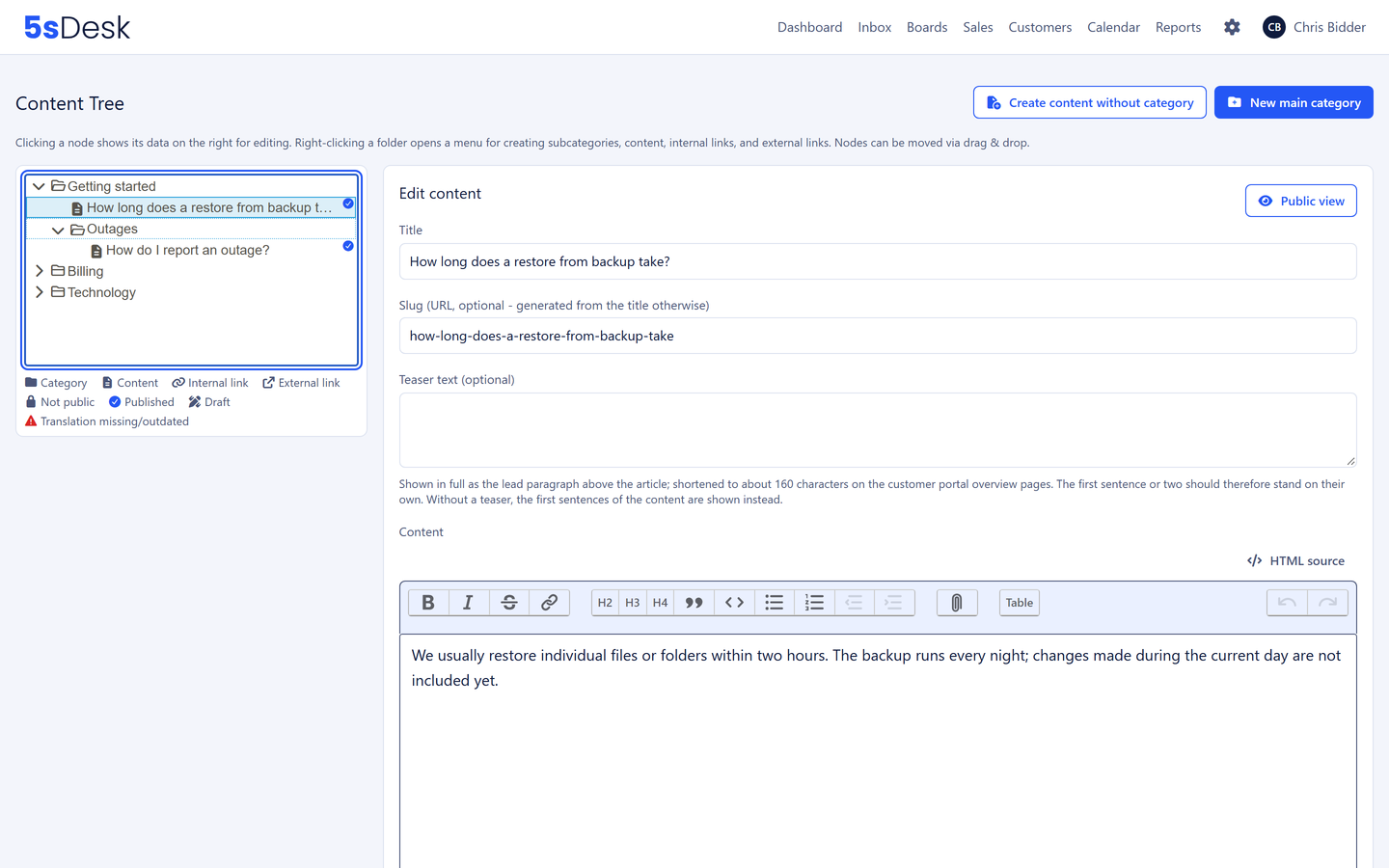
Categories as folders, articles as content, the same article in several places without a copy, external links in the tree. An article is public, internal for all staff or internal for certain departments only. You do not need a second wiki for internal knowledge. Articles start as a draft and go live when they are ready.
Reorder by drag and drop
Formatted text, images, code, file attachments
Draft and publish
Suggestions where questions are asked and answered
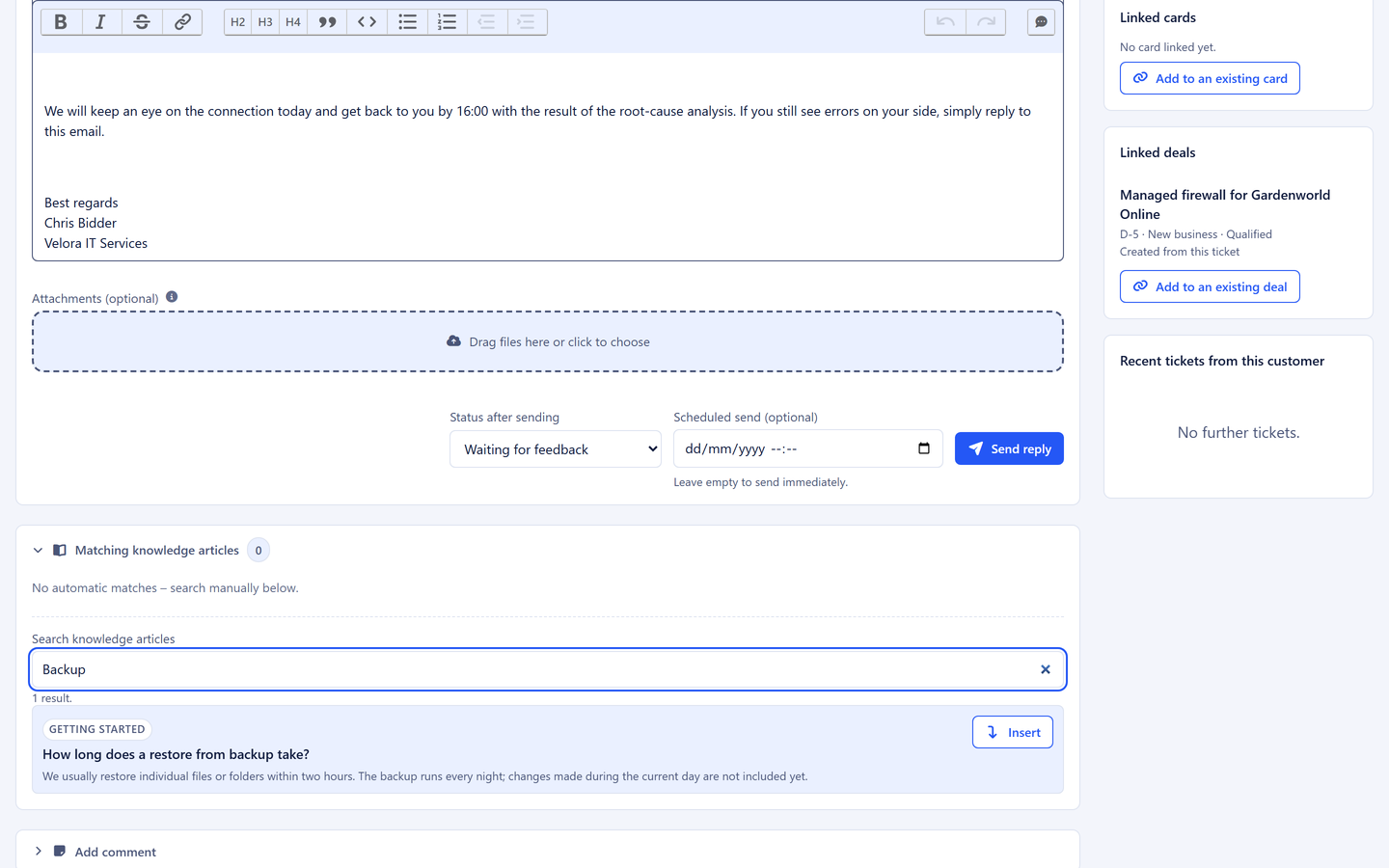
From the subject and the customer's message, 5sDesk suggests matching articles next to the reply box. Public articles are inserted with one click; internal ones serve as a reference and are locked against being inserted by accident. In the portal, customers see the same suggestions before they open a ticket.
Suggestions from subject and message
Insert with one click
Internal articles safe from the customer
Canned responses with placeholders that fill themselves
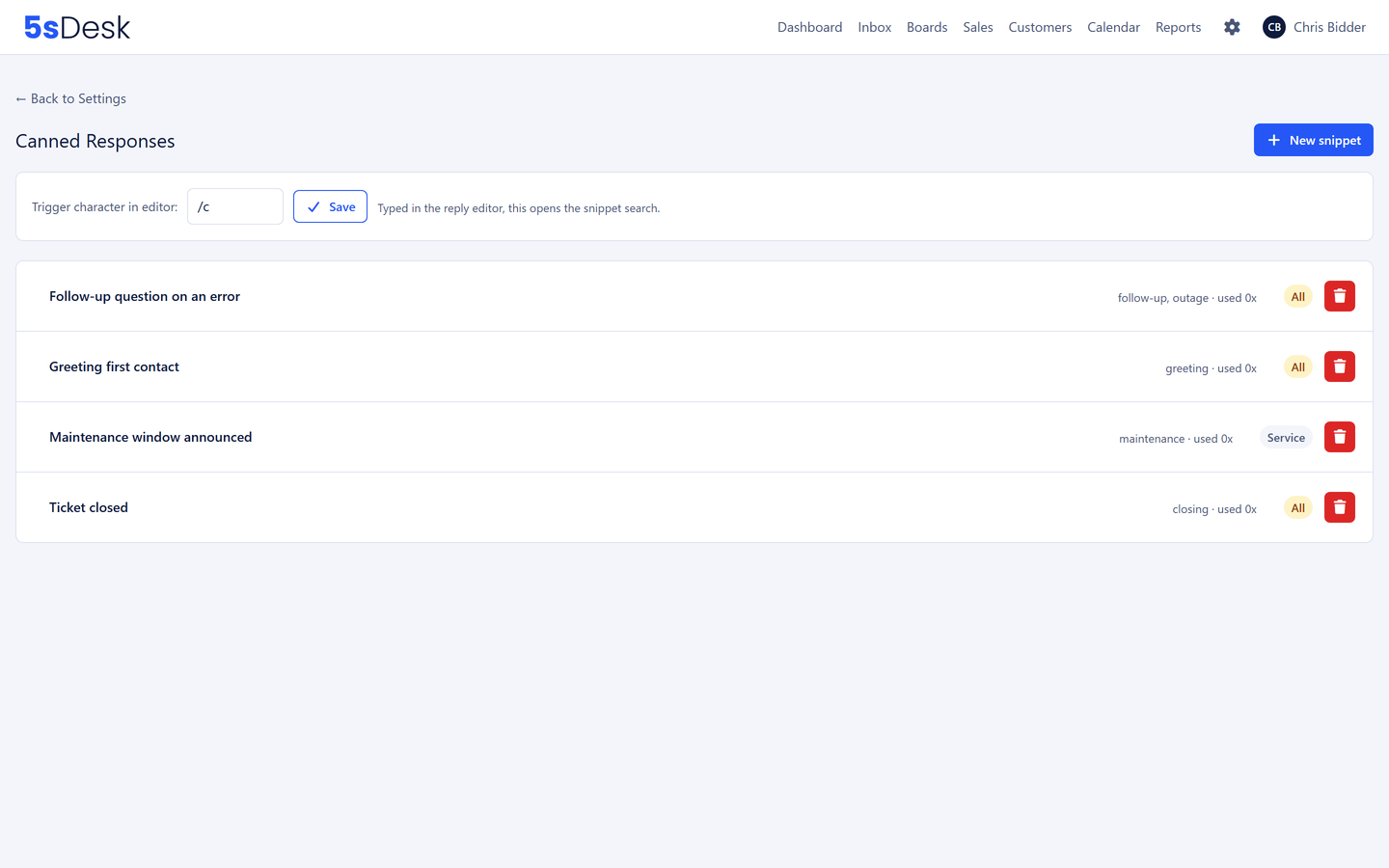
A shortcode in the editor opens the search across all canned responses. Customer name, company, ticket number and the name of the person handling it are inserted automatically. A preview shows the result, and on insertion the system warns if a placeholder could not be resolved. No reply with a visible placeholder goes out to a customer.
Shortcodes, keywords, restriction to departments
A usage count shows what is really needed
Placeholders checked before insertion
A resolved ticket becomes an article
When a question has come up more than once, you set the heading and keywords, and the AI reads the request and the replies and generalises the individual case into a guide. The draft is created unpublished and visible only to the department, without names, addresses or case-specific promises. Translation drafts into further portal languages are also one click.
Every language has its own address range. If a translation is missing, the article appears in the source language with a note instead of an empty page. Canonical addresses and language references are set correctly, and search result pages are excluded from indexing. Your help centre can reach visitors through search engines.
How do I build a knowledge base that actually gets used?
Start with the questions that come up most often in the mailbox, not with a category structure. In 5sDesk a resolved ticket becomes an article draft in a few clicks. Publish ten of them, watch which ones get suggested and inserted in the reply box, and build on from there.
Can I hide internal knowledge from customers?
Yes. Articles are public, internal for all staff or internal for certain departments only. Internal articles never appear in the portal and are locked against being inserted into replies by accident.
What is the difference between a canned response and an article?
A canned response is a piece of a reply with placeholders, inserted in the editor by shortcode. An article is a page of its own in the help centre that customers can find themselves. Both are available in the reply box.
Which languages can the help centre appear in?
As many as you like. Every language gets its own address range, the AI produces translation drafts on request, and a report shows which articles are still missing or out of date.
Answers you can find again
The first ten articles from real tickets. Try it for 30 days.